69
EARTH - Terrestrial Alignment
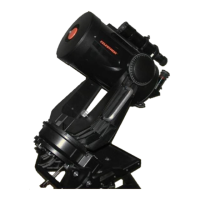
The Ultima 2000 can be used as a spotting scope on terrestrial objects. It is possible to align to objects of interest so you
can slew back and forth between them. Say you are looking at two different bird nests, you can align to them and
automatically slew back and forth between them. You can define terrestrial objects in the NEW Catalog and then slew
between them. Furthermore, if you set up the telescope the next day in the same location and align to two of the NEW
objects you programmed into the NEW database, you can slew around to all the objects again. To do this though, you
must set up in the same spot to avoid a parallax effect. Here is how to align to terrestrial objects.
BUTTON or ACTION
NOTES DISPLAY
Turn the telescope and hand control ON
and turn tracking rate OFF. Return to the
ALIGN menu.
MENU
A
LIGN
Place the telescope to its downstops and
press ENTER.
S
ET FORK
TO ZERO
Press ENTER Aligns the azimuth downstop.
T
UBE TO
DOWNSTOP
Press ENTER Aligns the altitude downstop.
S
KY
ACHERNAR
Press DOWN once. Scroll to the EARTH option under
the ALIGN menu.
E
ARTH
ACHERNAR
Press MENU Return to the main menu. MENU
A
LIGN
Find an object you would like to define as a
NEW object. Center the telescope on the
object.
MENU
A
LIGN
Press DOWN twice. Scroll to the CATALOG menu. MENU
C
ATALOG
Press ENTER Enter into the CATALOG menu. NAMED
S
TAR
Press DOWN once. Scroll to the NEW object catalog.
N
EW01
Press ENTER Enter the NEW catalog and place the
cursor at the leading zero.
NEW
0
1
Press ENTER Place the cursor at the second digit.
NEW0
1
Press ENTER View the current coordinates stored
in the NEW catalog.
0000+000
NEW0
1
Press ENTER This allows you to set the coordinates
to the position the telescope is
pointed.
S
ET TO
CUR POSN
Press ENTER Set the coordinates to the NEW
position.
0320+420(example)
NEW0
1
Press MENU, Press UP twice, Press
ENTER.
Go to the ALIGN menu and scroll to
EARTH mode. EARTH mode sets
the passage of sidereal time to zero.
E
ARTH
NEW01
Press ENTER If you decide you don’t want to name
the object NEW01, then use the UP
DOWN arrows here to change the
name.
NEW OBJ
NEW0
1
Press ENTER Align to the object.
E
ARTH
NEW01



 To Next Page