EN
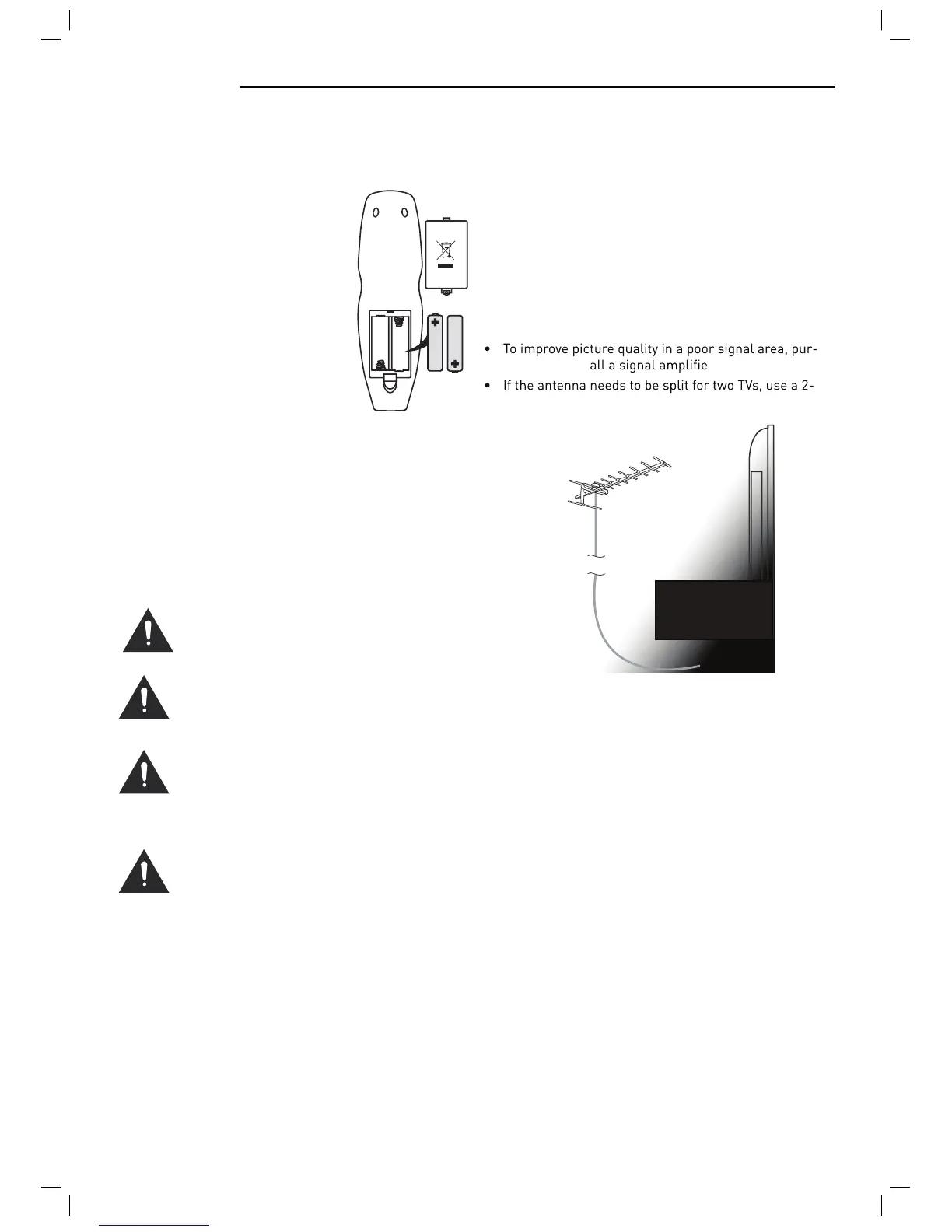
Installing Batteries in the Remote Control
1. Remov
e the battery compartment
cover at the rear of the remote
control by pushing the retaining
clip forward and pulling up.
2. Install the supplied batteries, en-
suring the polarity matches what
is shown in the battery compart-
ment.
3.
Replace the battery compartment
cover.
Aerial connection
WARNING! ENSURE THE TV AND ALL ANCILLARY
EQUIPMENT IS UNPLUGGED FROM THE MAINS BEF
ORE
MAKING ANY CONNECTIONS!
Connecting the TV Antenna
Connect the TV antenna t
o the aerial socket with a 75
ohm co-axial plug. For best results use a high gain TV
aerial, preferably roof or loft mounted.
chase and inst
r.
Way Signal Splitter (not supplied).
Using the Remote Control
To use the remot
e control point it at the TV and press the
required buttons. You must be within 6 meters and at an
angle of less than 30 degrees from the center of the TV.
NOTE: Sunshine or other strong light sources may inter-
fere with the signal from the remote control. In this situa-
tion turn the TV away from the light source.
WARNING! DO NOT LEAVE BATTERIES IN
THE REMOTE CONTROL FOR EXTENDED
PERIODS AS THEY CAN LEAK OR CORRODE
CAUSING DAMAGE TO THE REMOTE CON-
TROL. CHECK THEM PERIODICALLY AND
REPLACE THEM AS REQUIRED.
WARNING! DO NOT MIX BATTERY TYPES.
WHEN INSERTING BATTERIES, REPLACE
ALL BATTERIES AT THE SAME TIME. DO
NOT MIX OLD AND NEW BATTERIES.
WARNING! EXHAUSTED BATTERIES MUST
BE TREATED WITH CARE AND DISPOSED
OF ACCORDING TO ANY SAFETY OR RECY-
CLING REGULATIONS IN FORCE IN YOUR
LOCAL AREA, NEVER DISPOSE OF BATTER-
IES INTO GENERAL WASTE, OR FIRE.
WARNING! NEVER EXPOSE BATTERIES TO
EXCESSIVE HEAT SUCH AS SUNSHINE, FIRE
OR THE LIKE.
Connecting external devic
es
This instruction manual shows the simples
t and most ef-
fective way of connecting your TV to ancillary equipment.
Alternate methods are listed below.
HDMI Lead
Y
ou
c
an connect this TV to a compatible device using a
HDMI lead. This method will give the best picture.
Connect the cable from the HDMI equipment to the TV
HDMI socket.
SCART Lead
You c
an connect this TV to a compatible device using
a SCART lead. The connection uses component video
signals, i.e. the red, green and blue (RGB) content of the
video are sent on separate signals.
VGA Cabl
e
You c
an use your TV as a monitor for your personal com-
puter by using a VGA cable. Sound from your personal
computer may also be played through the TV.
TV Aerial
9



 To Next Page