2
Recor
ding Operation
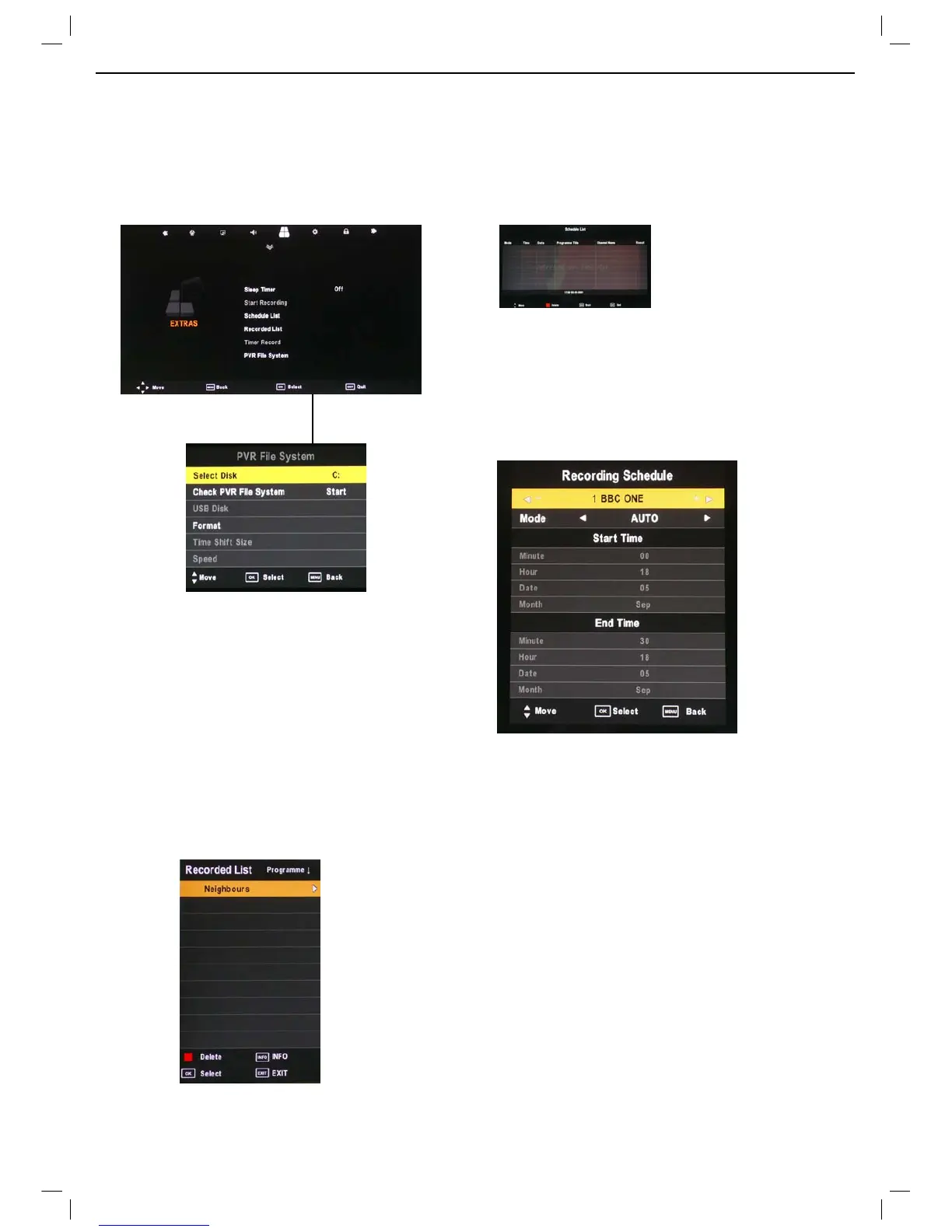
PVR Settings
PVR File Sys
tem Press the MENU button and select
(;75$6 menu, choose PVR File System and press OK.
Select Disc: Sel
ect the USB device to record on.
Check PVR File System: Check the system of the USB
device
USB Disc: Displays information
Format: Format the USB device for PVR operating
Time Shift Size: Displays the memory size of the USB
device
Speed: Displays the speed of the USB device
Recor
ded List
Pres
s the 86%1 button on the remote control to display the
recorded list
Note: Delete any scheduled recordings out of this list with
the RED button.
Schedule Lis
t
Pres
s the A button on the remote control to display the
recorder schedule list
Note: Delete any scheduled recordings out of this list with
the RED button
Timer Recor
d
When selecting a pr
ogramme in the EPG for Timer record
the Recorder menu will appear. Press OK and the Timer
will set automatically from the EPG data. If you choose to
manually programme the Recorder menu you can.
Channel: Select the channel you want to record
Mode: Select the recording mode
Start time: Select the record time begin
End time: Select the record time end
Press the OK button to save and exit the menu



 To Next Page