28
1. Photo
Photo viewing
Pr
ess
/ buttons t
o select the option on the menu, and
press the OK button to activate.
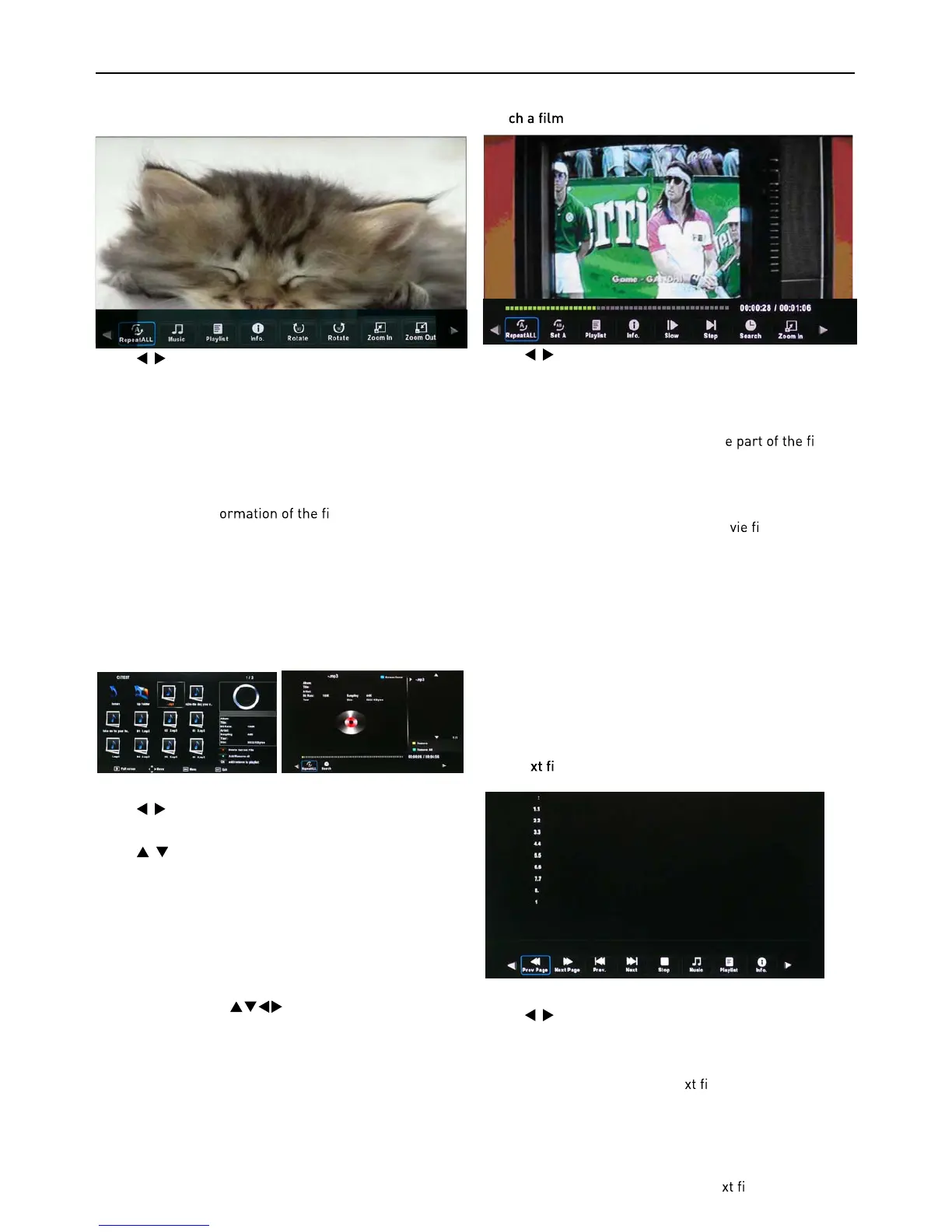
Repeat: Select the repeat mode from Repeat All, Repeat
1, Repeat None.
Music: Play/Pause the background music of your choice.
Playlist: Display the playlist on the screen and select the
photo of your choice.
Info: Display the inf
le.
Rotate: Rot
ate the photo clockwise/counterclockwise.
Zoom In/Out: Zoom In/Out of your photos.
Move View: Move the photo in Zoom out mode.
2. Music
Listen
to music
Press
/ buttons t
o select the option on the menu, and
press the OK button to activate.
Press
/ buttons
to select the music, and press the OK
button to play.
Repeat: Select the repeat mode from Repeat All, Repeat
1, Repeat None.
Search: Program the music to play from the time you set.
Press the OK button to display the time table, and select
the position with the
buttons, set the time us-
ing the numer
al buttons on the remote, select “OK“ and
press the OK button to search.
Screen Saver: Press the BLUE button to enter the Screen
Saver mode, press any button to exit.
3. Movie
Wat
Pres
s
/ buttons t
o select the option on the menu, and
press OK button to activate.
Repeat: Select the repeat mode from Repeat All, Repeat
1, Repeat None.
Set A-B: Select and play the preferabl
le by
setting A and B at the beginning and end. Pr
ess OK button
to cancel.
Playlist: Display the playlist on the screen.
Info: Display the information of the mo
le.
Sl
ow: Play the movies at slow speed, press T button to
cancel and resume at normal speed.
Step: Step quickly through the movie by using this option
Search: Program the movie form the time you set.
Zoom In/Out: Zoom In/Out of the movie screen.
Aspect Ratio: Select the aspect ratio of the on screen
display.
Move View: Moves the enlarged picture area.
4. T
ext
View
te
les
Pr
ess
/ buttons t
o select the option on the menu, and
press the OK button to activate.
Prev/Next page: Turn to previous/next page of the text.
Prev./Next: Turn to previous/ne
le.
Stop: St
op auto turning pages.
Music: Play/pause the background music of your choice.
Playlist: Display the playlist on the screen.
Info: Display the information of the te
le.



 To Next Page