EasyManua.ls Logo

Cello C19103QUAD - Satellite Management; Satellite Management Menus; Transponder Management

Cello C19103QUAD
36 pages
Print Icon
To Next Page IconTo Next Page
To Previous Page IconTo Previous Page
Loading...
20
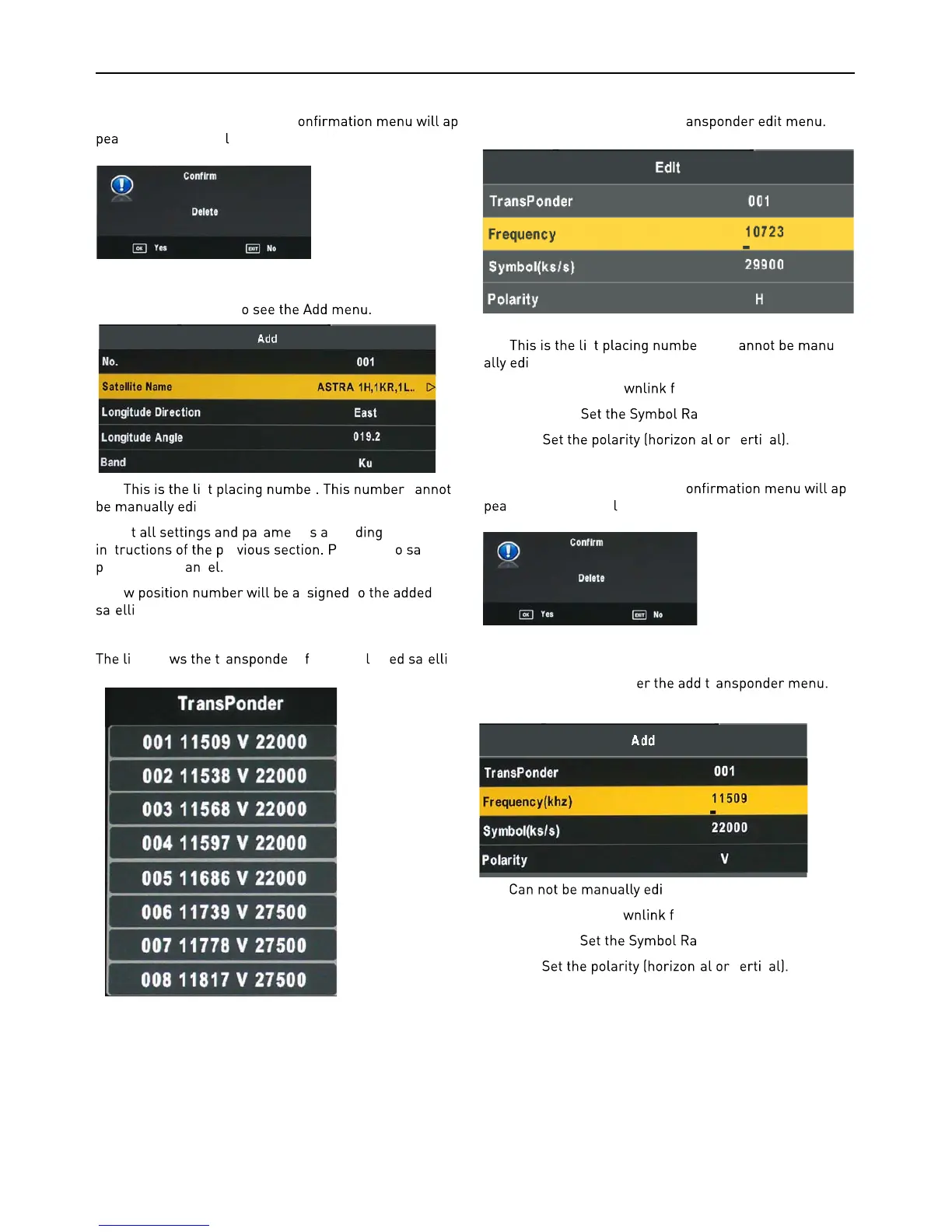
Delete Satellite menu
Press the YELLOW button, the c -
r. Press OK to de ete.
Add Satellite
Press the RED button t
NO: s r c
ted.
Adjus
r ter ccor to the
s re ress OK t ve or
ress EXIT o c c
A ne s t
t te.
Transponder List
st sho r rs or the se ect t te.
Edit Transponder menu
Press GREEN button to enter Tr
No. s r. Nr. c -
ted
Frequency: Set the do
requency.
Symbol (ks/s):
te.
Polarity:
t v c
Delete Transponder
Press the YELLOW button, the c -
r. Press OK to de ete.
Add Transponder
Press RED button to ent r
No. ted.
Frequency: Set the do
requency.
Symbol (ks/s):
te.
Polarity:
t v c
(khz)

Related product manuals