- 19 -
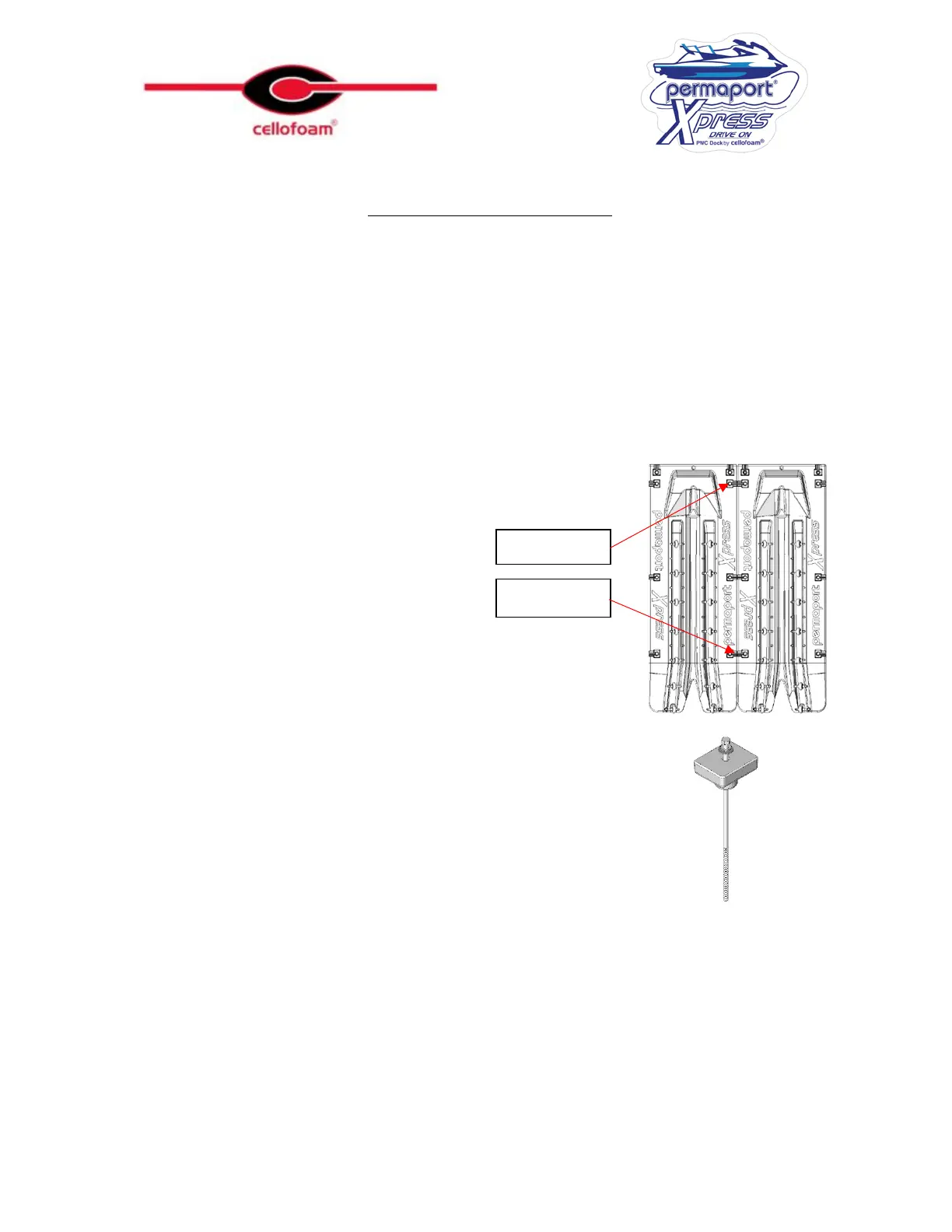
Joiner Kit Installation
If you are joining two Permaport
®
Xpress
ports front mounted you will need 1 kit
If you are joining two Permaport
®
Xpress
ports side mounted you will need 2 kits
On a front mounted installation, mount both Permaport
®
Xpress
ports to the dock
independent of each other using the hardware provided (see page 11 for requirements).
Ensure that the correct brackets are in use according to page 11.
On side mount installations, mount the
Xpress
to the dock using all three positions using
the hardware from both
Xpress
ports, installing plain rollers in the rear and center positions.
For front mounted
Xpress
ports, carry out the
following procedures on position 2
For side mounted
Xpress
ports, carry out
the following procedure on positions 1 and 2
Remove the fillers in the appropriate positions using a 9/16”
socket.
Thread a long bolt through a cap washer, a plain washer and the
unthreaded rubber insert.



 To Next Page