- 9 -
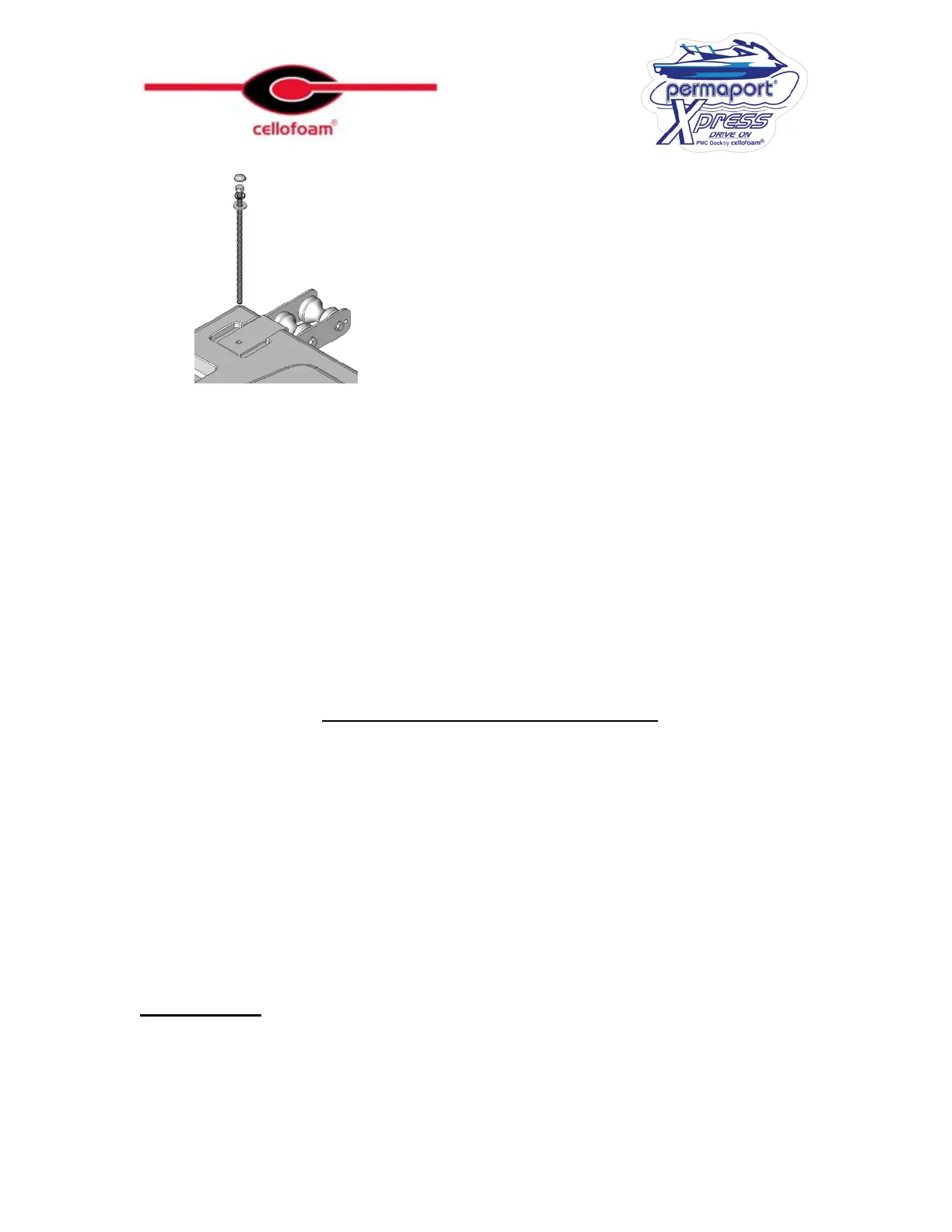
Tighten the nuts using a ¾” wrench or Long Reach Socket. Do not over tighten the nuts,
they need to be snug without causing undue compression of the
Xpress
. Finally, snap the
plastic caps over the bolt heads onto the contoured washers.
There are two different types of rollers, on a front mount application the position is
unimportant. On a side mount application, it is important that the straight rollers are in the
rear position.
Attaching the Dock Hardware
It may be necessary to remove part of the dock planking in order to adequately fix the
brackets on this assembly. Lag screws should not be used; it is critical that bolts and washers
are used to mount this assembly. The Xpress should not be attached to dock stringers that are
less than 2” x 6” or in a decayed or damaged condition. Take care not to drill through the
floats under the dock.
When Mounting to a Fixed Dock it is essential that the water level is not able to come to
within 15” of the top of the dock. If there is a possibility this may occur the installation needs
to be adapted to accommodate this situation.
Front Mount
Determine the position that the
Xpress
is to be attached and mark a line on the stringer
representing the center of the
Xpress
. Mark a line 23 ¾” from the center line to both the
right and the left-hand sides; these are the center lines of each of the Dock Brackets.



 To Next Page