16
FORGE OUTDOOR COAL FURNACE • OWNER'S MANUAL
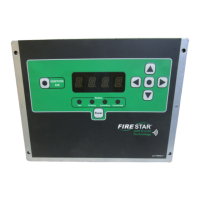
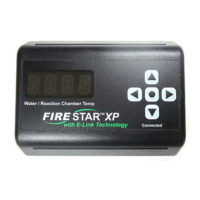
LED Display Alarm Denitions
If any of the following alarms occur, system operations will be halted and
the alarm name will scroll across the display until the cause of the alarm is
corrected.
LOW WATER
is warning will scroll across the screen until the water level is above the
sensor. Check the water level at the sight gauge and, if necessary, add water
according to the Water Quality and Maintenance section. If adding water does
not correct the problem, contact your Central Boiler dealer.
HIGH WATER TEMPERATURE
HIGH TEMP 1, followed by the water temperature, will scroll across the
display if the water temperature reaches 200˚F (93˚C). e LED will continue
to scroll the warning, followed by the water temperature and the ue gas
temperature until the water temperature drops to 195˚F (90˚C).
HIGH LIMIT TRIP
ere is an external limit switch that can also lock the controller in cool down
mode. HIGH TEMP 2 will scroll across the screen, followed by the water
temperature if the external limit switch trips. e limit switch will trip at
approximately 200˚F (93˚C) and automatically reset at 185˚F (85˚C). If this
alarm occurs often, you will need to lower the water temperature setpoint.
FIRE OUT
When the system is calling for heat, if the ue gas temperature drops below
200˚F (149˚C) for longer than 60 minutes and doesn’t rise more than 5˚F
(3˚C), FIRE OUT will scroll across the display until one of the following
occurs:
• the ue gas temperature rises signicantly (NOTE: if the ue
gas temperature has been rising for over 3 hours but is still below
200˚F (149˚C), this alarm will still occur),
• the controller is turned o and on, or
• the rebox door is opened and closed, or
• the Reset button is pressed.


 To Next Page