18
FORGE OUTDOOR COAL FURNACE • OWNER'S MANUAL
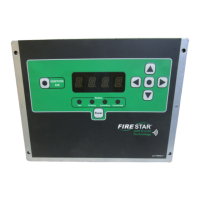
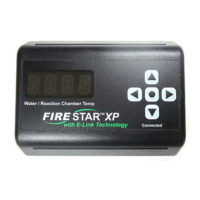
Connecting FireStar Combustion Controller
to Wi-Fi Network
e FireStar Combustion Controller's integrated wi- allows you to connect
to your local wi- network and take advantage of the online features when you
create an online account.
YOUR WIRELESS NETWORK AND FURNACE INFORMATION
Record information about your home's wireless network and your furnace.
_____________________________________________________________
Wireless Network Name
_____________________________________________________________
Wireless Network Password
_____________________________________________________________
Your Furnace Serial Number
CONNECT TO YOUR WI-FI NETWORK
1. Disconnect power to the furnace.
2. Remove the two screws and open the control panel.
3. Remove the round plug on the left side of the control.
4. Install the grommet into the hole.
5. Align the antenna through the grommet and tighten it onto the gold
threaded connector installed on the side of the control panel. Take care
not to cross-thread the antenna and damage the threads on the connector.
6. Connect power to the furnace and turn on the control.
7. Press and hold the center Menu
button until 1 is displayed.
8. Turn on the wi- conguration network by pressing the up or down arrow
until menu #27 is displayed. Press the right arrow to display the setting
stored in menu #27. Use the up arrow to change this setting to 1. Press
the center Menu
button to store this setting. e connected light will
start ashing blue.


 To Next Page