SKU 40643 For technical questions, please call 1-800-444-3353. Page 6
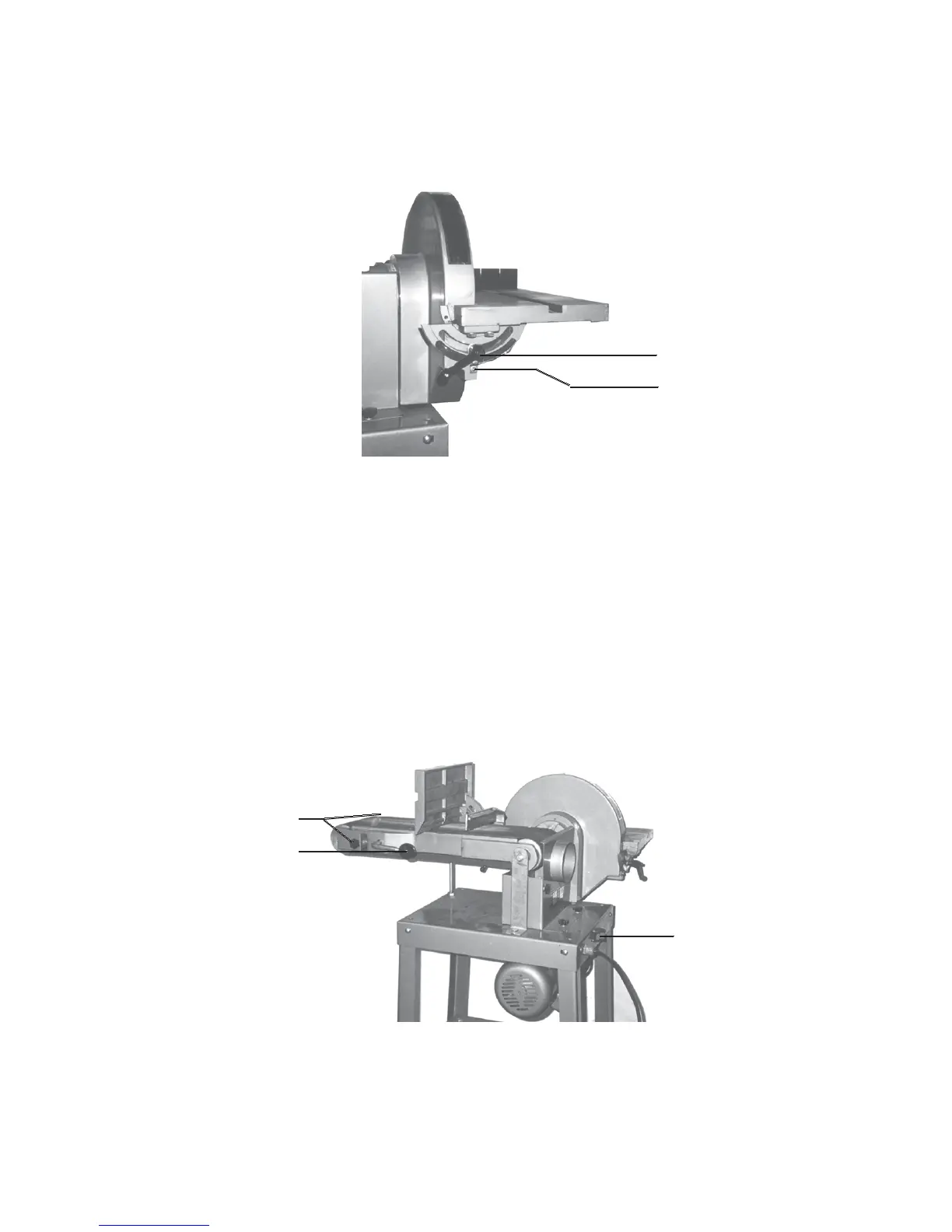
3. Retighten the Knob to secure the table.
4. Loosen the pointer screw below the Lock Handle and adjust so that it points to 90
degrees. Retighten screw.
Adjusting the Sanding Belt
1. Turn the Belt Sander On.
If the belt looks like it was going to slide off either roller, the belt tracking needs to be
adjusted (described in the next step).
2. Loosen locking Knob (61).
3. Turn the tracking Knobs (66) on both sides of the Idle Roller (64) until the belts rides on
the center of the Idle Roller (64) and the Driving Roller (11).
4. Retighten the locking Knob (61).
Lock Handle (32)
Pointer (39)
Tracking Knobs (66)
Locking Knob (61)
Switch (49)
REV 12/00






 To Next Page