SKU 40643 For technical questions, please call 1-800-444-3353. Page 8
Maintenance
1. Apply a light coat of paste wax to the worktable to make feeding stock easier.
2. Use compressed air to blow out dust and debris from sander and motor.
Mounting Sanding Disc and Guard
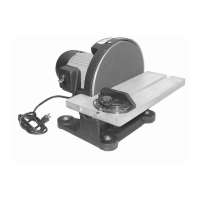
1. Remove hardware surrounding Sanding Disc (22).
2. Locate Sanding Paper disc (23) and peel backing off paper disc.
3. Align perimeter of Sanding Paper (23) disc over Sanding Disc. When aligned, press
disc firmly onto disc.
4. Replace hardware and realign table.
Drive Belt Replacement
1. Using a Phillips screwdriver, remove the Screw (44) from Pulley Cover (47), and
remove cover.
2. Loosen Knob (14) to allow Motor Pulley (58) to shift enough to place V-Belt (25) around
it.
3. Place V-Belt around Pulley (26), then Motor Pulley (58).
4. Retighten Knob (14) finger tight.
5. Adjust tension of V-Belt by placing a standard screwdriver in the adjusting hole by
pushing up on the screwdriver to apply tension to the V-Belt.
6. Tighten the Knob (14) completely.
7. Grab the V-Belt with two fingers on the outside-center and squeeze. There should be
about 1/4 inch give to the V-Belt for proper tension.
NOTE: Too much tension on the V-Belt can load-down motor and cause
possible damage. If the V-Belt is loose, it may fail prematurely.
8. Replace Pulley Cover (47).





 To Next Page