17
18
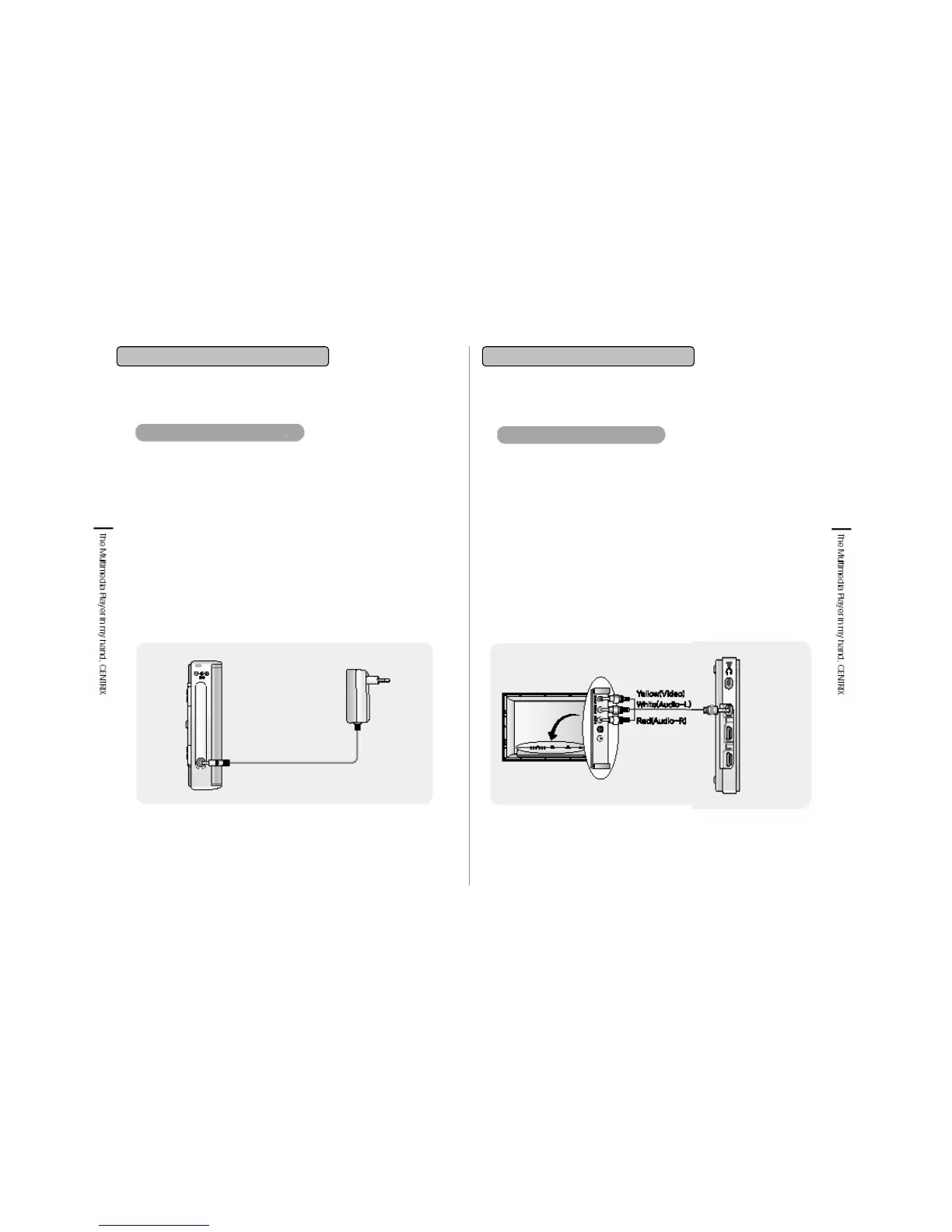
1. Connect the adapter to the player’s DC Jack which
is on the lower end of the right side from the front of
player.
2. If the LED which is on the lower end of the front
illuminates with red color, charging is in processing.
3. The LED light will change into green color when
charging is complete.
4. The LED light will turn-off when the adapter is
detached.
Connecting adapter and charging
2. Getting Started 2. Getting Started
Connecting TV
1. Connect A/V cable to the image input terminal of TV.
Yellow is Video, White is Audio left channel, Red is Audio
right channel.
2. Connect A/V cable to the end of A/V Jack which is on the
lower end of the left side from the front.
3. Set the TV setting as Line-in .
4. When you power on the player, menu icons will be
displayed on TV screen and you can enjoy video file by
setting TV screen.
5. If you pull out the A/V cable from the player, then you can
enjoy video file on the LCD screen again.
6. If you stick A/V cable to the player while screen playing on
built-in LCD, then there is no output on LCD.
2-2. Connecting & Installation2-2. Connecting & Installation


 To Next Page