23
24
2. Getting Started
2-3. Basic Function
2. Getting Started
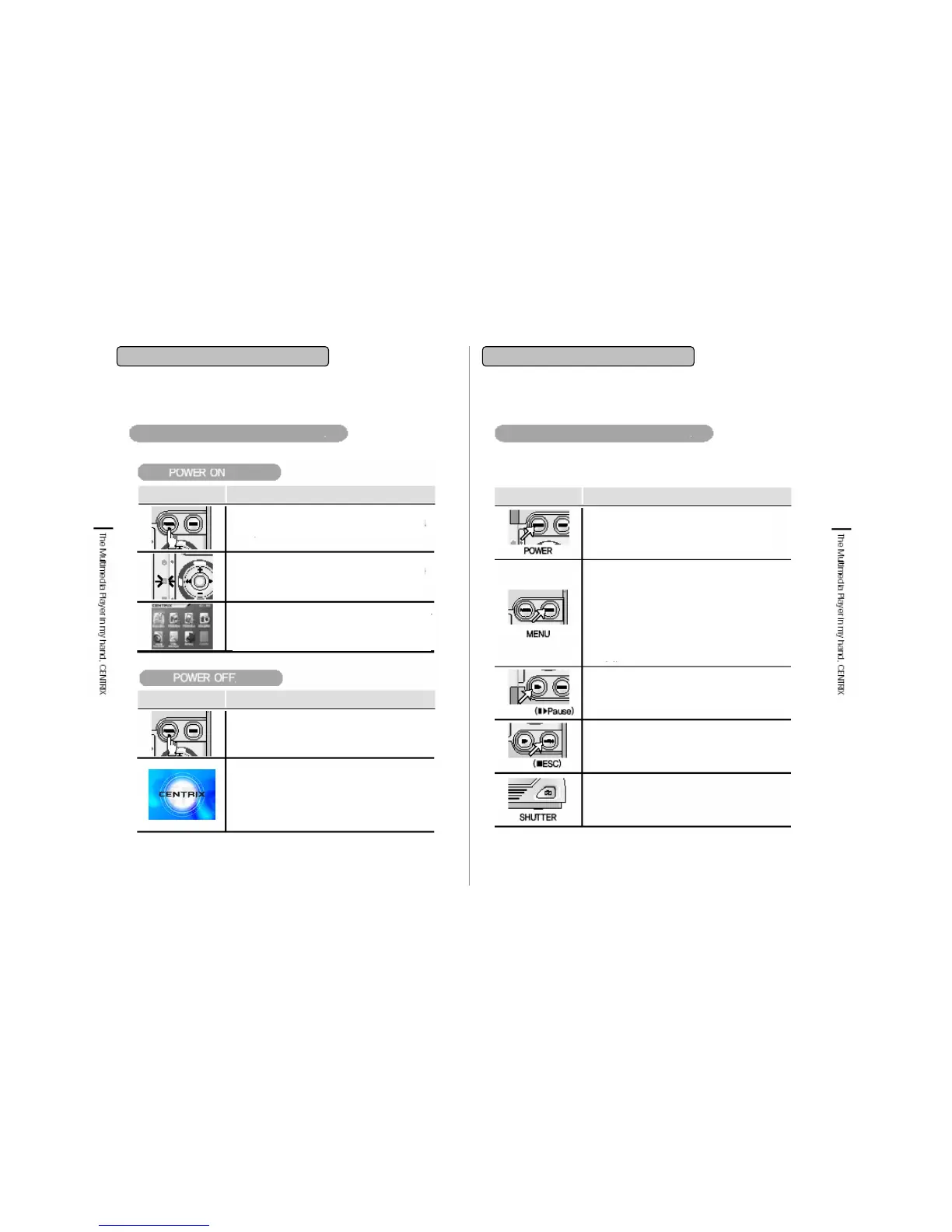
Power On/Off
2-3. Basic Function
Name & functions of buttons
Button Functions
• Press when power on/off.
• Press about 3 seconds to make power
on/off
• Use the MENU button to go back to setting
screen.
• If you press MENU button during playback
mode, it will shift to circumstance setting
screen of playing file, after setting it, press
■/ESC key for shift to playback mode.
• Use Play/Pause button to play music/video
file and you press again to pause play of
music/video.
•Use ■/ESC key to pause playing (music,
video, snapshot) and transfer to upper screen.
Use ■/ESC key to transfer to upper menu.
• Press shutter button a bit long to shift
to Snapshot mode. It will not operate
when it is connected to PC with USB
cable.
Play
STOP
Button Functions
Button Functions
1. Press power button about 3 seconds to
make power on
2. Hard disk LED (middle LED) is on and
then Power LED (top LED) is on
3. Opening Image is displayed and then the
main menu is displayed.
3. Opening Image is displayed and then the
main menu is displayed.
3. Opening Image is displayed and then the
main menu is displayed.
1. Press power button about 3 seconds to make
power off.
2. Stop all functions before you shut off the player.
1. Ending Image is displayed and then the
player is off.


 To Next Page