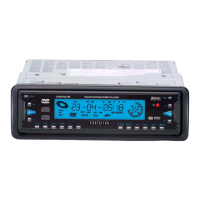
7. OPEN BUTTON
Press the OPEN button on the front panel to flip down the front panel from the unit, then you can
insert a disc into the disc compartment or press the EJECT button on the back of the front panel to
eject the disc or take away the front panel.
8. IR REMOTE SENSOR
9. LOUDNESS BUTTON
Press and hold to enhance the BASS sound effect.
USE OF PAD NUMBERS
1. During VCD playback, press the PBC button on the IR remote control to turn PBC mode ON/OFF:
1).When in PBC ON mode and displaying the title menu on the a monitor ( if the disc includes TITLE
MENU), press one of NUMBER buttons to select the track/chapter to playback; During playback the
NUMBER buttons are not available.
2).When in PBC OFF mode, press one of the NUMBER buttons to select the chapter/track to
playback.
2. During DVD playback, press the TITLE button to display the title menu; then press the NUMBER
buttons to select the chapter/track to playback.
3. During CD/MP3 playback, press the NUMBER button to select the chapter/track to playback.
* +10 BUTTON: Press once to display 1-, then press one of 1-9 NUMBER buttons to select one of
the 11th-19th tracks. Press twice to display 2-, then press one of 1-9 NUMBER buttons to select one
of the 21th-29th tracks. Press one of 1-9 NUMBER button and then press the +10 button to display 1-
again (depending on the disc used).
* During MP3 playback, press the 0 button on the remote control to enter back into ROOT TITLE
and then you can select other sub-titles and tracks to play.
CENDVDLFM Page 16


 To Next Page