EasyManua.ls Logo

Centurion D3 - User Manual

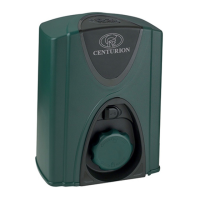
Centurion D3
32 pages
Print Icon
To Next Page IconTo Next Page
Loading...
Latest Revision: 17.07.2006
Document Ref.: 1114.D.01.0002_17
Product Code: CP70SLIDRO
USER GUIDE
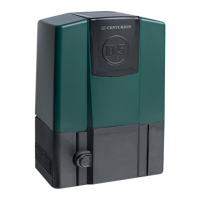
D3, D5, A10
and FAAC 844
CENTURION
SLIDING GATE AUTOMATION

Other manuals for Centurion D3

Questions and Answers

  • S
    Susan FloresAug 8, 2025
    Why doesn't my Centurion Gate Opener stop at the pedestrian opening?
    • E
      Elizabeth RamirezAug 8, 2025
      If your Centurion Gate Opener doesn't stop at the pedestrian opening, check if the origin marker is positioned correctly. Also, verify that there isn't a continuous trigger on the PED input.
  • M
    marcusjonesAug 13, 2025
    What to do if Centurion D3 Gate Opener hits closed end stop, but does not re-open?
    • M
      Michelle WuAug 14, 2025
      If your Centurion Gate Opener hits the closed end stop but does not reopen, ensure the magnetic sensor switch functions correctly and that the gate magnet passes as close as possible to the sensor.
  • R
    Ronald WhiteAug 20, 2025
    How to fix Centurion Gate Opener when SET light is not on?
    • A
      Alicia HawkinsAug 20, 2025
      If the SET light is not on, L2 is not on, the STATUS light doesn't flash 5 times, and L1 is flashing on your Centurion Gate Opener, try the following: * Check that the SET link is correctly fitted, remove and refit the link a few times to ensure good contact. * Remove all sources of power on the card, and confirm that all the lights turn off, before reconnecting the power with the set link fitted. * Try fitting the charger plug before reconnecting the battery. * Check for and remove latching inputs on the TRG terminal.
  • E
    Erik JohnsonOct 25, 2025
    Why does my Centurion Gate Opener hit the endstop and not move?
    • T
      Teresa MccormickOct 25, 2025
      If your Centurion Gate Opener hits the endstop and doesn't move, with the STATUS light flashing 5 times and L2 turning on, several factors could be at play. Consider the following: * If the CE chip is installed, the crawl distance may be longer. * Ensure the origin marker is correctly positioned. * Verify that the SET link has been removed. * Check the LCK & IRB LEDs; they should be on. * Confirm the FRX LED is off. * The gate limits may not have been set correctly. * The gate dynamics could be detected as a collision. * The mode of operation could be set to condominium. * Safety beams or holiday lockout features might be activated. The IRB and LCK lights must be ON for normal operation. * If the safety lockout feature is not used, ensure the link between COMMON and LC...
  • S
    Sharon WilsonNov 1, 2025
    What to do if Centurion Gate Opener motor clicks but doesn't turn?
    • L
      Lisa WilliamsNov 1, 2025
      If your Centurion Gate Opener motor clicks but doesn't turn, or if the gate doesn't move, consider the following: * Check for loose connections or corrosion on the battery terminals. * If using an external battery, ensure the cables are at least 4mm2 thick. * Check for a low battery condition. * If there was a problem, remove and refit the SET link. * Ensure the manual release mechanism is not in manual mode. * Verify the motor is connected to the controller. * Check if the motor fuse is blown. * Test the motor by connecting the leads directly to the battery. * Check the DOSS sensor system for faults, ensuring the harness is plugged in and there's no water or oil present in the sensor area. * Ensure the battery capacity is sufficient. * Verify the gate origin marker ...

Summary

Introduction to Centurion Gate Automation

Models Covered by the User Guide

Centurion Gate Operator Main Features

D3 and D5 Gate Operator Features

Details features of D3 and D5 models, including chassis, limit switch, and encoder.

A10 Gate Operator Features

Describes A10 features like industrial design, high speed, and 3-phase motor.

FAAC Gate Operator Features

Mentions FAAC models feature die cast aluminium gearboxes and self-locking gearsets.

Normal Gate Operation Procedures

Radio Transmitter Operation

Operation using a handheld radio transmitter to open/close the gate.

Intercom Push Button Operation

Gate control via an intercom pushbutton inside the house.

Pedestrian Keyswitch Operation

Function and operation of an optional pedestrian keyswitch.

Controller Features and Functions

Controller Introduction

Introduces the electronic controller synchronizing gate operator functions.

Anti-Crushing Device

Explains the anti-crushing safety feature and its operation.

Automatic Alignment

How Centurion operators align automatically after manual operation.

Automatic Closing Function

Explains the optional automatic closing feature and its settings.

Auto-Close Override Function

Details how to temporarily override the auto-close function.

Mains Failure Detection (D3;D5)

How mains power failure is detected and indicated on D3/D5 models.

Battery Low Protection (D3;D5)

Battery protection circuitry to prevent damage from low voltage.

Thermal Overload Protection (A10)

Thermal overload shutdown for the A10 operator to protect it.

Origin Sensor Fail (A10)

Shutdown and indication for A10 origin sensor failure.

Lightning Protection

Discusses onboard lightning protection circuitry and its effectiveness.

Ancillary Equipment for Gate Systems

Protection Beam Installation

Connection and function of protection beams/loops as safety features.

Holiday Lockout Feature

Optional holiday lockout feature using a keyswitch for security.

Courtesy Light Timer Function

Explains the optional courtesy light timer function and its control.

Pre-Flashing Indicator

Details the pre-flashing feature for courtesy lights before gate operation.

Gate Status Indication via LED

Visual indication of gate position and system status via LEDs.

Solar Panel Charging System

DC Converter Module for A10

DC Converter LED Status Indicators

Explains the meaning of the status LEDs on the DC converter module.

DC Converter Fuse Replacement

Outlines steps for safely replacing the fuse in the DC converter module.

Special Gate Operation Functions

Reversing Mode Operation

Gate changes direction when triggered.

Condominium Mode Operation

Mode overriding normal operation for safety and security.

PIRAC (Passive Infrared Auto-Close)

Immediate closing behind vehicles, extension of Condominium.

Manual Gate Release Procedures

Centurion D3;D5 Manual Release

Illustrates and explains manual release for D3 and D5 models.

FAAC 844 Manual Release

Illustrates and explains manual release for the FAAC 844 model.

Basic Maintenance for Gate Operators

General Maintenance Checks

General maintenance checks for Centurion operators, including track and rollers.

Battery Maintenance (D3;D5)

Battery checks, life, and terminal maintenance for D3/D5.

Gearbox Oil Level Check (A10)

Guides on checking the gearbox oil level for A10 models.

Power Supply Checks

Advise checking power supply fuses and indicators for Centurion/FAAC operators.

A10 Inverter Module Details

Centurion D3 & D5 Specifications

Centurion A10 Specifications

Presents technical specs for A10 BASIC, ENDURANCE, and HEAVY WEIGHT variants.

Centurion A10 DC Converter Specifications

Lists specifications for the A10 DC converter module.

FAAC 844 Technical Data

Optional Extras Overview

Declaration of Conformity

General Commissioning Check Sheet

Commissioning Settings and Parameters

Lists settings for AUTOCLOSE, MODE, COLLISION SENSITIVITY, etc. for different models.

CE Compliance Installation Checks

Lists specific checks required for CE compliant installation.

Centurion D3 Specifications

General IconGeneral
CategoryGate Opener
Motor Voltage24V DC
Protection RatingIP54
Remote ControlYes
Manual ReleaseYes
Motor TypeDC
Voltage24V
Safety FeaturesObstacle detection
Warranty24 months
Supply Voltage220 - 240V AC

Related product manuals