EasyManua.ls Logo

Centurion D5 - User Manual

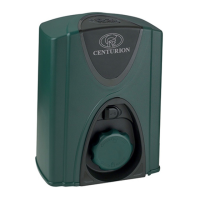
Centurion D5
32 pages
Print Icon
To Next Page IconTo Next Page
Loading...
Latest Revision: 17.07.2006
Document Ref.: 1114.D.01.0002_17
Product Code: CP70SLIDRO
USER GUIDE
D3, D5, A10
and FAAC 844
CENTURION
SLIDING GATE AUTOMATION

Other manuals for Centurion D5

Questions and Answers

  • A
    Alexander SmithAug 10, 2025
    Why doesn't my Centurion D5 Gate Opener stop at the pedestrian opening?
    • B
      Brooke HolmesAug 10, 2025
      If your Centurion Gate Opener doesn't stop at the pedestrian opening, check if the origin marker is positioned correctly. Also, verify that there isn't a continuous trigger on the PED input.
  • M
    Melissa WashingtonAug 16, 2025
    What to do if Centurion D5 hits closed end stop, but does not re-open?
    • A
      Aaron FarleyAug 16, 2025
      If your Centurion Gate Opener hits the closed end stop but does not reopen, ensure the magnetic sensor switch functions correctly and that the gate magnet passes as close as possible to the sensor.
  • J
    john51Aug 22, 2025
    How to fix Centurion D5 when SET light is not on?
    • J
      joshuahillAug 23, 2025
      If the SET light is not on, L2 is not on, the STATUS light doesn't flash 5 times, and L1 is flashing on your Centurion Gate Opener, try the following: * Check that the SET link is correctly fitted, remove and refit the link a few times to ensure good contact. * Remove all sources of power on the card, and confirm that all the lights turn off, before reconnecting the power with the set link fitted. * Try fitting the charger plug before reconnecting the battery. * Check for and remove latching inputs on the TRG terminal.
  • T
    Tonya WarrenOct 29, 2025
    Why does my Centurion D5 hit the endstop and not move?
    • F
      Frank WagnerOct 29, 2025
      If your Centurion Gate Opener hits the endstop and doesn't move, with the STATUS light flashing 5 times and L2 turning on, several factors could be at play. Consider the following: * If the CE chip is installed, the crawl distance may be longer. * Ensure the origin marker is correctly positioned. * Verify that the SET link has been removed. * Check the LCK & IRB LEDs; they should be on. * Confirm the FRX LED is off. * The gate limits may not have been set correctly. * The gate dynamics could be detected as a collision. * The mode of operation could be set to condominium. * Safety beams or holiday lockout features might be activated. The IRB and LCK lights must be ON for normal operation. * If the safety lockout feature is not used, ensure the link between COMMON and LC...
  • A
    Ashley SimmonsNov 3, 2025
    What to do if Centurion Gate Opener motor clicks but doesn't turn?
    • S
      Stephanie DelacruzNov 3, 2025
      If your Centurion Gate Opener motor clicks but doesn't turn, or if the gate doesn't move, consider the following: * Check for loose connections or corrosion on the battery terminals. * If using an external battery, ensure the cables are at least 4mm2 thick. * Check for a low battery condition. * If there was a problem, remove and refit the SET link. * Ensure the manual release mechanism is not in manual mode. * Verify the motor is connected to the controller. * Check if the motor fuse is blown. * Test the motor by connecting the leads directly to the battery. * Check the DOSS sensor system for faults, ensuring the harness is plugged in and there's no water or oil present in the sensor area. * Ensure the battery capacity is sufficient. * Verify the gate origin marker ...

Summary

Main Features

A10

Features of A10: industrial design, high speed, 3-phase motor, and optional components.

Normal Operation

Controller Features and Functions

Anti-Crushing Device

How the anti-crushing device operates during gate movement.

Mains Failure Detection (D3;D5 Only)

Battery Low Protection (D3;D5 Only)

Thermal Overload (A10 Only)

Origin Sensor Fail (A10 Only)

Ancillary Equipment

Protection Beam (Optional, but Recommended)

How protection beams or loops function as safety features.

DC Converter Module (Optional for A10 Only)

Special Functions

Manual Release

Centurion D3 & D5

Procedure for manually operating the gate for D3/D5 models.

Basic Maintenance

General

General maintenance checks for track, rollers, wheels, rack, and motor housing.

The Battery (D3;5 Operators Only)

Gearbox Oil Level (A10 Only)

Power Supply

A10 Inverter Module

Specifications

General Commissioning Check Sheet

Centurion D5 Specifications

General IconGeneral
Operating Temperature Range-20°C to +60°C
Battery BackupYes
Battery Voltage12V DC
Battery Capacity7Ah
Ingress ProtectionIP54
Protection RatingIP54
SpeedAdjustable
Collision SensingYes
Safety FeaturesObstacle detection

Related product manuals