delay. (The opening distance and the time that the gate remains open can be adjusted
to suit. Default values are described above)
If a protection beam has been fitted (refer section “Protection Beam”) and the beam is
broken while the gate is closing, the gate will stop. The gate will remain in that position
while the beam is broken and only close 5 seconds after the beam has been cleared.
Controller Features and Functions
INTRODUCTION
The electronic controller synchronizes the functions of the gate operator. Although
the controllers for each operator are marginally different, the functions and safety
features which are described below are similar.
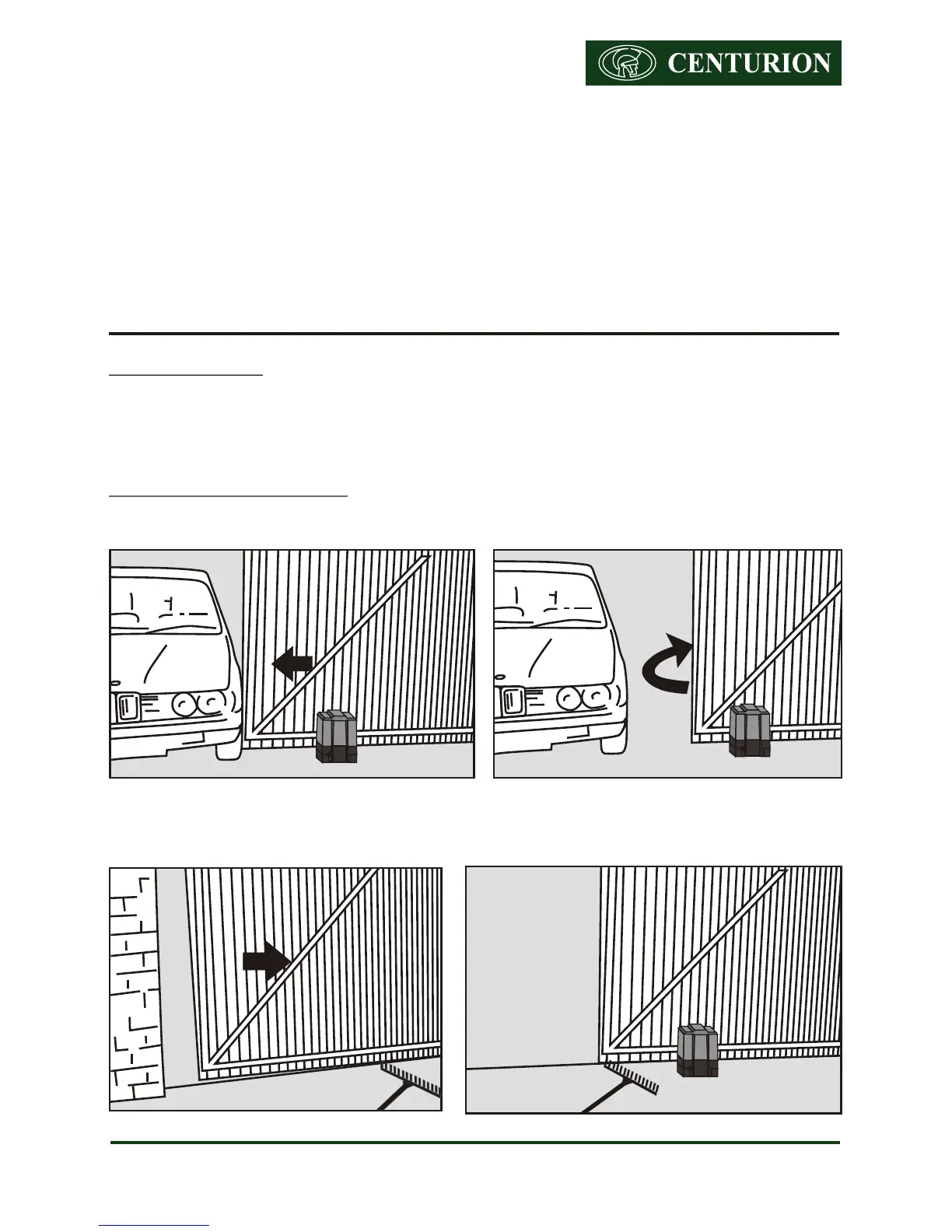
ANTI-CRUSHING DEVICE
Gate Closing
Gate Opening
Centurion Sliding Gate Operators User Guide - 11
Gate closing into an obstruction Gate automatically reverses and re-opens
Gate opening Gate stops on hitting the obstruction













 To Next Page