No DIP-SW Model:
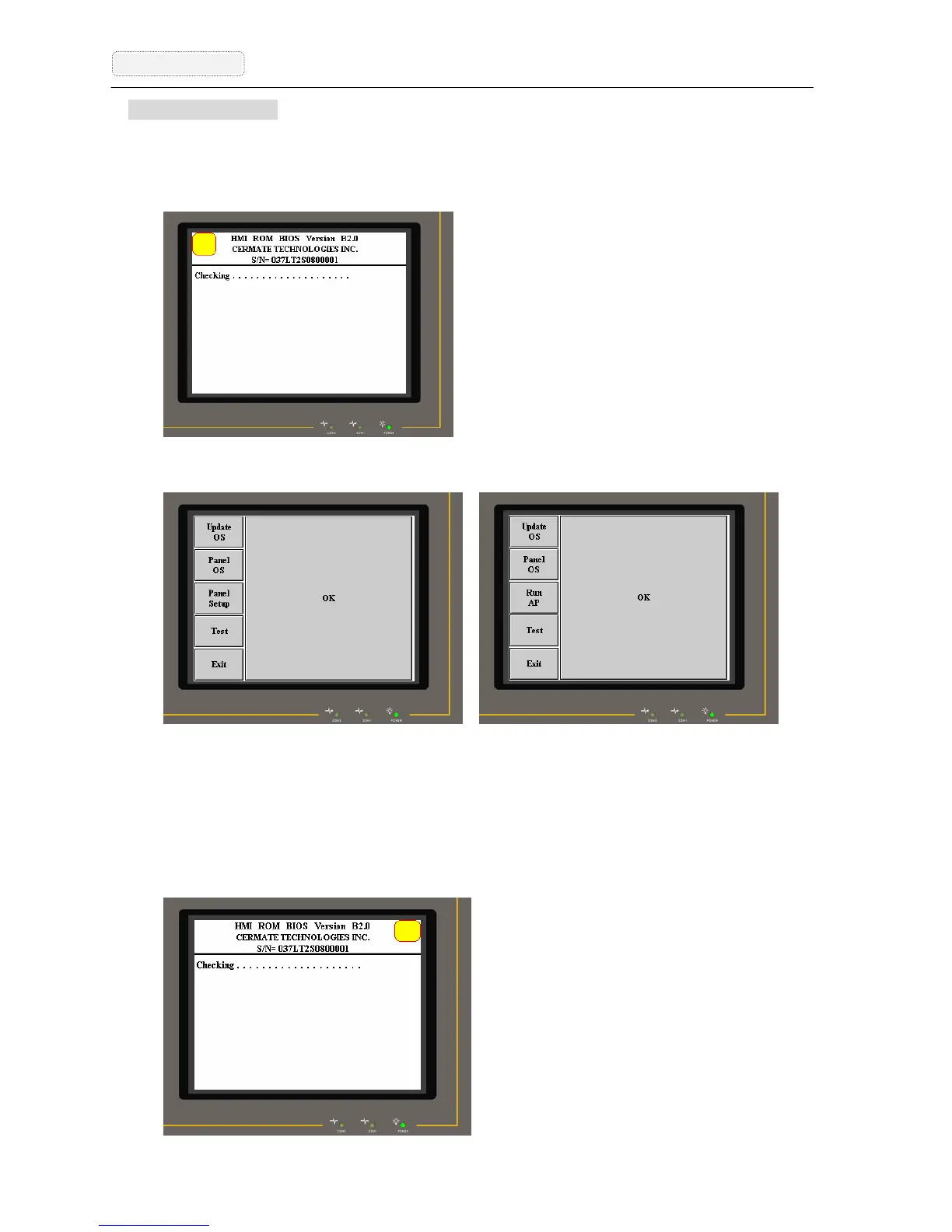
The Startup mode setting of the “No DIP-SW Models” is shown as below.
Situation 1: When power on, the user press the upper-left position of the touch screen
till the HMI has a beep sound.
Situation 2: It will enter BIOS mode and then you can adjust the startup mode is the
“Panel Setup” or “Run AP” screen.
Panel Setup Mode Run AP Mode
Situation 3: If the startup mode is “Run AP”, the user can use below method to enter
“Panel Setup” screen while HMI starting.
When power on, the user press the upper-right position of the touch screen
till the HMI has a beep sound. It will enter “Panel Setup” mode directly.



 To Next Page