10. Lighting, Instruments, Switches
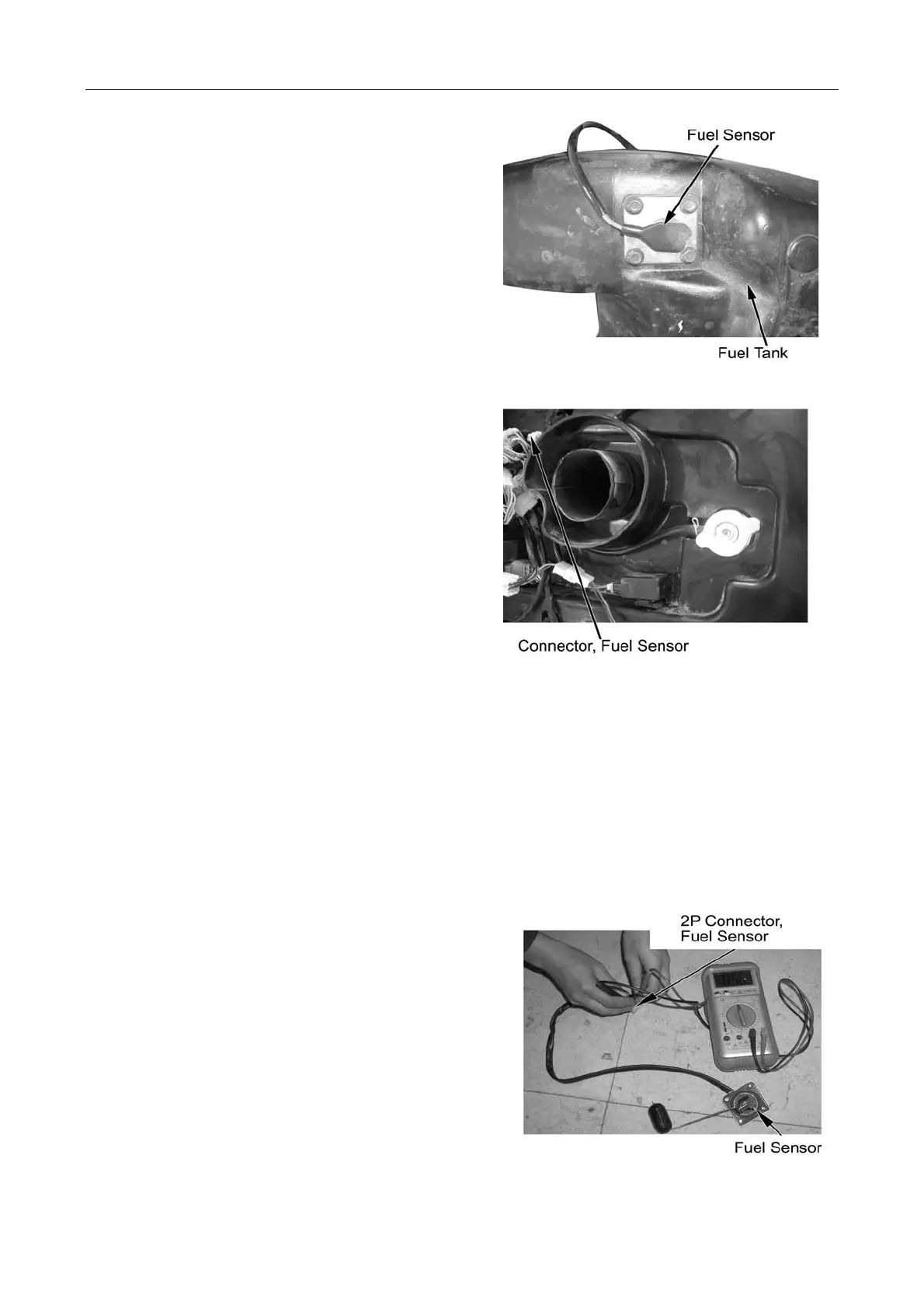
Fuel Sensor
Remove:
--Fuel tank top cover (→2-8)
--4 fixing bolts
--Fuel sensor
Disconnect 2P connector
Inspection
Remove fuel sensor (refer to above steps)
Connect 2P connector
Turn ignition switch to ON
Shake fuel sensor float with hand, locate the float
position and check if it conforms to the fuel gauge
reading.
Non-conformity: →check main cable for damage or
short circuit
→Check fuel sensor and fuel gauge
Remove fuel sensor 2P connector.
Connect multimeter between 3P connector terminals.
Shake float with hand and measure the resistance of
float at different positions.
Connection Terminal:
Upper: Blue/White-Green: 4-10Ω(20℃)
Lower: Blue /White-Green: 90-100Ω(20℃)
Faulty fuel sensor:→ Replace
10-10



 To Next Page