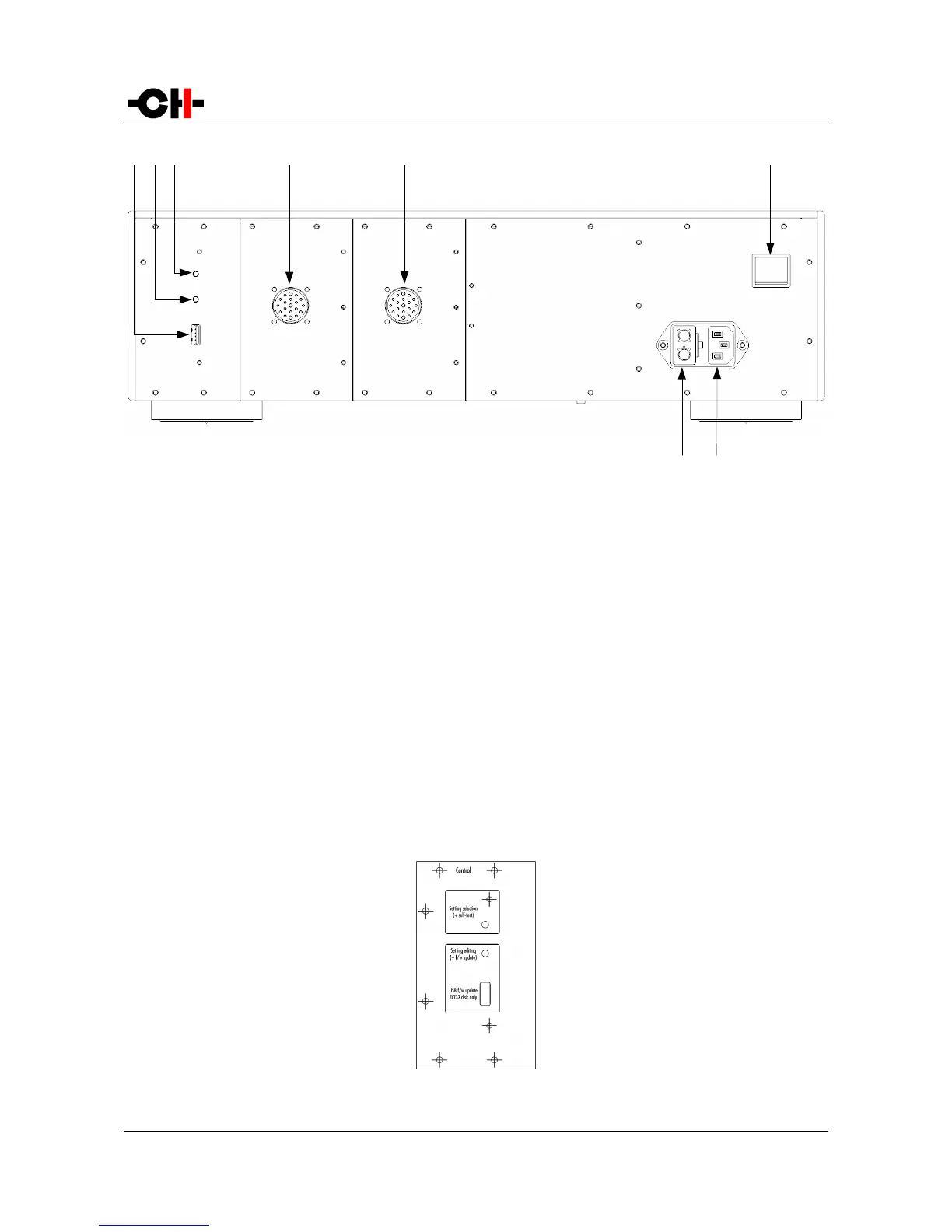
Rear panel connections
(1) USB port for software upgrades.
(2) Push-button for software upgrades and parameter value editing
(3) Push-button for X1 self-test and parameter selection
(4) Power Link Cable connector to power a CH precision unit, such as C1, D1, L1 or P1
(5) Power Link Cable connector to power a CH precision unit, such as C1, D1, L1 or P1 (optional)
(6) Power on/off switch
(7) Power cord receptacle
(8) Mains fuse and voltage selection
3.3.1 CONTROL board
The CONTROL board is factory installed into the X1. It provides a USB port for software updates and two push-buttons for
configuration. The following drawing shows the layout of the back panel of the CONTROL board:
CONTROL board back panel layout
14 X1 User Manual Rev 2.1



 To Next Page