4.
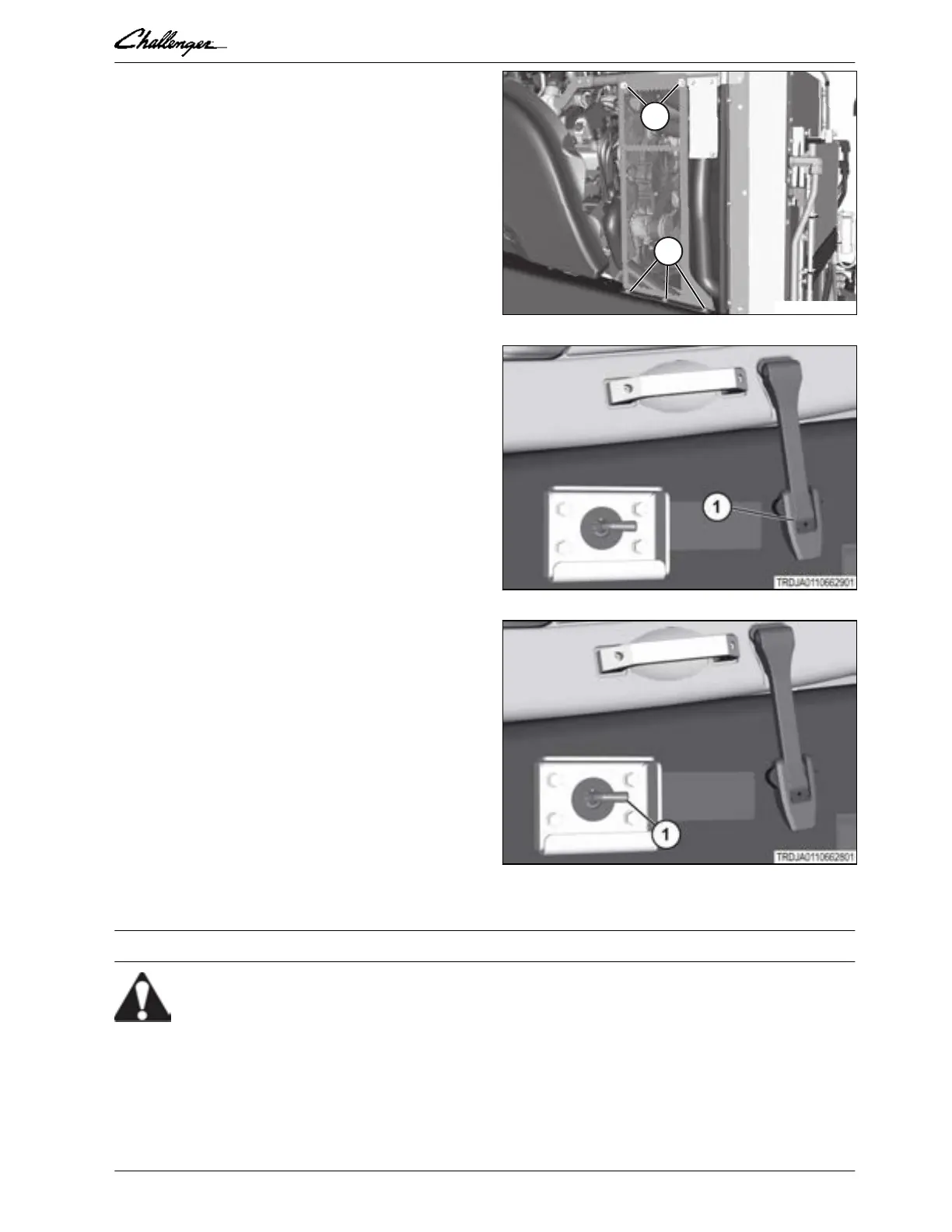
Fasten the right-hand side engine screen to
the machine with hardware (1).
GUID-7B7D1E65-5A69-4C84-B22B-035A5C9DCAFF-high.eps [High]
Fig. 11
5.
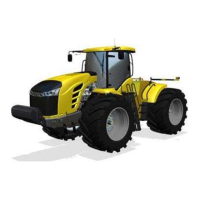
Close the engine cover. Fasten the latch (1)
to the keeper on both sides of the frame.
IMPORTANT:
Make sure to fasten the latches on both
sides of the engine cover.
GUID-F85152ED-DA2A-47F8-B303-7840AC2C5865-high.jpg [High]
Fig. 12
6.
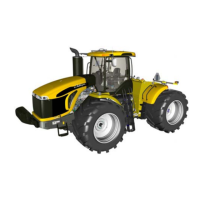
Install the battery disconnect switch key (1).
GUID-4402DB30-D3E1-4CE7-A77C-8973E245023C-high.jpg [High]
Fig. 13
7.
Turn the battery disconnect switch key (1) clockwise to connect the power.
2.2.3 Removing the accessories belt
WARNING:
Hot components can burn. Severe personal injury can result. Let the engine and
components cool before doing maintenance.
Procedure
1.
Park the machine on a solid, level surface. Stop the engine, apply the parking brake, and take the key
with you.
GUID-E975AA71-C371-4A85-927F-9F7F76B61675 [V1]
2. Engine, fuel, and exhaust system
Articulated Tractor 2-9
79036231D



 To Next Page