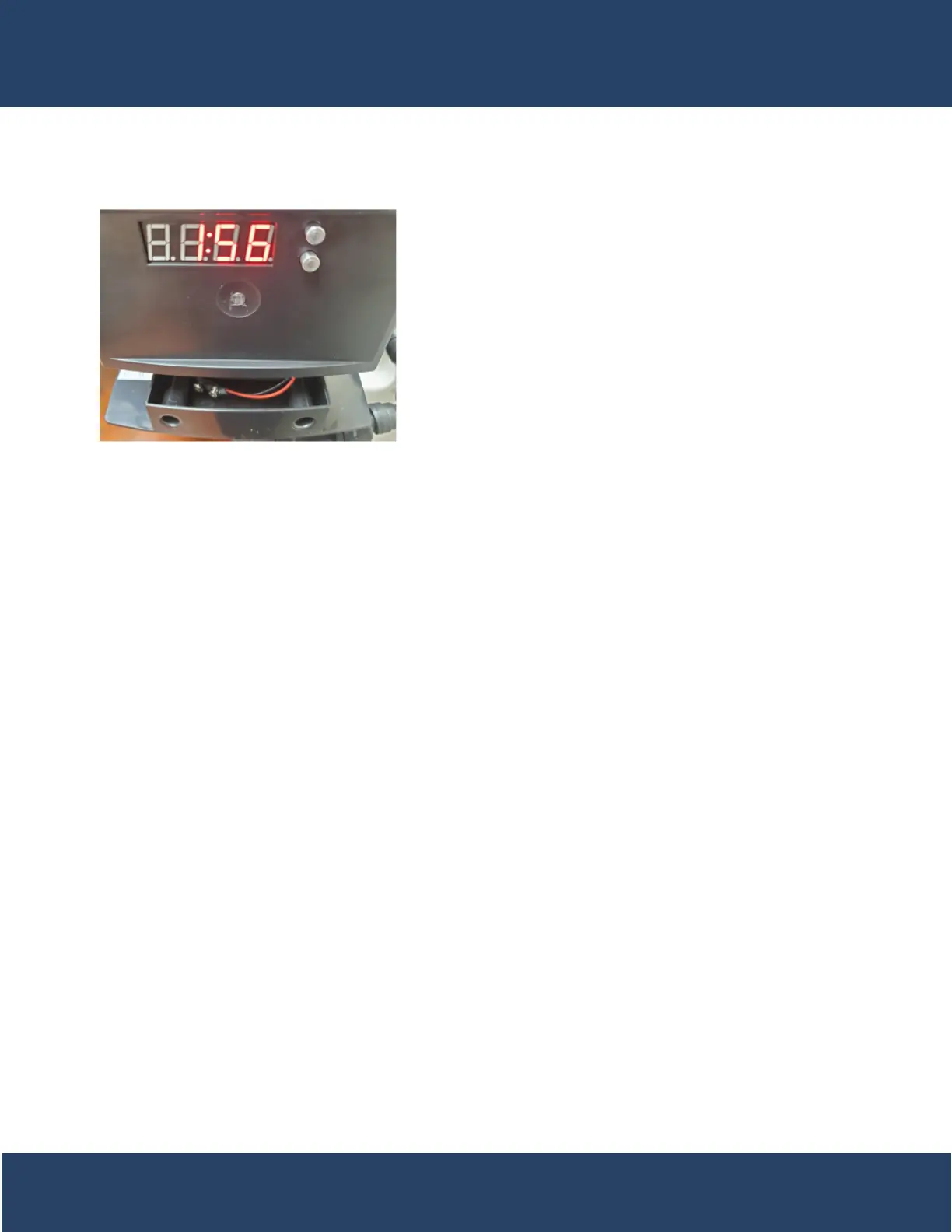
Normal Operation
1. Battery Back-Up (This unit uses a standard 9 volt alkaline battery)
-Installing the battery
-The control valves have a battery wire that hangs down
from the control board into the battery tray
-From there, let the battery just sit in the tray
-Features of battery back-up
-Maintains the time of day during power failures.
-The battery back-up continues to count down gallons re-
maining during power failure (Metered Version)
Note:
* Menus can not be accessed during power failure
* If a power failure occurs while the valve is in regeneration the valve will cycle to a bypass position and will re-
sume the regeneration when power is restored.
Starting Extra Regeneration Cycles
1. Starting Delayed Extra Cycle
-(Metered Version)
-If gallons remaining is not already at 0 Press and Hold the Set/Change Button
-After 3 seconds the gallons remaining display will read 0 Example [ 0000 ]
-Regeneration cycle will be initiated at the next designated regeneration time
-(Filter/Aeration Version)
-If days remaining is not already at 1 press and hold the Set/Change Button.
-After 3 seconds the days remaining display will read 1
-Regeneration cycle will be Initiated at the next designated regeneration time
2. Starting Immediate Extra Cycle - First, Complete Above Delayed Cycle Steps
-(Metered Version)
-With gallons remaining at 0, press and hold the Set/Change button
-After 3 seconds the regeneration cycle will begin
-(Filter Version)
-With days remaining at 1 press and hold the Set/Change button
-After 3 seconds the regeneration cycle will begin.
3. Fast Cycling Thru Regeneration
-First complete above immediate cycle steps
-Press and hold the Set/Change button
-After 3 seconds the valve will start to advance to the next step
19


 To Next Page