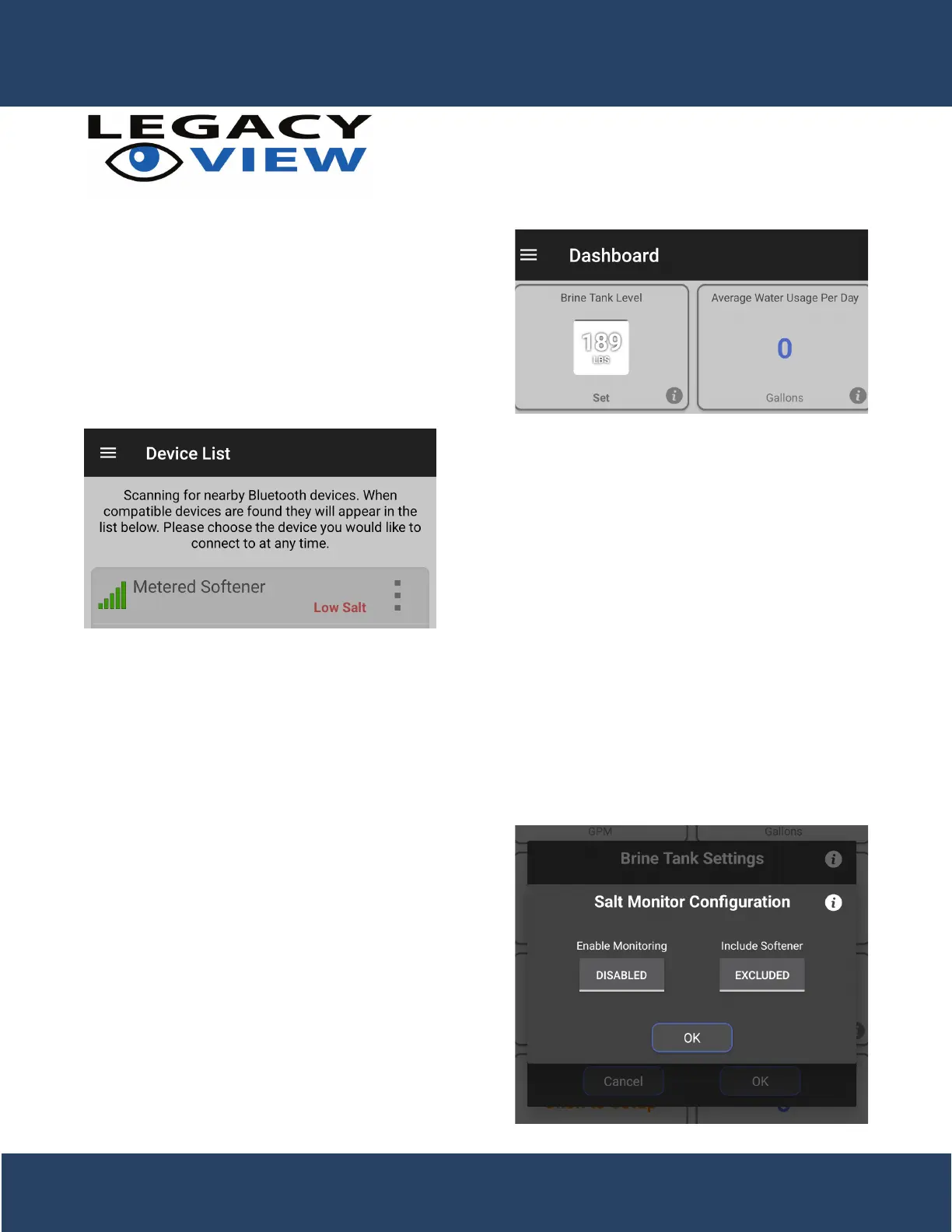
When the salt level is set the brine tank level on the dash-
board will update to show a smaller representation of the
brine tank with the current salt level. When the softener
completes a regeneration the salt level will be updated
accordingly. Please note that the value may be lower than
what was shown when entering the salt level. This is ex-
pected behavior as it rounds down to the pounds of salt
remaining that can complete full regenerations to help
avoid hard water from breaking through.
When a valve reports it has low salt it can be seen on the
device list when you initially open the app. This happens
when the salt level in the brine tank is determined to be at
20% or less.
Salt Monitoring
For users that would like to see the overall salt level status, for one or more metered softeners, without having to
connect to each valve then we also oer that functionality as well. The setup and functionality work a little dierently
in Android and iOS so both methods will be shown to illustrate this. However, they will both do a quick scan every
30 minutes for nearby metered softeners. If a metered softener is found, then it will check to see if that softener was
included in the monitoring. If it was included, then the status is checked and reported.
You can enable the salt monitoring service by tapping the
magnifying glass icon from the brine tank settings dialog.
dialog. Tapping the button under the “Enable Monitoring”
option toggles the monitoring on or off. Once enabled, it
will be enabled for all valves. However, you must indicate
what valves you would like to monitor. Enabling the salt
monitoring will also automatically include the softener
you’re connected to. You can decide whether to include a
valve by toggling the option under “Include Softener”. This
must be done for each valve you want to monitor.
Android Salt Monitoring
11


 To Next Page