A
20
Master Programming Mode
Entering Master Programming Mode
-To Enter Master Programming Mode Press and Hold both buttons for 5 seconds.
Note: All Master Programming functions have been preset at the factory. Unless a change is desired it is
NOT necessary to enter the Master Programming Mode.
THIS IS EASIER TO DO ON THE LEGACY VIEW APP
Regeneration Time (r)
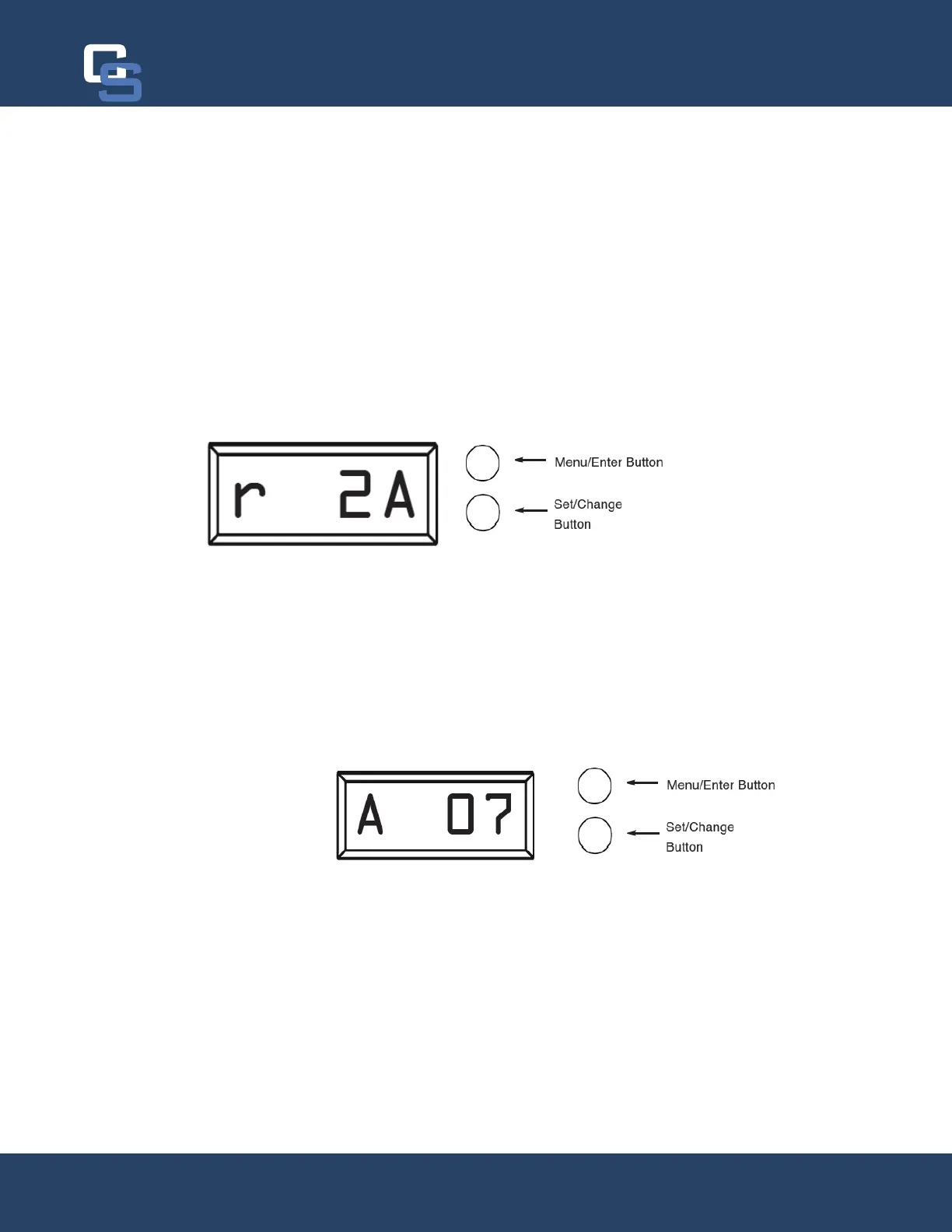
After pressing the Menu/Enter and Set/Change Button, the display shows the option setting for Regeneration
-
time - [ r 2A ] (Factory Setting for Softeners)
To adjust this value press the Set/Change button.
To accept the digit value press the Menu/Enter button.
Regeneration Day Override
Press Menu/Enter Button. This display is used to set the maximum amount of time (in days) the unit can be in ser-
at the set Regeneration Time. A 0 setting will cancel this feature. The Max Value for this item is 29.
Example: Override every 7 days - [ A - 07 ] (Factory Setting)
Cancel setting - [ A - 00 ]
To adjust this value press the Set/Change button.
To accept the digit value press the Menu/Enter button.
Chandler Systems
20


 To Next Page