16
Operation Product Manual - Trifecta
®
XPro Series
Setting Fill Set Point
•
tank when the pressure of the secondary tank is between
80 and 130 psi.
•
terminated at the “Fill” set point -1.5”. This allows for the
liquid growth due to an increased saturation level.
•
“Fill” set point +1.5”. Colder liquid takes up less volume.
will be consistent.
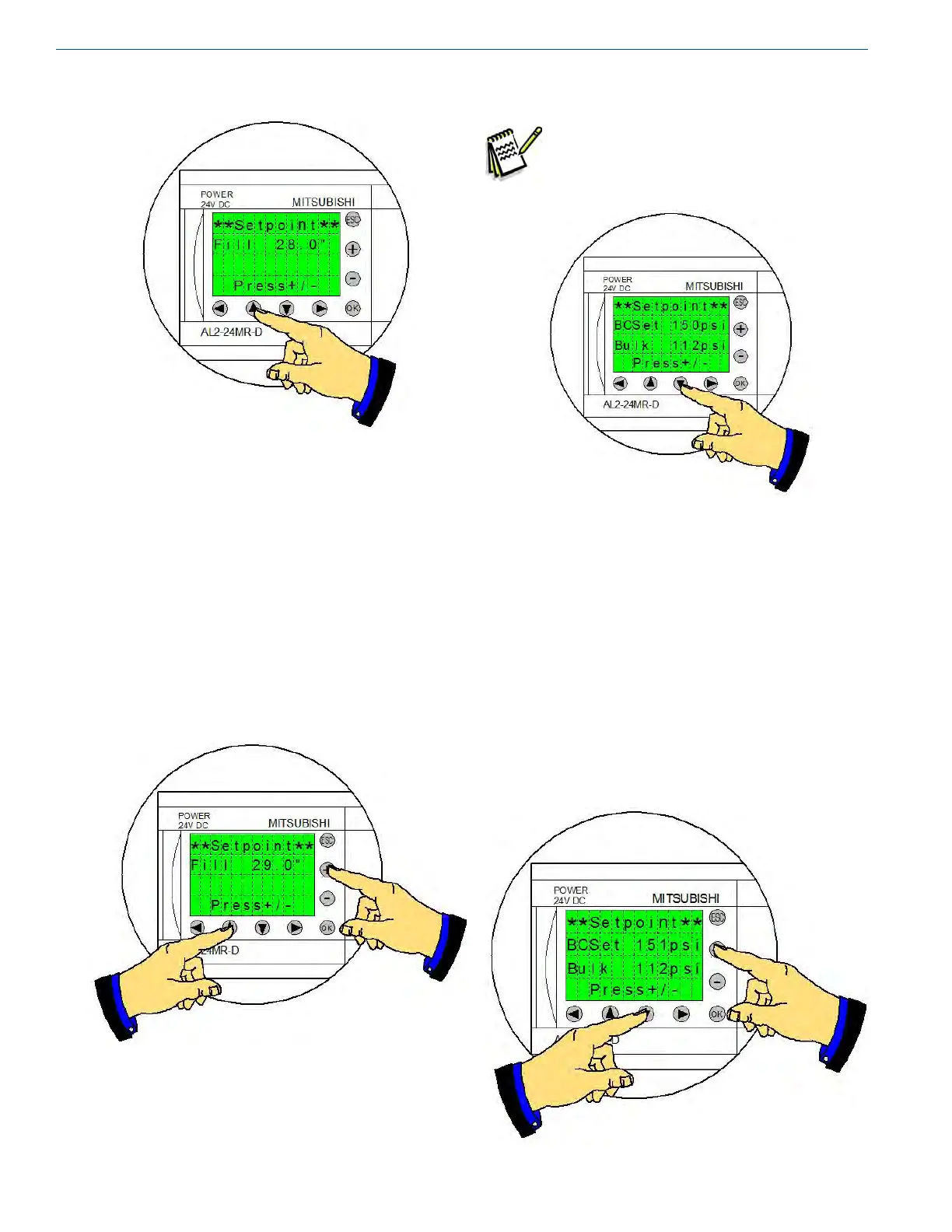
• Pressing and holding the “Up” arrow and pressing the “+”
button or the “-” button will adjust the set point.
Setting Bulk Tank Critical Pressure
Note:
installation, they may vent for several
minutes before they are cold enough to
accumulate liquid.
• Pressing the “Down” arrow button accesses the Bulk
Critical set point. If the storage (bulk) tank is above the
the secondary tank will vent to atmosphere to minimize
the heat added back to the storage tank.
• If the storage tank pressure is below the “BC” set point
•
valve to minimize losses. The current “Bulk” pressure is
also displayed on this screen.
• Pressing and holding the “Down” arrow and pressing the
“+” button or the “-” button will adjust the set point.



 To Next Page