37
Product Manual - Trifecta
®
XPro Series
Service Menus
The Trifecta XPro Series PLC has built into the program
service information and error codes.
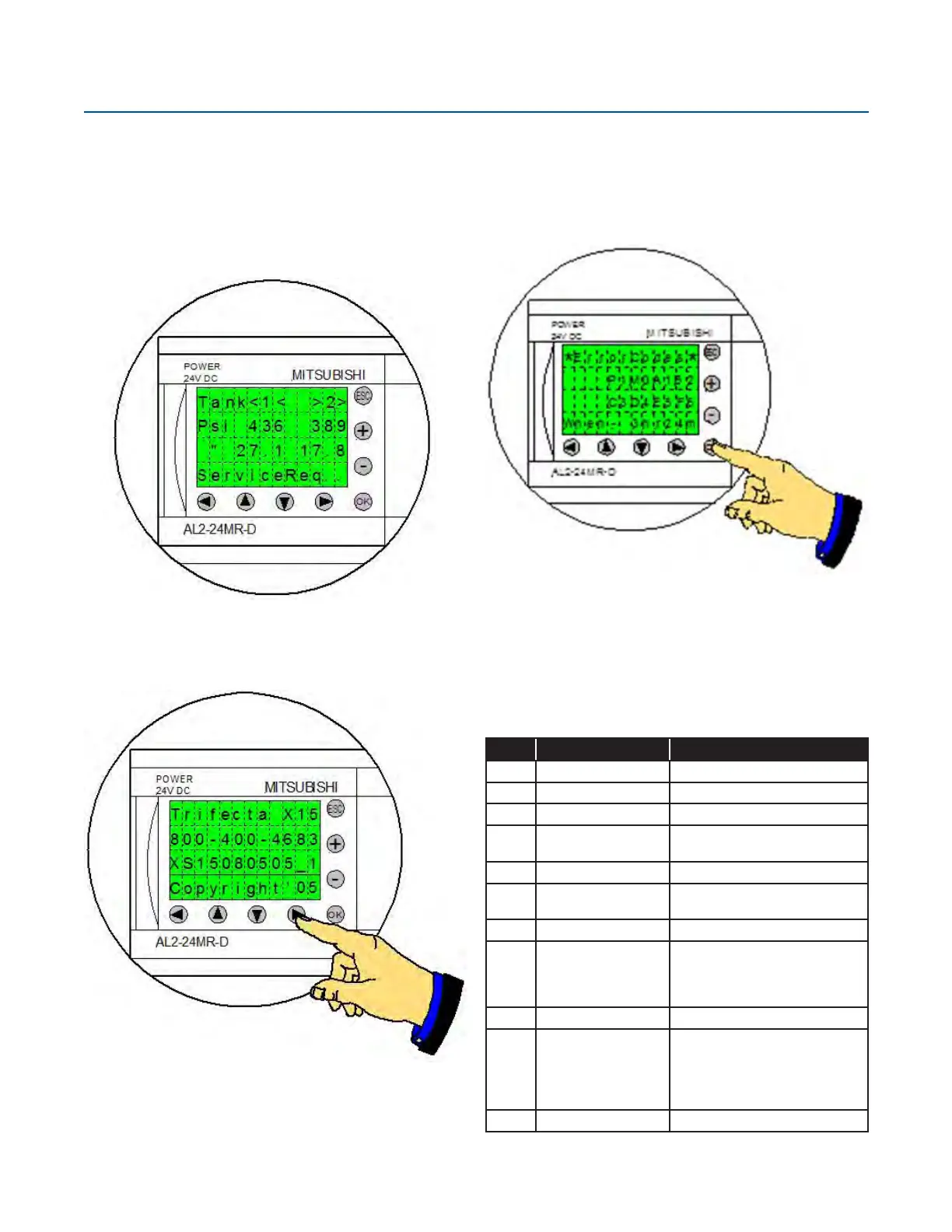
If the PLC determines that there is a service issue “Check
Alert” will be displayed.
Press the right arrow on the PLC controller to acces the
service phone number (1-800-400-4683).
Before calling for assistance note the current program
revision (example: XS15080505_5). The revision number
will help in troubleshooting.
Service
Error Codes
they are within reason. If the PLC determines that they are
not within reason an error code will be displayed.
Access the error codes by pressing and holding the “OK”
button. Along with the error codes the current primary tank
(example P1 - side 1 is primary) is indicated.
The following is the summary of the error codes:
Code Description Action
P1 Primary Side 1 None
P2 Primary Side 2 None
M0 Filling Secondary None
M1
Secondary PB after
Fill
None
M2 Secondary Ready None
M3
Secondary Assist of
Primary
None
A0 OK! None
A1
Fill time exceeds ow
rating
Improve ll times by:
Increasing sub-cool
reduce bulk critical pressure
reduce restrictions on liquid line.
B0 OK! None
B2
The primary tank
called for an assist
before the secondary
tank was ready to
assist
Check ll levels.
Check for leaks in the PB circuits.
Check PB valve operation.
C0 OK! None



 To Next Page