| Intelect
®
Mobile 2 - Service Manual 29
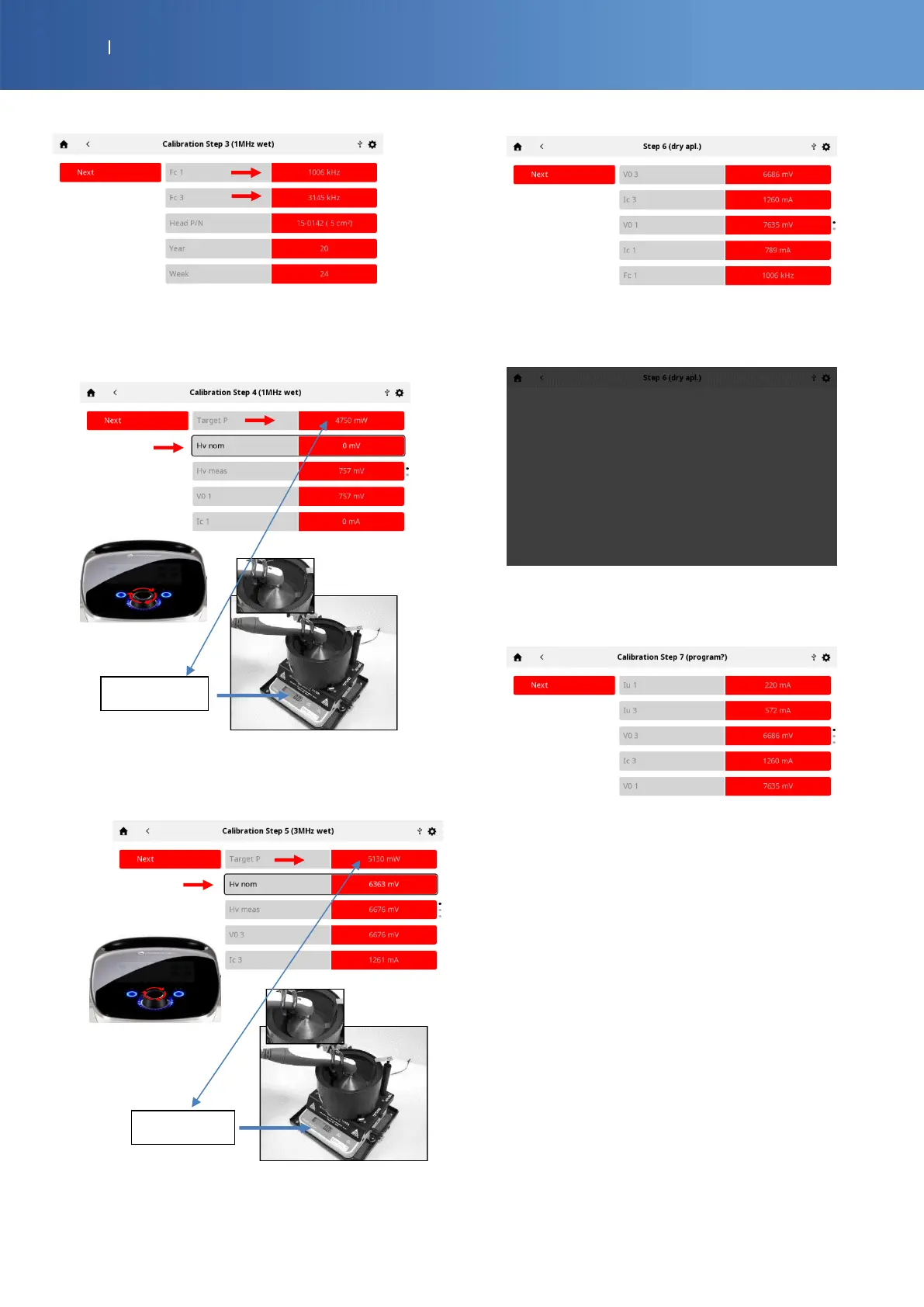
• Press “Next” to calibrate the power output to 1 MHz
• Select “Hv nom” line and increase the power with the
knob to read the “Target P” value on the power meter
balance screen.
• Press “Next” to calibrate the power output to 3 MHz
• Select “Hv nom” line and increase the power with the
knob to read the “Target P” value on the power meter
balance screen.
• Press “Next”, dry the applicator and place it on the
holder.
• Wait 6 sec during this grey screen
• Press “Next” to save the setting and program the
memory
• The calibration is finished, you can find the values of
the applicator
• Press “Next” to return to the Home page














 To Next Page