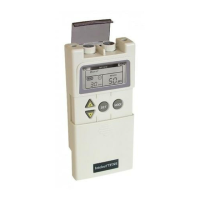
Intelect® Mobile Stim
58
TROUBLESHOOTING
ERROR CODES
The Intelect Mobile Stim incorporates error messages and warnings to inform the user of problems or potential problems with the unit,
modality, or accessories. These are numbered so the user can possibly correct the problem without the aid of service personnel. Use the
following Troubleshooting Charts to define the error codes, and locate the probable cause and possible remedies before contacting the
dealer or factory for technical service.
Code
Number
Type Message Probable Cause Possible Remedies
104 Message User attempted to perform a therapy session, but both channels
are already in use.
A. Wait until the previous therapy session finishes.
B. Press the STOP button to end the therapy session on either channel.
105 Message User selected a two channel treatment, but at least one channel is
already in use.
A. Wait until the previous therapy session finishes.
B. Press the STOP button to end the therapy session on either channel.
106 Warning Overcurrent A. Check Electrodes and Lead Wires. Make certain Lead Wires are not damaged and are properly
connected to the system. Make certain Lead Wires are properly connected to the Electrodes and that
electrodes are not damaged and are making proper contact with treatment area.
B. Replace Lead Wires and Electrodes.
107 Warning Bad Contact Quality A. Make certain Electrodes are making proper contact with the treatment area.
B. Make certain Lead Wires are properly connected to Electrodes.
C. Replace Electrodes and Lead Wires.
108 Warning Shorted Lead Wires A. Check Electrodes and Lead Wires. Make certain Lead Wires are not damaged and are properly
connected to the system. Make certain Lead Wires are properly connected to the Electrodes and that
electrodes are not damaged and are making proper contact with treatment area.
B. Replace Lead Wires and Electrodes.


 To Next Page
 Loading...