EasyManua.ls Logo

Chauvet Vue 6.1 - User Manual

Chauvet Vue 6.1
20 pages
Print Icon
To Next Page IconTo Next Page
Loading...
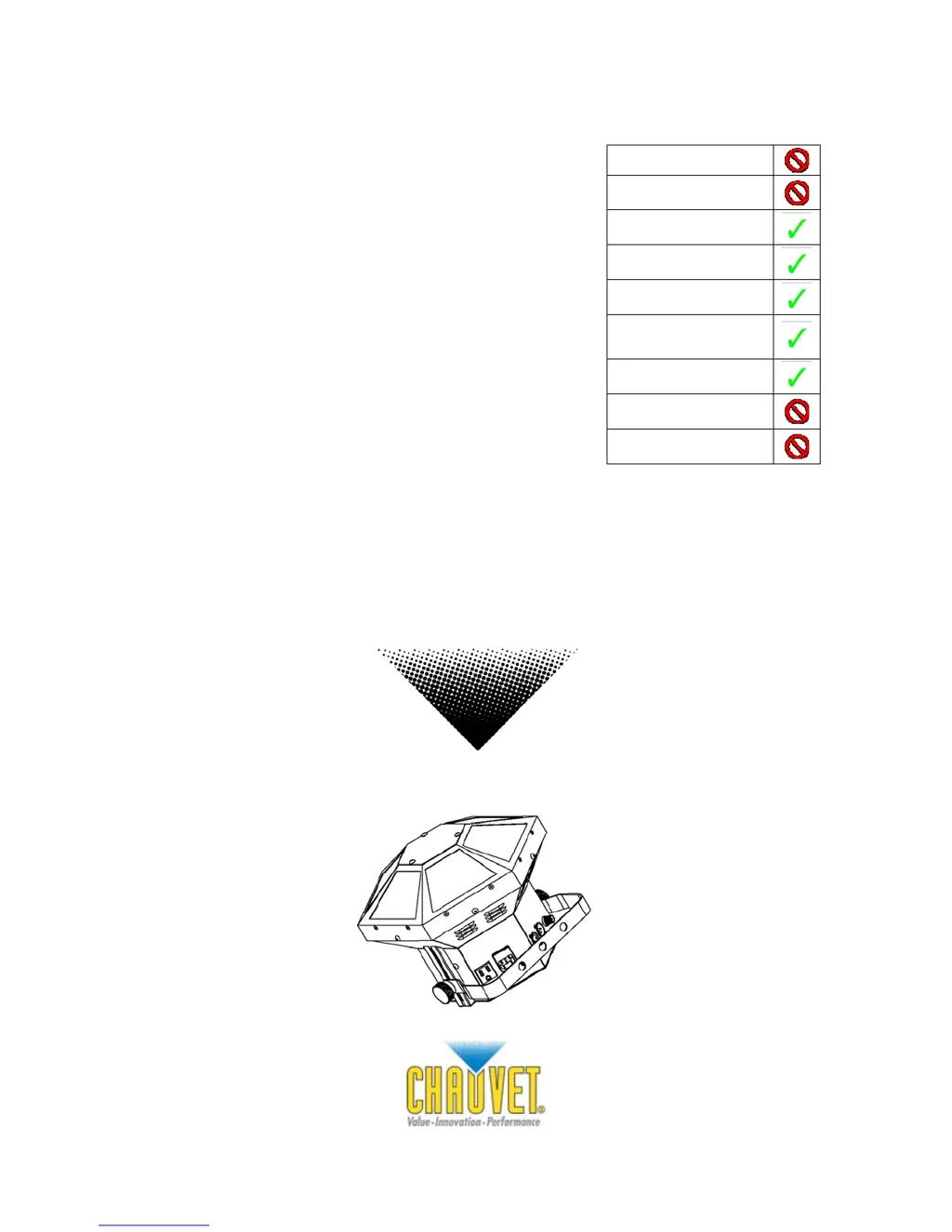
Snapshot
Ok on Dimmer
Outdoor OK
Sound Activated
DMX512
Master/Slave
Autoswitching
Transformer
Replaceable Fuse
User Serviceable
Duty Cycle
Vue™ 6.1
USER MANUAL
Chauvet, 3000 N 29
th
Ct, Hollywood, FL 33020 U.S.A.
(800) 762-1084 – (954) 929-1115
FAX (954) 929-5560
www.chauvetlighting.com

Questions and Answers

  • X
    xpowersJul 31, 2025
    How to fix Chauvet Vue 6.1 Lighting Equipment when it's not responding to DMX?
    • D
      Dennis GonzalezJul 31, 2025
      If your Chauvet Lighting Equipment fixture isn't responding to DMX, first check the control panel settings to ensure the addressing is correct. Then, replace any non-DMX cables with DMX cables and verify the polarity switch settings on the controller. Also, check all cable connections. If the issue persists, call a service technician.
  • V
    vvanceAug 4, 2025
    What to do if Chauvet Vue 6.1 Lighting Equipment has a loss of signal?
    • J
      jtorresAug 4, 2025
      If your Chauvet Lighting Equipment experiences a loss of signal, ensure you are using only DMX cables. Install a terminator and keep DMX cables separated from power cables or black lights.
  • J
    joshua28Aug 9, 2025
    Why won't my Chauvet Vue 6.1 power on?
    • A
      asmithAug 9, 2025
      If your Chauvet Lighting Equipment product will not power on, check the device’s internal fuse and ensure there is power on the mains.
  • L
    Lauren DouglasAug 14, 2025
    Why does the breaker/fuse keep blowing in my Chauvet Vue 6.1?
    • J
      Joseph ColeAug 14, 2025
      If the breaker or fuse keeps blowing in your Chauvet Lighting Equipment, check the total load placed on the electrical circuit. Also, inspect the electrical wiring, both internal and external, for any shorts.
  • T
    Tammy GilesAug 19, 2025
    What to do if LEDs are producing very low output on Chauvet Lighting Equipment?
    • J
      Justin ManningSep 12, 2025
      If one or more LEDs are producing very low output on your Chauvet Lighting Equipment, check that the lens assembly is installed properly.
  • M
    marcostarkAug 25, 2025
    What to do if the motor is not rotating on Chauvet Lighting Equipment?
    • D
      Diana CrawfordAug 25, 2025
      If the motor is not rotating on your Chauvet Lighting Equipment, first, try operating the fixture in standalone mode to determine if the problem is DMX related. If the motor still does not rotate, send the product for service.

Summary

Before You Begin

What is Included

Lists items included in the product packaging.

Unpacking Instructions

Instructions for safely unpacking the fixture and checking for damage.

AC Power

Details on the fixture's auto-switching power supply and voltage requirements.

Safety Instructions

General Safety Warnings

Important safety precautions for installation, usage, and maintenance of the fixture.

Introduction

Features

Highlights key features of the Vue 6.1 fixture, including DMX control and programs.

Additional Features

Lists compatibility and mounting features for the Vue 6.1.

DMX Channel Summary

Details the function of each DMX channel for the Vue 6.1.

Setup

Fuse Replacement

Step-by-step guide for replacing the fixture's fuse.

Fixture Linking

Explains how to connect multiple fixtures using DMX or master/slave modes.

Data Cabling

Information on selecting and using appropriate data cables for DMX connections.

Cable Connectors

3-Pin to 5-Pin Conversion Chart

Setting up a DMX Serial Data Link

Fixture Linking

Stand-Alone;Master;Slave Fixture Linking

Instructions for linking fixtures in standalone, master, and slave modes.

Mounting

Orientation

Guidelines for positioning the fixture safely with adequate ventilation.

Rigging

Operating Instructions

Display Options

Illustrates the fixture's display and button layout for navigation.

Menu Functions

Lists and explains the main functions and selections available in the fixture's menu.

Navigating the Menu

Step-by-step guide on how to navigate and modify settings using the fixture's buttons.

Operation

Stand-Alone Mode

How to operate the fixture in standalone modes, including sound and auto activation.

Master;Slave Mode

Instructions for operating fixtures in master/slave configurations.

DMX Mode

Guide to controlling the fixture using a universal DMX controller.

DMX Channel Values

Setting the Starting Address

DIPswitch (DMX Value)

A reference chart detailing DIP switch positions and their corresponding DMX values.

DMX Quick Reference Chart

Maintenance Guide

Appendix

DMX Primer

Explains the DMX-512 protocol, channels, and addressing principles.

General Maintenance

Guidelines for cleaning and maintaining the fixture for optimal performance.

Returns Procedure

Claims

Blow-out Diagram

Electrical Connections Diagram

Technical Specifications

Ordering Information

Information on how to order the Vue 6.1 fixture.

Warranty Information

Details regarding the product's warranty period and coverage.

Chauvet Vue 6.1 Specifications

Power IconPower
auto-switching power supply100V–240V 50/60Hz AC
fuse2A 250V
power consumption40W (0.3A) Operating
Operating Environment IconOperating Environment
maximum ambient temperature104° F (40°C)
coverage angle110°
inrush power0.4A Inrush
Weight and Dimensions IconWeight and Dimensions
length13 in (330 mm)
width13 in (330 mm)
height13 in (330 mm)
weight7.1 lbs (3.2 kg)

Related product manuals