iGage X9x User Manual page 26 of 53
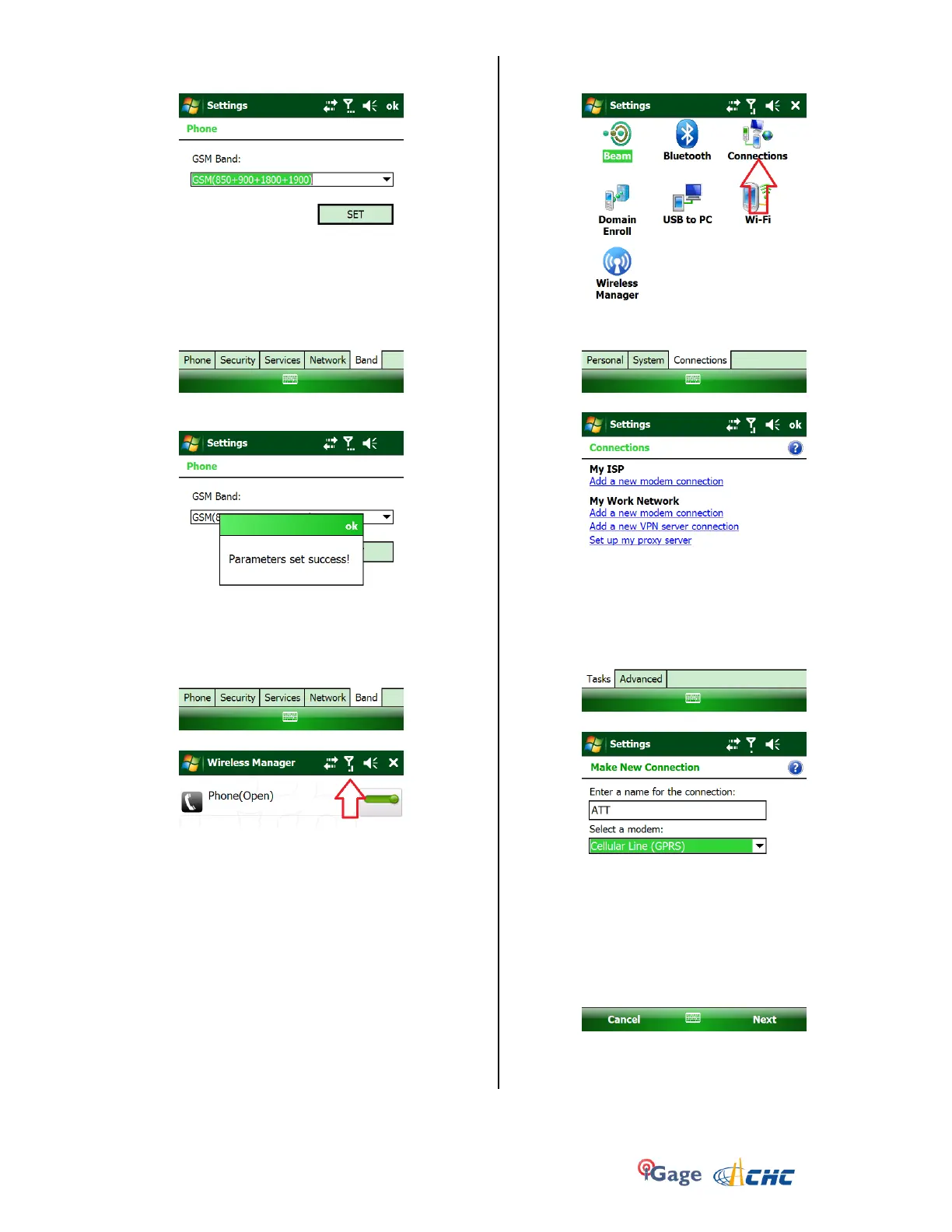
6. Click on the ‘Band’ tab (at the bottom) then set the
GSM band as shown and press ‘Set’:
7. Click on ‘OK’ after you see ‘Parameters set
success!’:
8. Wait (for up to 1-minute) for cell connectivity:
Click on the ‘X’ in the upper right hand corner to
close the ‘Wireless Manager’
9. From the main menu click on ‘Start: Settings:
Connections (tab)’:
10. Click on ‘Connections’:
11. Click on ‘My ISP, Add a new modem connection’:
Set the connection name to roughly match your
carrier (‘ATT’ in this case), set the modem to
‘Cellular Line (GPRS)’ as shown. Then click on Next.



 To Next Page