iGage X9x User Manual page 27 of 53
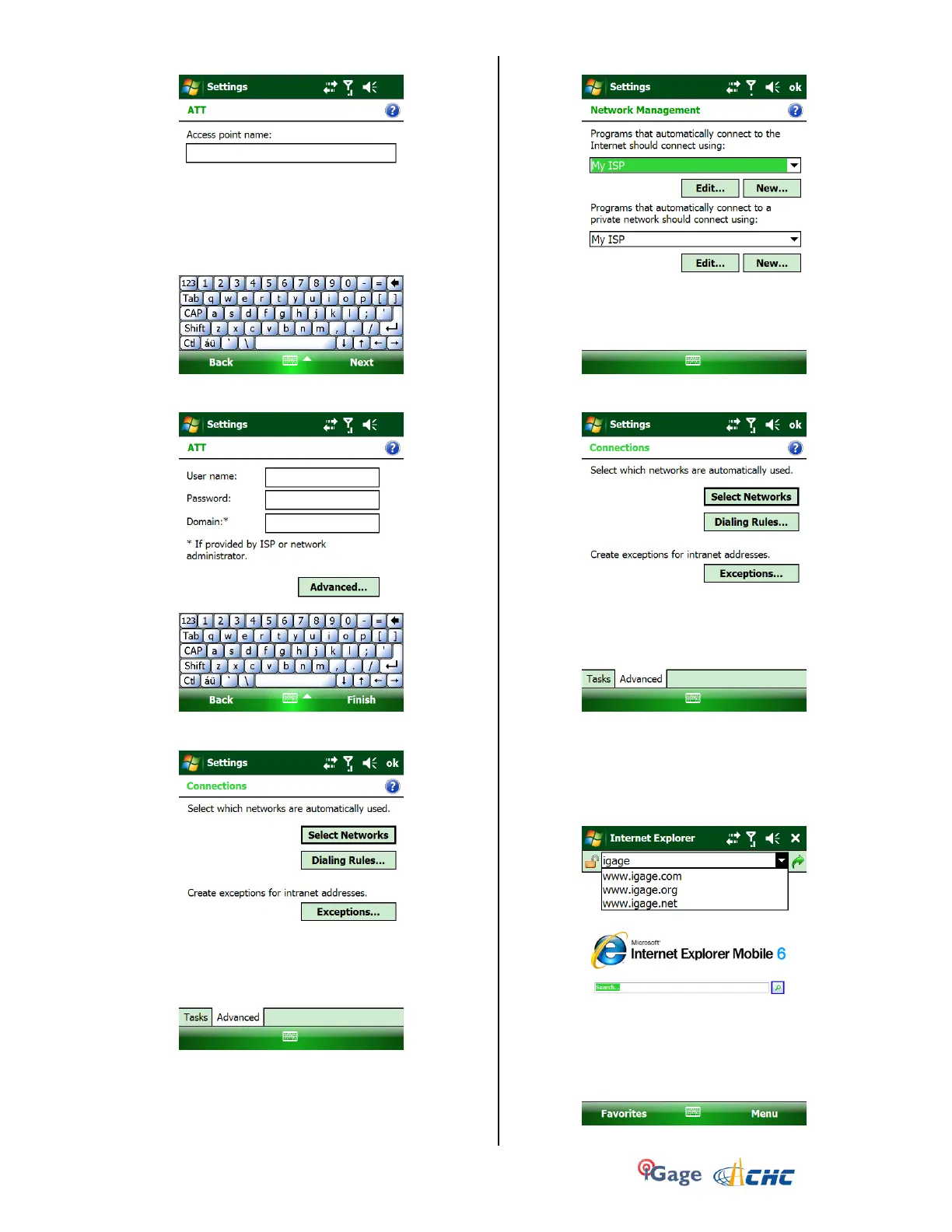
12. The ‘Access point name’ is shown:
Leave it blank and click on ‘Next’.
13. The ‘User Name’, ‘Password’, ‘Domain’ are shown:
Leave them all blank and click on ‘Finish’.
14. Click on the ‘Advanced’ tab (bottom):
15. Click on ‘Select Networks’:
Set both to ‘My ISP’. Click on OK.
16. From the Connections screen:
click on ‘ok’ to return to ‘Settings’, then ‘X’ to
return to the main menu.
Your data collector should be connected to the
internet.
17. To check your connection, click on ‘Start: Internet
Explorer’:
Type in an address and accept.



 To Next Page