iGage X9x User Manual page 33 of 53
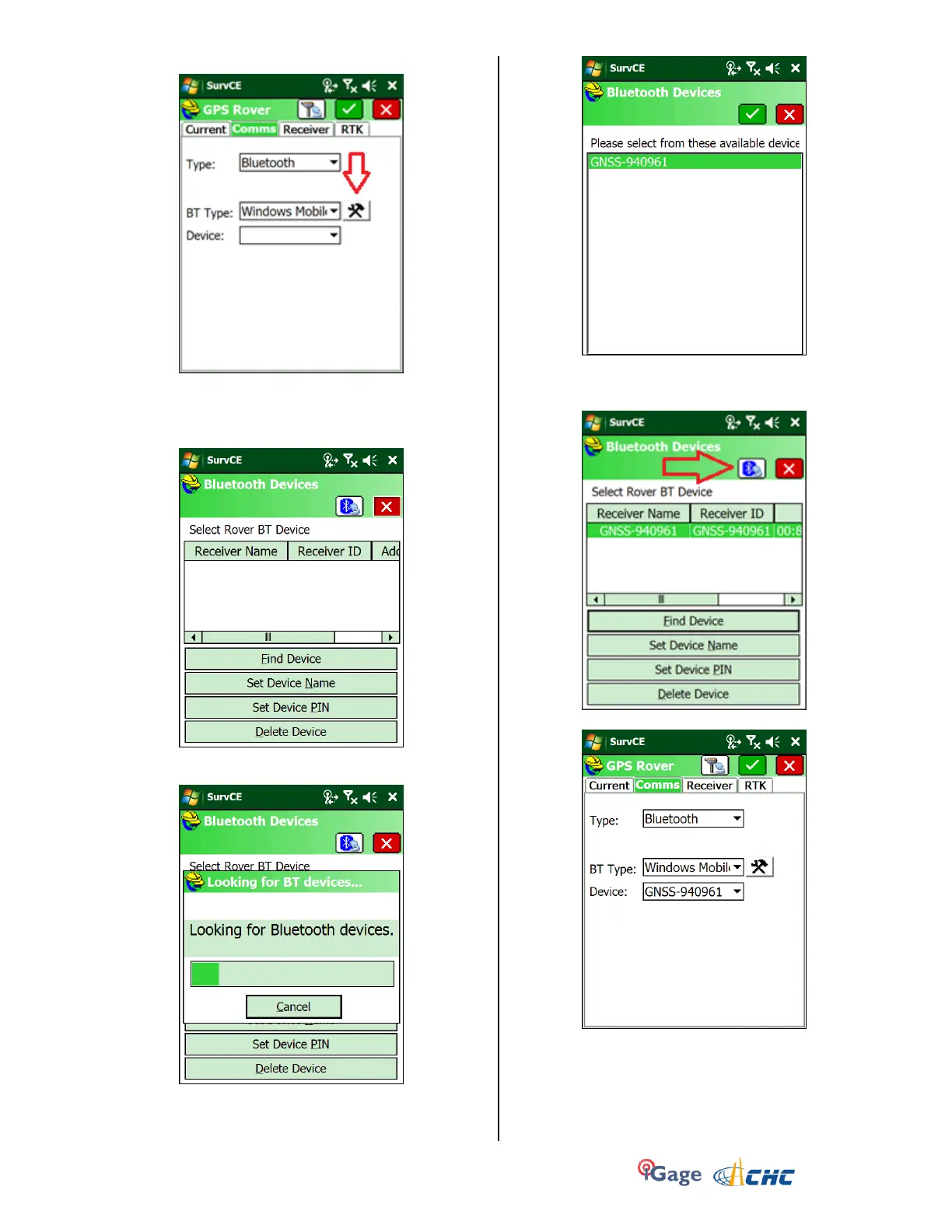
19. Click on the ‘Comms’ tab:
Choose Type = Bluetooth, BT Type = Windows
Mobile as shown, then click on the
Hammer/Wrench to the right of BT Type
20. Click on Find Device and wait:
21. Continue to wait until the data collector stops
looking:
22. Select the correct device, the number is the
device’s serial number printed on the bottom of
the receiver “GNSS-840961”:
Click on the Green check mark
23. Click on the ‘Bluetooth’ button (looks like
Bluetooth icon with cable pointing towards it’:
24. You will return to the ‘Comms’ menu:



 To Next Page