iGage X9x User Manual page 32 of 53
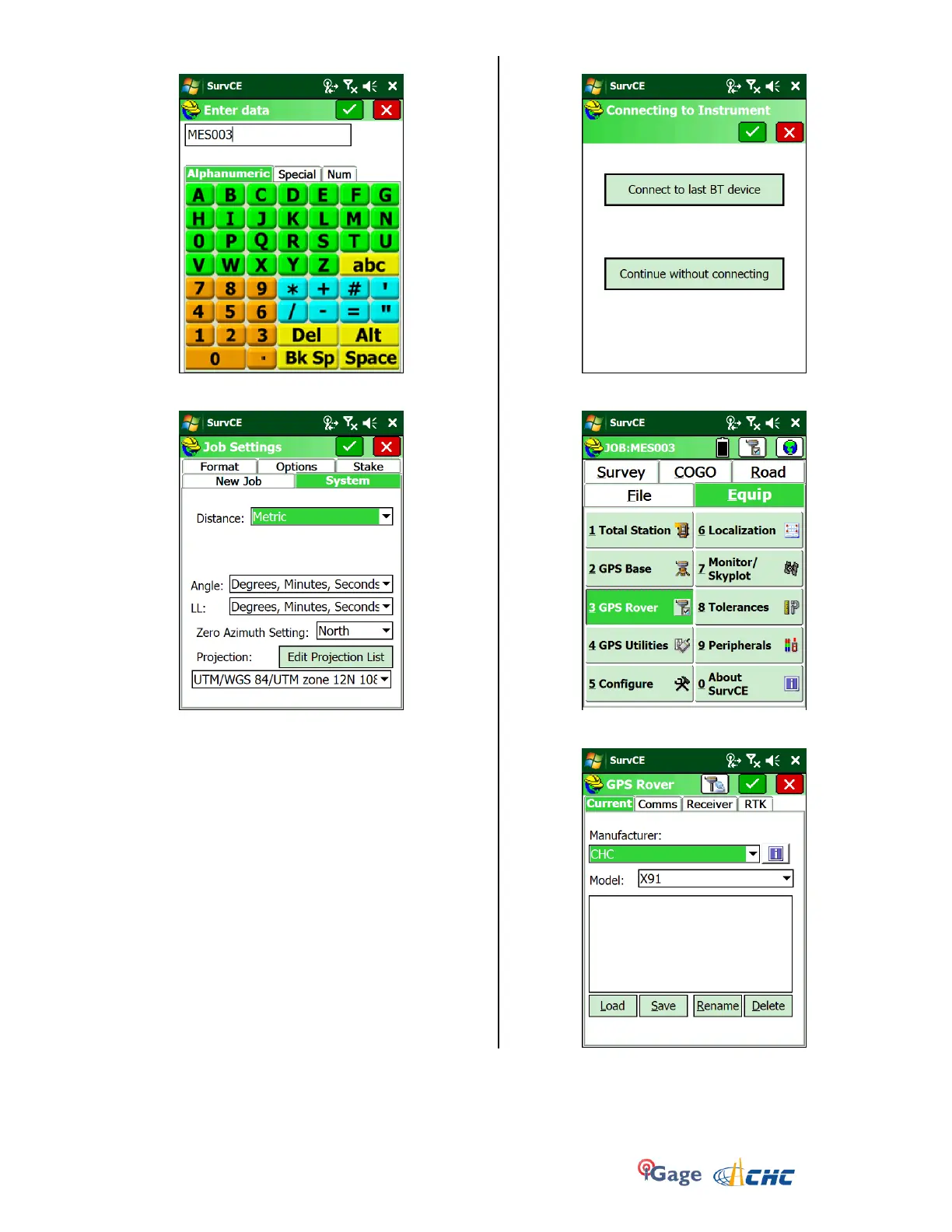
14. Enter the new job name:
Click on the Green Checkmark
15. Choose the correct Projection and distance units:
Click on the Green checkmark to accept the Job
settings. If you have previously been connected to
the network, with the proper mount point, you
should be able to click on ‘Connect to Last BT
device’ and automatically connect and configure
the rover. (If so, you are done!)
16. If this is the first time connecting to the network,
or you want to change the mount point, click on
‘Continue without connecting’:
17. Configure the rover from scratch: From the main
screen, select “Equip: 3 GPS Rover”:
18. Select Manufacturer: CHC and Model: X90, X91+ or
X900+ as appropriate for your receiver:



 To Next Page