F10 Installation Manual Rev. *60 33 of 71
Overview
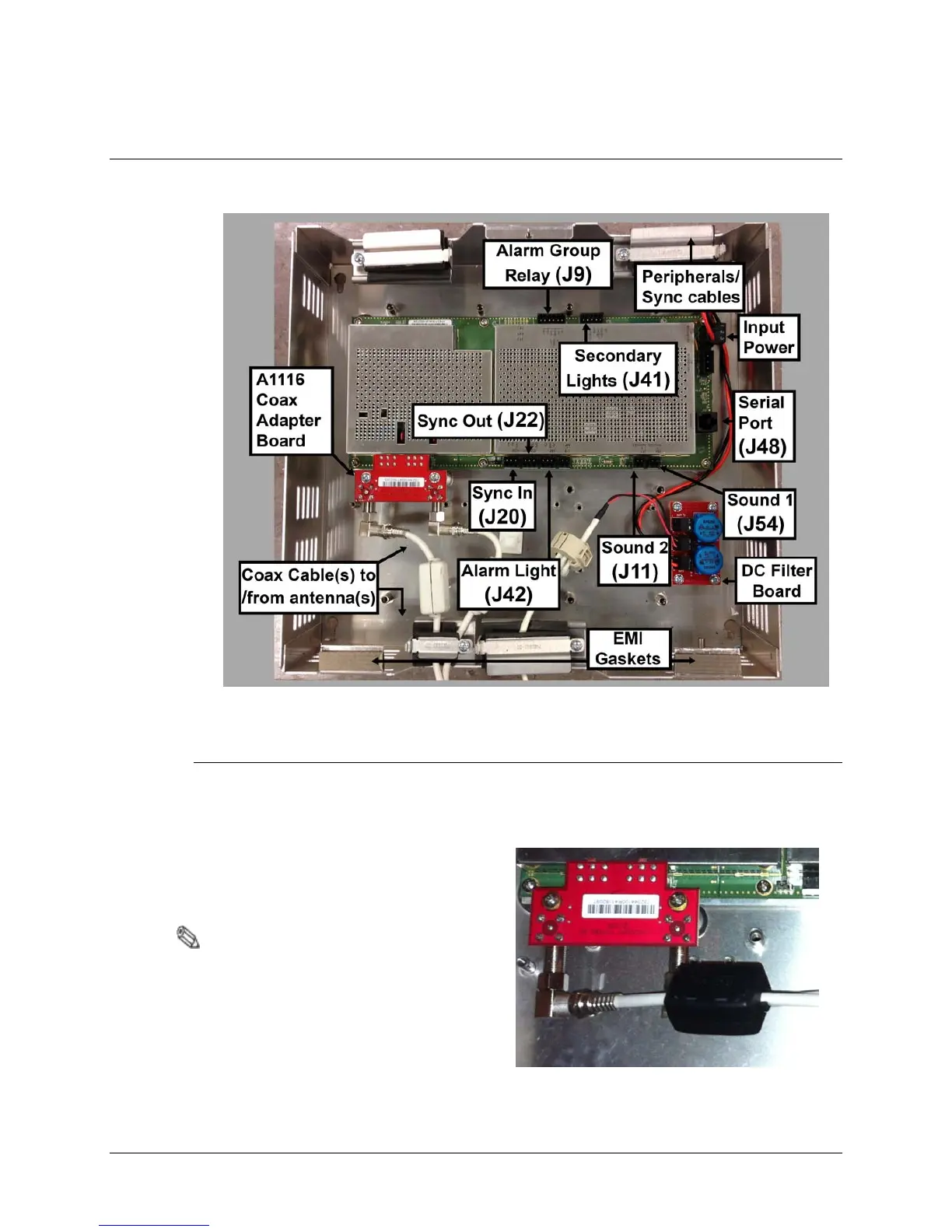
Electronic interfaces / connections to the TR4215 reader board are shown below. This section
describes how to wire all cables and make the appropriate connections at the Electronics Enclosure.
Figure 4.1 TR4215 Board with all interfaces labeled
Coax Cable / A1116 Wiring
The A1116 Coax Adapter Board connects to the F10 antenna via 15m [50ft] coax cable(s).
1. Connect the coax cable to the A1116 adapter board, then clip the Ferrite core (CKP P/N
7784420) over the cable(s).
Note: Ensure that the two (2) output jumpers
are in the Remote Position. J37 and J38
on the TR4215 board are located just
above the A1116 Adapter Board.



 To Next Page