Instruments and Controls 5-45
Driver Information
Center (DIC)
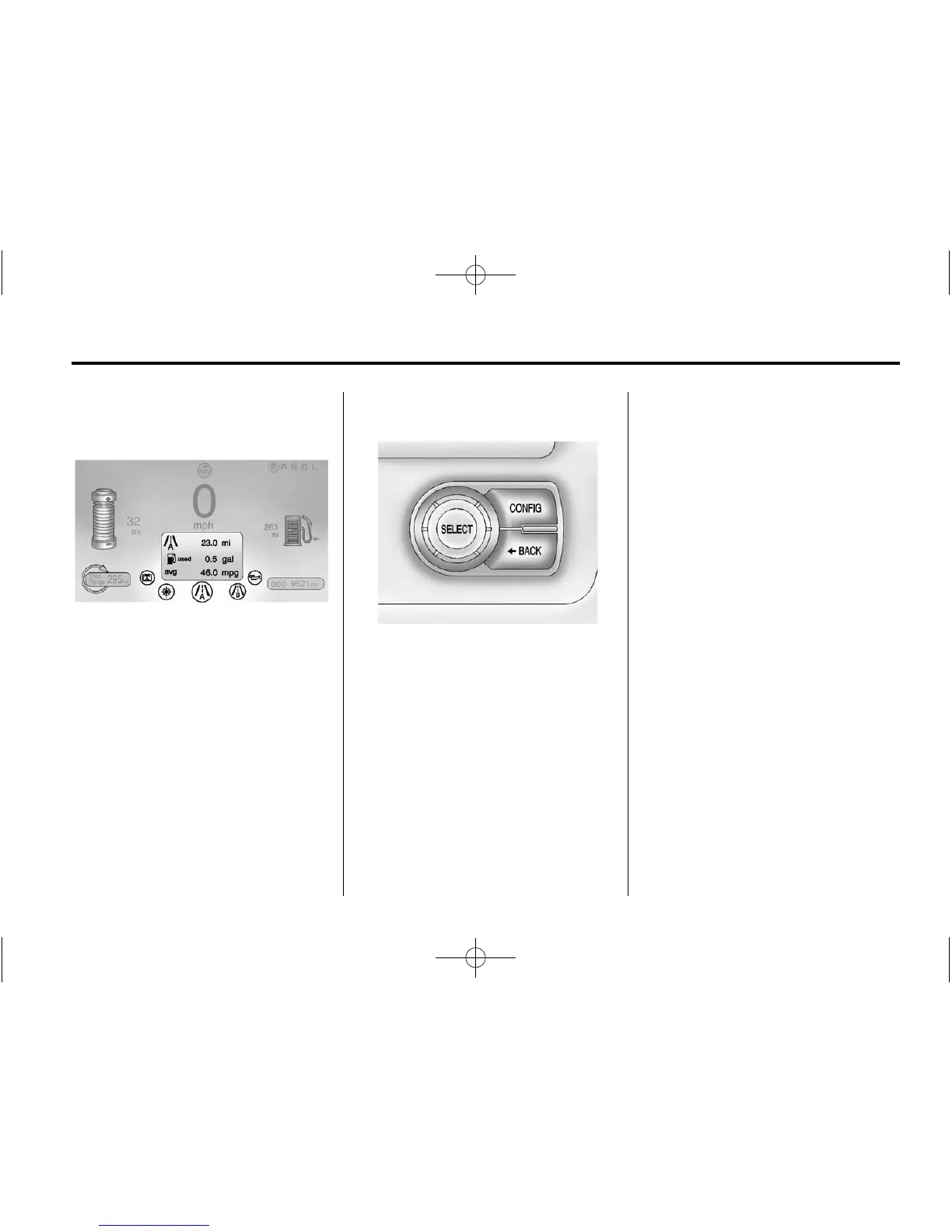
The Driver Information Center (DIC)
display is in the instrument cluster.
The DIC displays information about
the vehicle. It also displays warning
messages if a system problem is
detected. See Vehicle Messages on
page 5‑47 for more information.
DIC Operation and Displays
View the DIC displays by pressing
the DIC buttons located to the left of
the steering wheel. The DIC
displays trip, fuel, and warning
messages if a system problem is
detected.
DIC Controls
CONFIG: Press to select either the
Simple or Enhanced instrument
cluster configuration display.
} BACK: Press to return to the
previous screen, exit a screen,
or return to the main menu.
Press
} BACK to minimize the DIC
menu display.
SELECT: Press the center of the
knob to select the highlighted item.
Turn the knob to scroll through the
menu items.
DIC Menu Items
At the main DIC menu:
1. Turn the SELECT knob to scroll
through the possible DIC menus.
2. Press the center of the SELECT
knob when a menu item is
highlighted to enter that menu.
3. Continue to turn and press the
SELECT knob to scroll through
and select the available menu
items:
} : Trip A
x : Trip B
: : Oil Life
v : Tire Pressure
{ : Vehicle Messages
z : Units
y : Tutorial Mode
u : Turn-by-Turn















 To Next Page