Keys, Doors, and Windows 2-13
Delayed Locking
This vehicle may have a delayed
locking feature. If delayed locking is
enabled, a chime will sound to
indicate a door or hatch is open
when the doors are locked with the
power door lock switch. The doors
will automatically lock and the
theft-deterrent system will arm after
all doors are closed and
five seconds have passed. Press
the lock button again to make the
doors lock immediately. Press the
unlock switch to cancel the delayed
lock operation. To enable this
feature, see “Power Door Locks” in
Vehicle Personalization on
page 5‑56. To arm and disarm the
theft-deterrent system, see Anti-theft
Alarm System on page 2‑15.
Automatic Door Locks
Automatic Door Lock
The doors are programmed to
automatically lock when the shift
lever is moved out of P (Park).
The automatic door lock feature
cannot be disabled.
Automatic Door Unlock
The doors can be programmed to
automatically unlock when the shift
lever is moved into P (Park). See
“Power Door Locks” in Vehicle
Personalization on page 5‑56.
Lockout Protection
If the power door lock switch is
pressed when the driver door is
open and the vehicle is on, all the
doors will lock and then the driver
door will unlock.
This feature can also be enabled to
function when the vehicle is off. To
enable this feature, see “Unlocked
Door Anti Lock Out” in Vehicle
Personalization on page 5‑56.
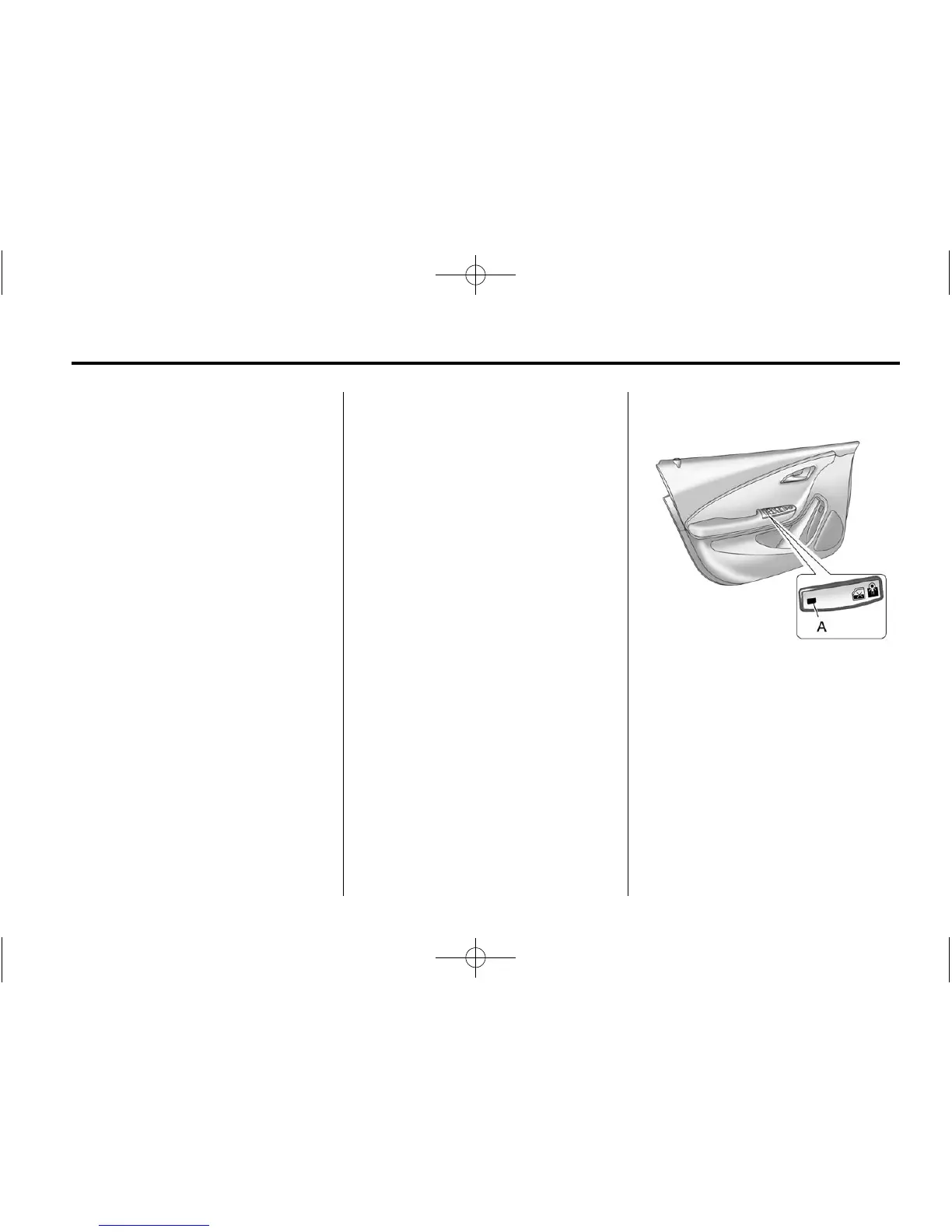
Safety Locks
The rear door safety locks prevent
passengers from opening the rear
doors from inside the vehicle.
Press
o { to activate the rear door
safety locks. The LED light (A)
comes on when activated.
Press
o { again to deactivate the
safety locks.















 To Next Page