1-20 In Brief
$ / i : Press to silence the
vehicle speakers only. Press again
to turn the sound on. For vehicles
with OnStar or Bluetooth systems,
press to reject an incoming call,
or to end a current call.
_ SRC ^ : Use this control to select
a radio band or audio source.
Use
_ or ^ to select the next or
previous favorite radio station, CD
track, DVD track/chapter (with
navigation), or MP3 track.
Press SRC to change between
radio and CD or DVD.
Press and hold SRC to interact with
the navigation system.
+
x −: Press + to increase or − to
decrease the volume.
For more information, see Steering
Wheel Controls on page 5‑5.
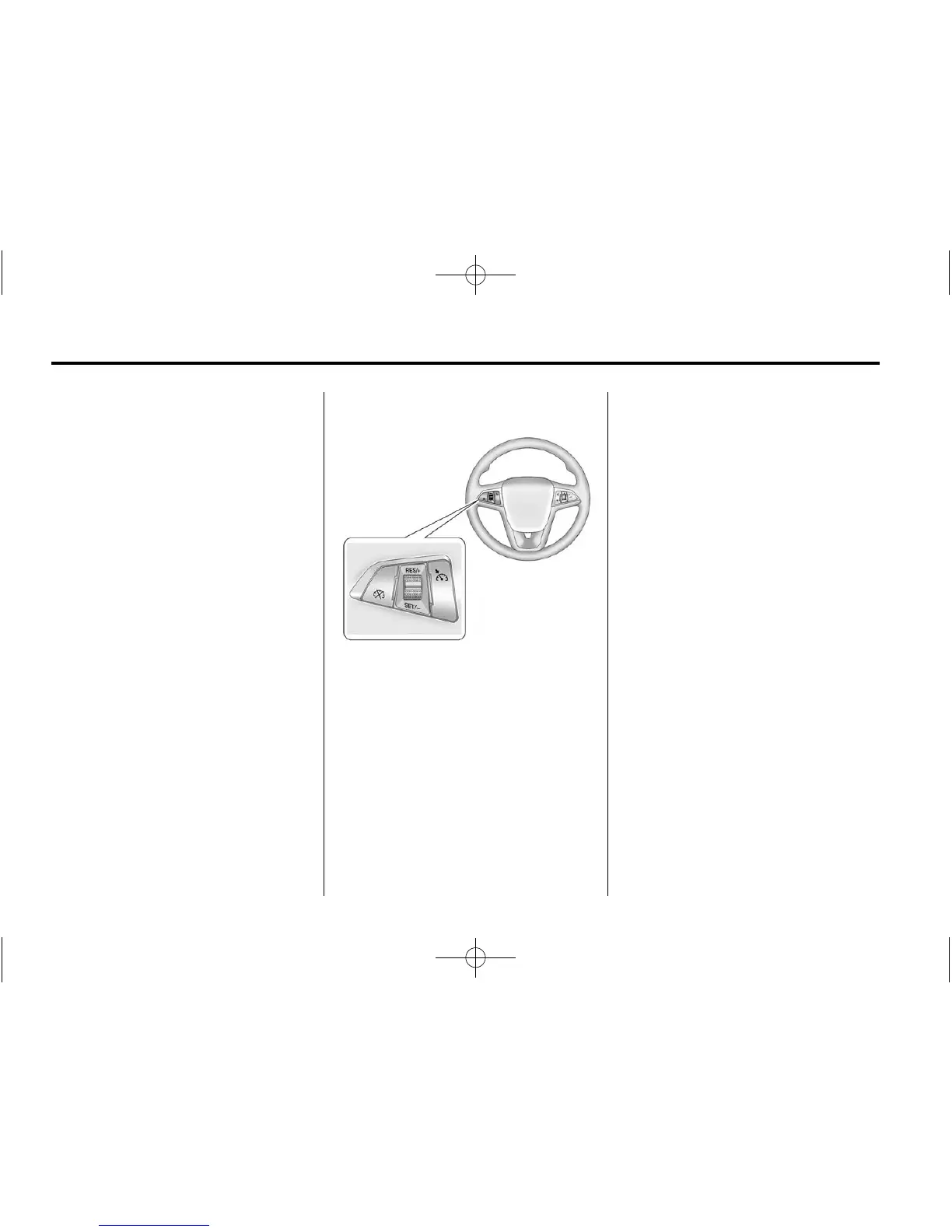
Cruise Control
The cruise control buttons are on
the steering wheel.
1 : Press to turn the cruise control
system on and off. An indicator light
will turn on or off in the instrument
cluster.
* : Press to disengage cruise
control without erasing the set
speed from memory.
RES/+ : Move the thumbwheel up
to resume to a previously set speed
or to accelerate.
SET/− : Move the thumbwheel
down to set a speed and activate
cruise control or to make the vehicle
decelerate.
See Cruise Control on page 9‑40.
Navigation System
If the vehicle has a navigation
system, there is a separate
navigation system manual that
includes information on the radio,
audio players, and navigation
system.
The navigation system provides
detailed maps of most major
freeways and roads. After a
destination has been set, the
system provides turn-by-turn
instructions for reaching the
destination. In addition, the system
can help locate a variety of points of
interest (POIs), such as banks,
airports, restaurants, and more.
See the navigation system manual
for more information.















 To Next Page