2-6 Keys, Doors, and Windows
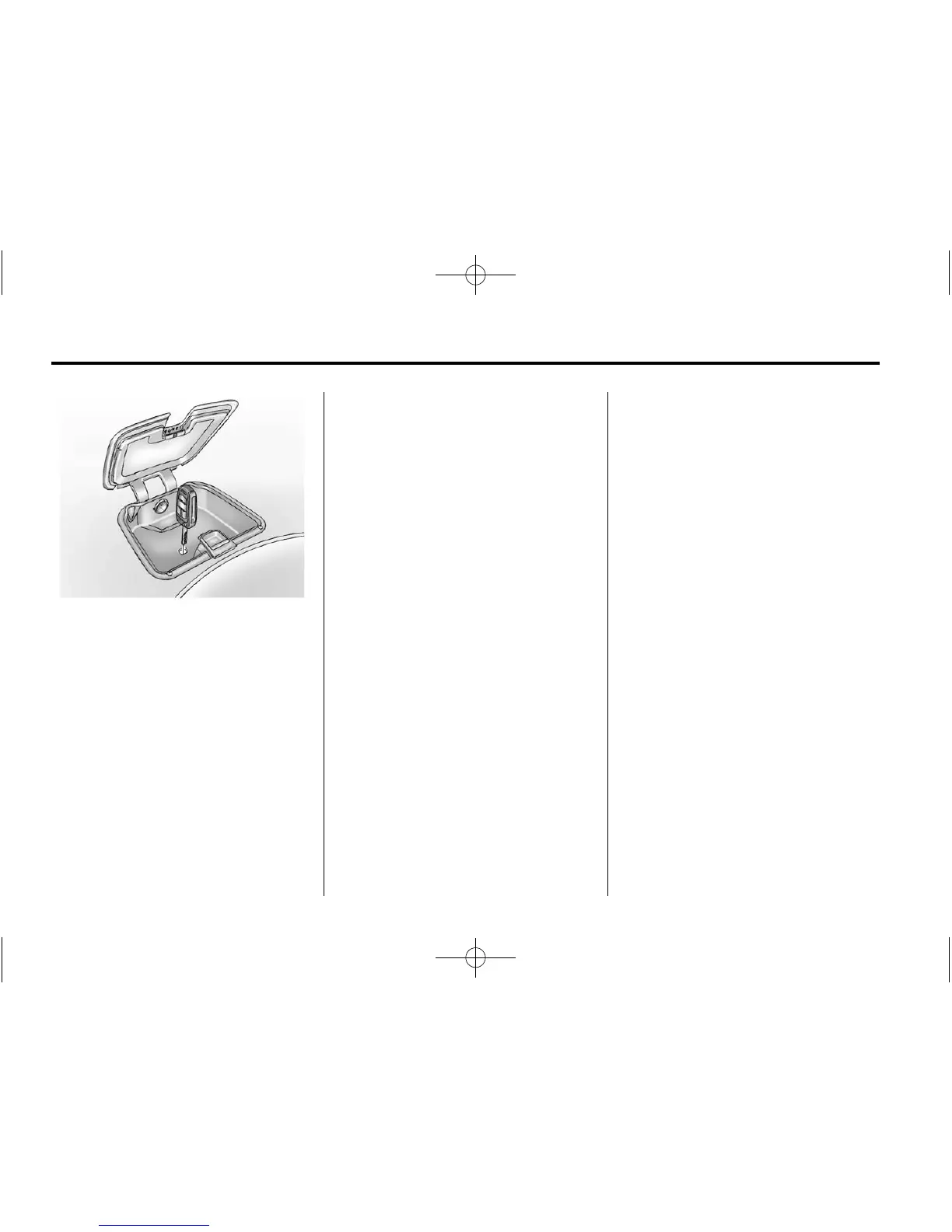
3. Remove the rubber mat in the
instrument panel storage.
Extend the key blade on the new
transmitter and insert the key
blade into the transmitter slot.
4. Press and hold the POWER
O
button on the center stack for
two seconds. When the
transmitter is programmed, the
DIC will show that it is ready to
program the next transmitter.
5. Remove the transmitter from the
transmitter slot and press
K on
the transmitter.
To program additional
transmitters, repeat Steps 3
through 5.
When all additional transmitters
are programmed, press and hold
the POWER
O button for
10 seconds to exit
programming mode.
Programming without a
Recognized Transmitter
Non-Canadian (U.S.) owners are
permitted to program a new
transmitter to their vehicle when a
recognized transmitter is not
available. The Canadian regulations
require that Canadian owners see
their dealer for programming new
transmitters when two recognized
transmitters are not available.
If there are no currently recognized
transmitters available, follow this
procedure to program up to five
transmitters. This procedure will
take approximately 30 minutes to
complete. The vehicle must be off
and all of the transmitters must be in
the vehicle.
1. Insert the vehicle key of the
transmitter into the key lock
cylinder on the outside of the
driver door and turn the key to
the unlock position five times
within 10 seconds.
The Driver Information Center
(DIC) displays REMOTE LEARN
PENDING, PLEASE WAIT.















 To Next Page