Page 24 of 40 IRIS Touch Engineering Manual Version 1.4
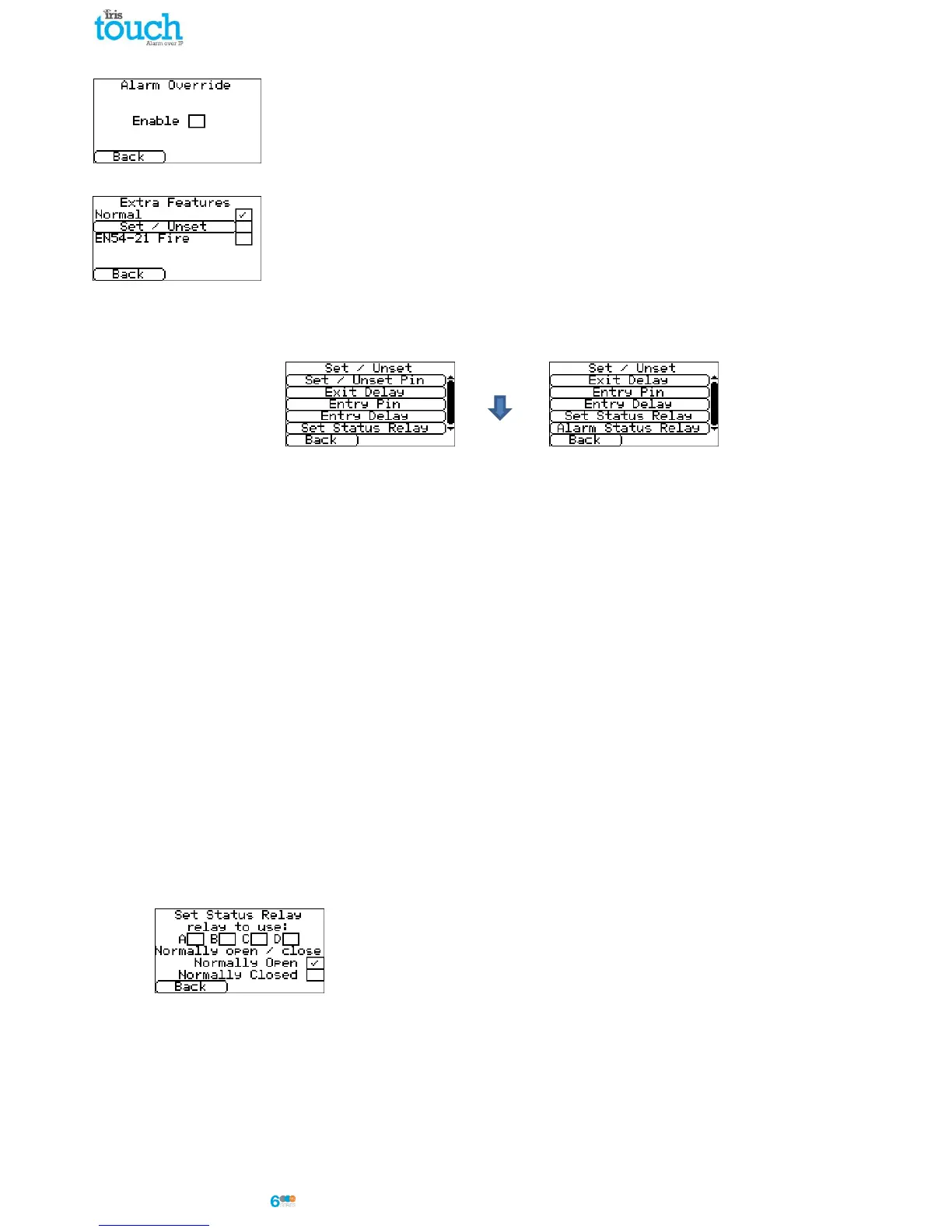
Alarm Override
Allows the IRIS unit to override the alarm panels account number and dialled number to
those set in the IRIS Touch dialler.
Extra Features
The extra features built into the IRIS Touch allow the user to set up the options for
Set/Unset inputs for alarm signalling, and EN54-21 fire modes.
Normal
Default mode for the IRIS Touch (pins and relays set to normal functions).
Set / Unset
In a normal alarm installation the IRIS diallers are used in conjunction with an attached alarm panel. However, if
the requirements for monitoring are simple, requiring only a few alarm events like set & unset or entry / exit
alarms (e.g. ATM monitoring), the IRIS Touch dialler can be setup to be a simple alarm panel using the pin
inputs.
Set / Unset Pin
Configuration options for the Set/Unset pin.
Pin Number
Allocate which pin is for the set and unset signals.
Trigger Mode
Set the trigger mode to ‘normal’, the unit is unset when the input pin is open circuit. This method is
suitable for an external physical switch such as a key-switch.
Alternatively set the trigger mode to ‘pulse’, a pulse on the set/unset input toggles the set/unset
status. This is suitable for an external device such as a proximity tag reader.
Exit Delay
Setup the exit delay timer which at default is 10 seconds.
Entry Pin
Allocate which pin is to be used for the entry signal.
Entry Delay
Setup the entry delay timer which at default is 10 seconds.
Set Status Relay
Allocate which relay output is used as the set/unset status indicator and the default state (default is
normally open).



 To Next Page