IRIS Touch Engineering Manual Version 1.4 Page 33 of 40
Run Network Scan
IRIS 600NG or 640NG with GPRS/3G connection:
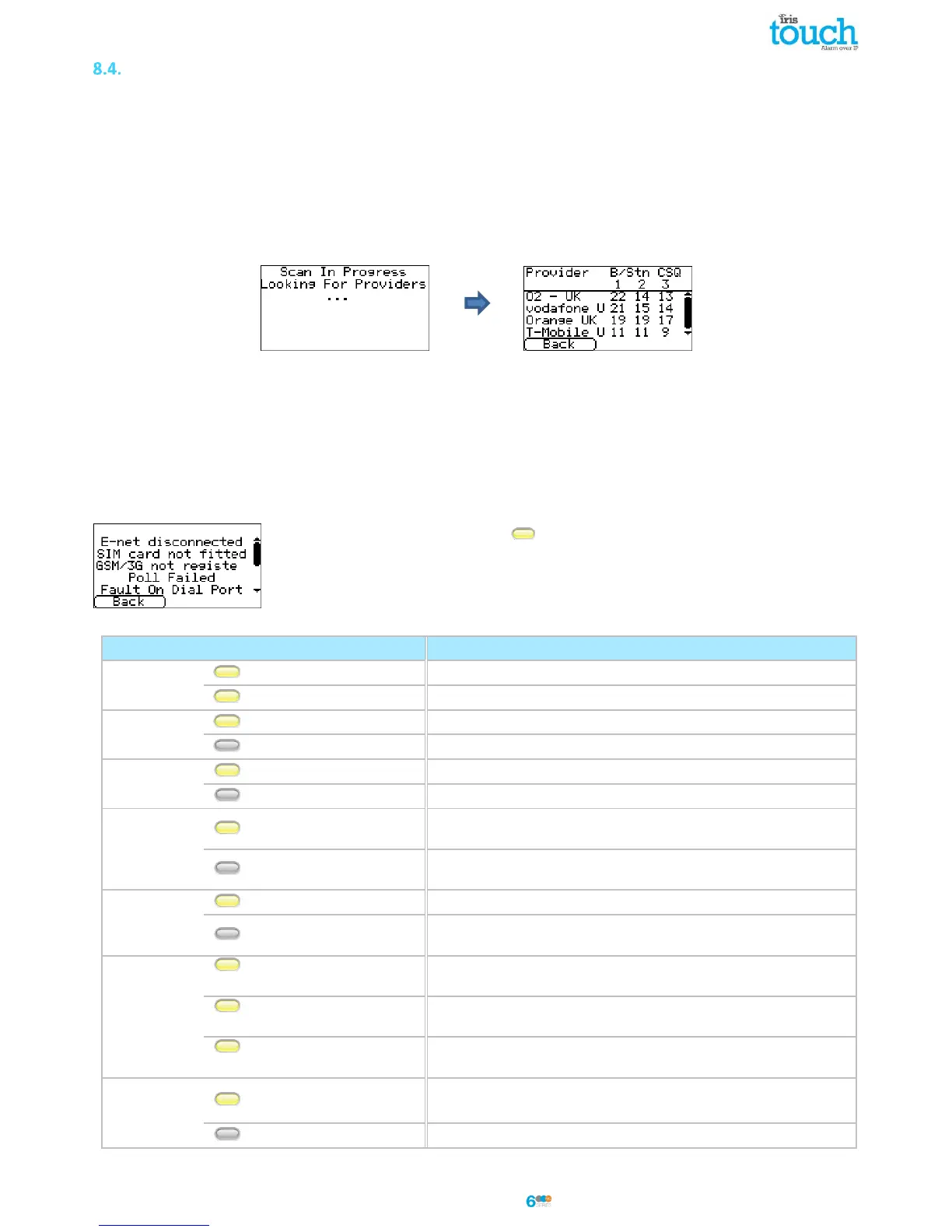
The GPRS/3G network scan function allows you to get overall feedback of signal strength from all providers in the
area. This should be performed on installation as detailed in Section 7 “Installing the IRIS Touch Dialler” and also
after installation, for example during maintenance, as location signal stregnth can change e.g. new building in the
area or cosmetic changes in the current location (storage racking etc).
The scan must be carried out without the SIM card fitted.
The dialler listens for every base station in range, requests operator name and records the signal strength.
This will take a few minutes to complete.
For a reliable GPRS/3G connection it is recommended that for the chosen network (SIM card) used there should be
at least two base stations with signal strength (CSQ) of 10 or more for reliability.
If the signal strength is below or close to minimum then try to reposition the antenna or use an external high gain
antenna (if necessary), and rerun the network scan.
Once you have the required GPRS/3G signal strength power down the dialler and insert the SIM card into the SIM
card holder, then power the dialler back up.
9. Trouble report
When the SYS LED is flashing yellow the dialler has some trouble events being
reported. The IRIS Touch dialler has different states on the additional LEDs that will
indicate faults being seen detailed in the table below.



 To Next Page