Page 28 of 40 IRIS Touch Engineering Manual Version 1.4
CID (Contact ID)
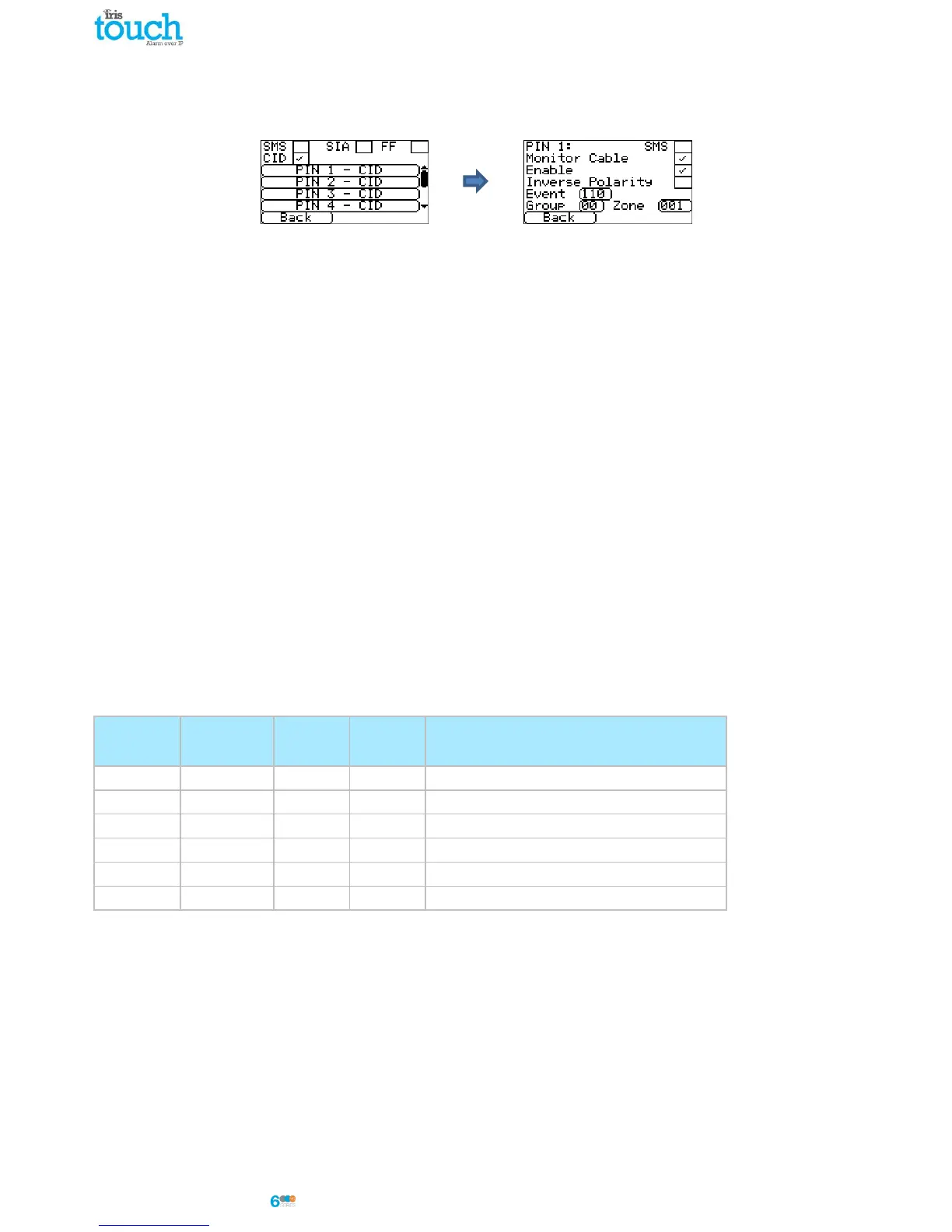
Selecting CID for the inputs means that the inputs will send a specific Ademco® alarm protocol messages which will
include an event code, zone and group number, on the event and restore for that input. The following options
available are shown below:
SMS
One input can be setup to be SMS by ticking the ‘Set as SMS’ and this will allow setup of the SMS option as shown
above.
Monitor Cable
There is also the option to monitor the input for tamper which is detailed in Section 7.5 “Pin Inputs”.
Enable
Enable/disable each pin input with the ‘Enable’ tick box.
Inverse Polarity
The function of the inputs ‘Event’ and ‘Restore’ can be inverted to be the opposite way round by ticking the ‘Inverse’
tick box. This will mean that the ‘Event’ is now the closed circuit and the ‘Restore’ event is open circuit.
Event
Enter the Event code (3 digits 0-9) for this input for example: 110 = Fire.
To determine which event code is to be used please refer to the Digital Communication Standard -
Ademco® Contact ID Protocol - for Alarm System Communications SIA DC-05-1999.09
Group
Group or Partition number (2 digits 0-9).
Use 00 to indicate that no specific group or partition information applies.
Zone
Zone number (Event reports) or User # (Open / Close reports) (3 digits 0-9).
Use 000 to indicate that no specific zone or user information applies.
Default CID Set/Restore event codes for Pin inputs:



 To Next Page