IRIS Touch Engineering Manual Version 1.4 Page 27 of 40
FF (Fast Format)
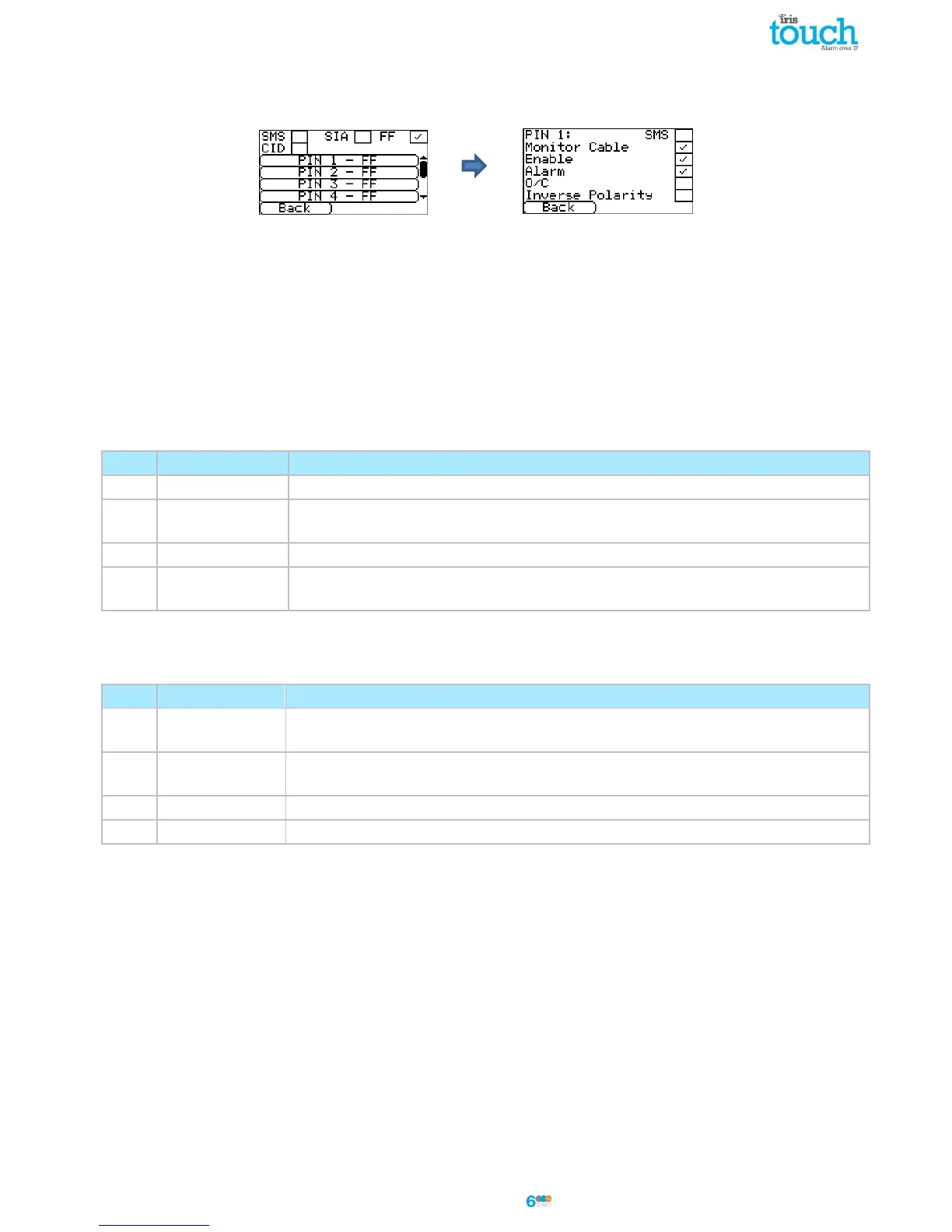
Selecting FF for the Inputs means that the inputs will send a specific Scancom fast format alarm protocol messages
on the event and restore for that input, the options available are shown below:
SMS
One input can be setup to be SMS by ticking the ‘Set as SMS’ and this will allow setup of the SMS option as shown
above.
Monitor Cable
There is also the option to monitor the input for tamper which is detailed in Section 7.5 “Pin Inputs”.
Enable
Enable/disable each pin input with the ‘Enable’ tick box.
Alarm
Sets the input to be an alarm triggered input which will send the following states of the channel according to the
following:
The alarm triggering input is at its quiescent state.
The alarm triggering input is at its active state and it has not previously been
reported.
The alarm triggering input is at its active state and it has previously been reported.
The alarm triggering input has just returned to its quiescent state from the alarm
state.
O/C (open / close)
Sets the input to be an open/close input which will send the following states of the channel according to the
following:
The alarm triggering input is at its alarm state, the intruder alarm system has been
unset.
The alarm triggering input is at its quiescent state, the intruder alarm system has been
set.
The alarm triggering input is at its quiescent state and it has previously been reported.
The alarm triggering input is at its alarm state and it has previously been reported.
Inverse Polarity
The function of the inputs ‘Event’ and ‘Restore’ can be inverted to be the opposite way round by ticking the ‘Inverse’
tick box. This will mean that the ‘Event’ is now the closed circuit and the ‘Restore’ event is open circuit.



 To Next Page