Page 30 of 40 IRIS Touch Engineering Manual Version 1.4
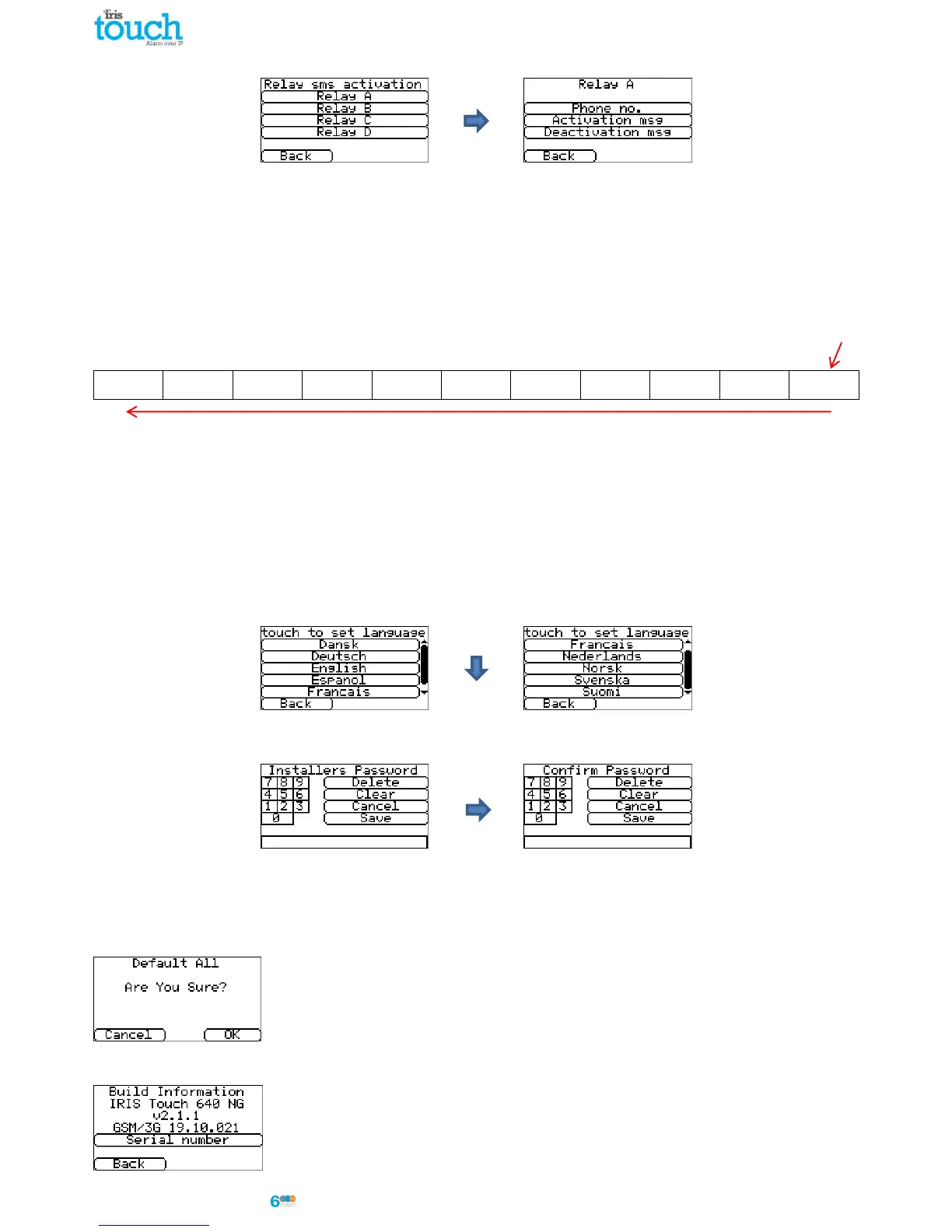
Relay SMS activation (IRIS Touch 600NG or 640NG)
The IRIS Touch dialler allows each relay to be activated or deactivated by a predefined SMS message from a mobile
phone.
Phone no
Sets which calling device (mobile phone) is allowed to control the relay with the relevant SMS message. This is done
by using the Calling line number (CLI) on the SMS and comparing this with the number entered.
The dialler will start the comparison from the least significant digit and then work backwards as shown below:
For the example we will use the phone number 07890123456, please confirm what CLI number is being received by
using you mobile phone to receive the call, this will allow you to see the incoming CLI number.
Starting from the LSB ‘6’ you can work backwards to compare the CLI number so for example you can enter a
number of 56. This will allow all phone numbers with a CLI ending in 56.
Leaving the source number blank will allow any mobile number to set or restore the relay as long as the SMS text
matches.
Activation msg
Sets the SMS text message required to open the relay, note this is case sensitive.
Deactivation msg
Sets the SMS text message required to close the relay, note this is case sensitive.
Language
The IRIS Touch dialler supports a number of languages that you can select here.
Installers Password
When the user first accesses the Installer menu, the Installers password is required, which is defaulted to ‘111111’.
During installation you will be required to change the password as required for EN50136-2.
This password can be changed again if required with this setting and you will be asked to enter and then confirm the
new password.
Default All
Completely resets the IRIS Touch dialler to manufacturing defaults.
Build Information
IRIS Touch software version, GPRS/3G software version and dialler serial number are
displayed.



 To Next Page