CHIYU TECHNOLOGY CO., LTD.
No.28, Renai Rd., Chiayi, 600, Taiwan Tel:(886) 5-2835460 Fax:(886) 5-2835458
BF-480M User’s Guide
- 8 -
2.3.1 Installing the TCP/IP Protocol
If you are not sure whether the TCP/IP Protocol has been installed, follow these steps to check, and if necessary,
install TCP/IP onto your PCs.
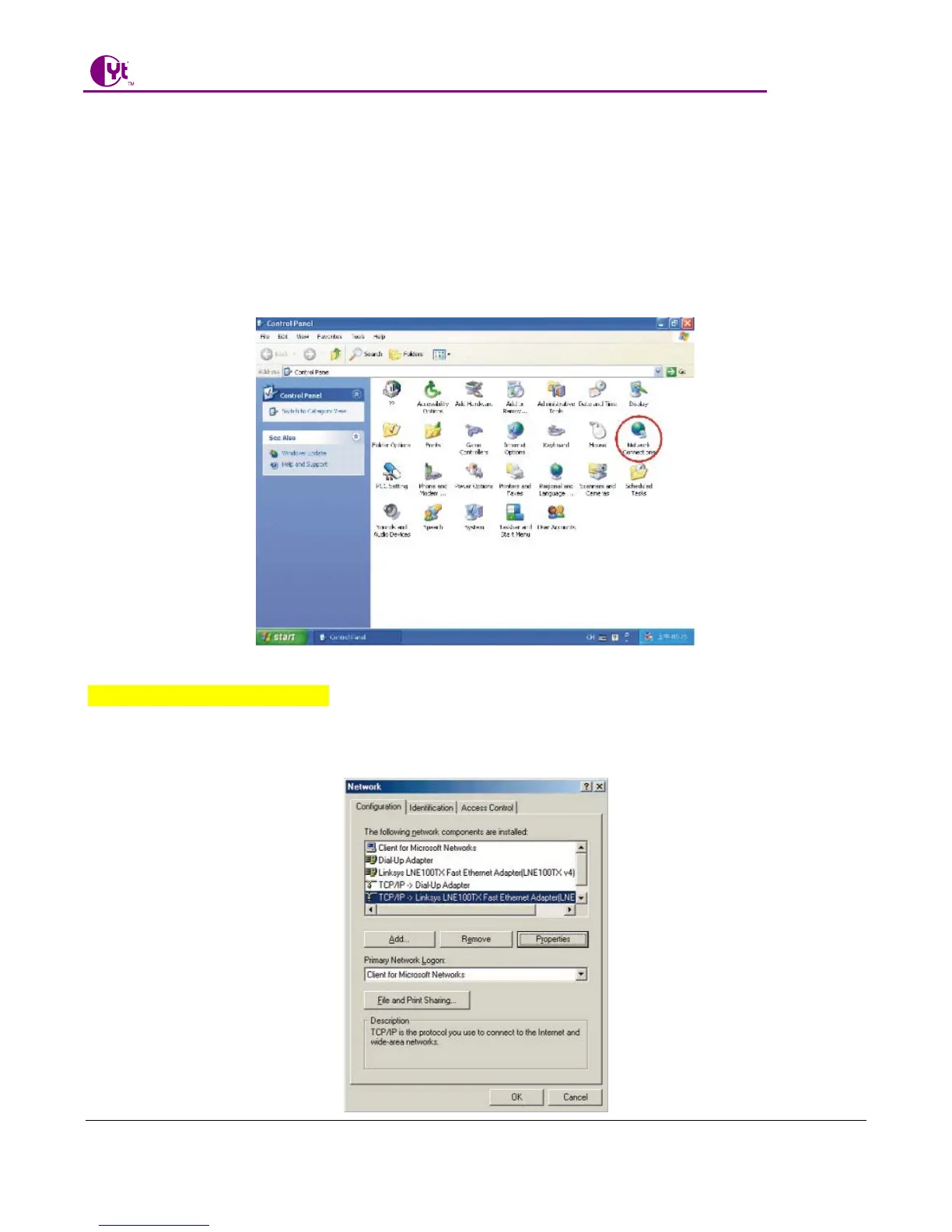
Step 1:Click the “Start” button. Choose “Settings”, then “Control Panel”. Double-click the “Network
Connections” icon. Your Network window should appear as follows:
Step 2:
For Windows 98 and Millennium
On the “Configuration” tab (if using Windows 98 and Millennium PCs), select the TCP/IP line for the
applicable Ethernet adapter. Do not choose a TCP/IP entry whose name mentions
PPPoE, VPN. If the word TCP/IP appears by itself, select that line. Click the Properties button.



 To Next Page