- 14 -
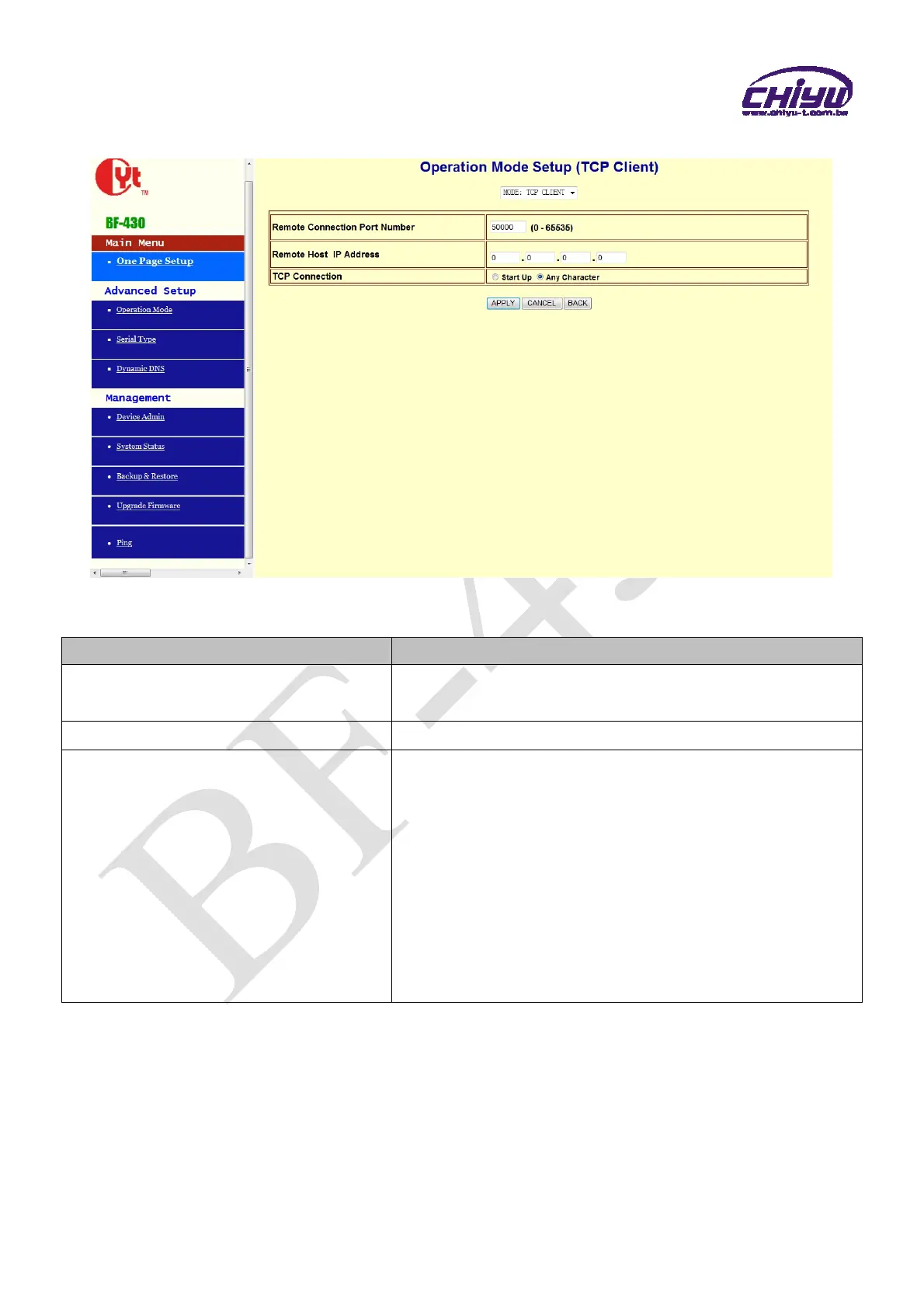
(2)TCP Client
Function instruction
Function Description
Remote Connection Port Number
Set the remote connection port number,the range is 0 ~
65535,default setting is 50000
Remote Host IP Address
Set remote host IP address,default setting is 0.0.0.0
TCP Connection
There are 2 modes to set TCP connection to server:
1.Start Up:This mode means when
BF-430 enable, it will
build the TCP connection with SERVER immediately. It
will automatically build the TCP connection after disable
and then re-connect again.
2.Any Character:This mode means only when
BF-430
receives data from RS232/485, it will build TCP
connection with SERVER. TCP connection will be disable
if not receiving the data from RS232/485.


 To Next Page