- 20 -
Management
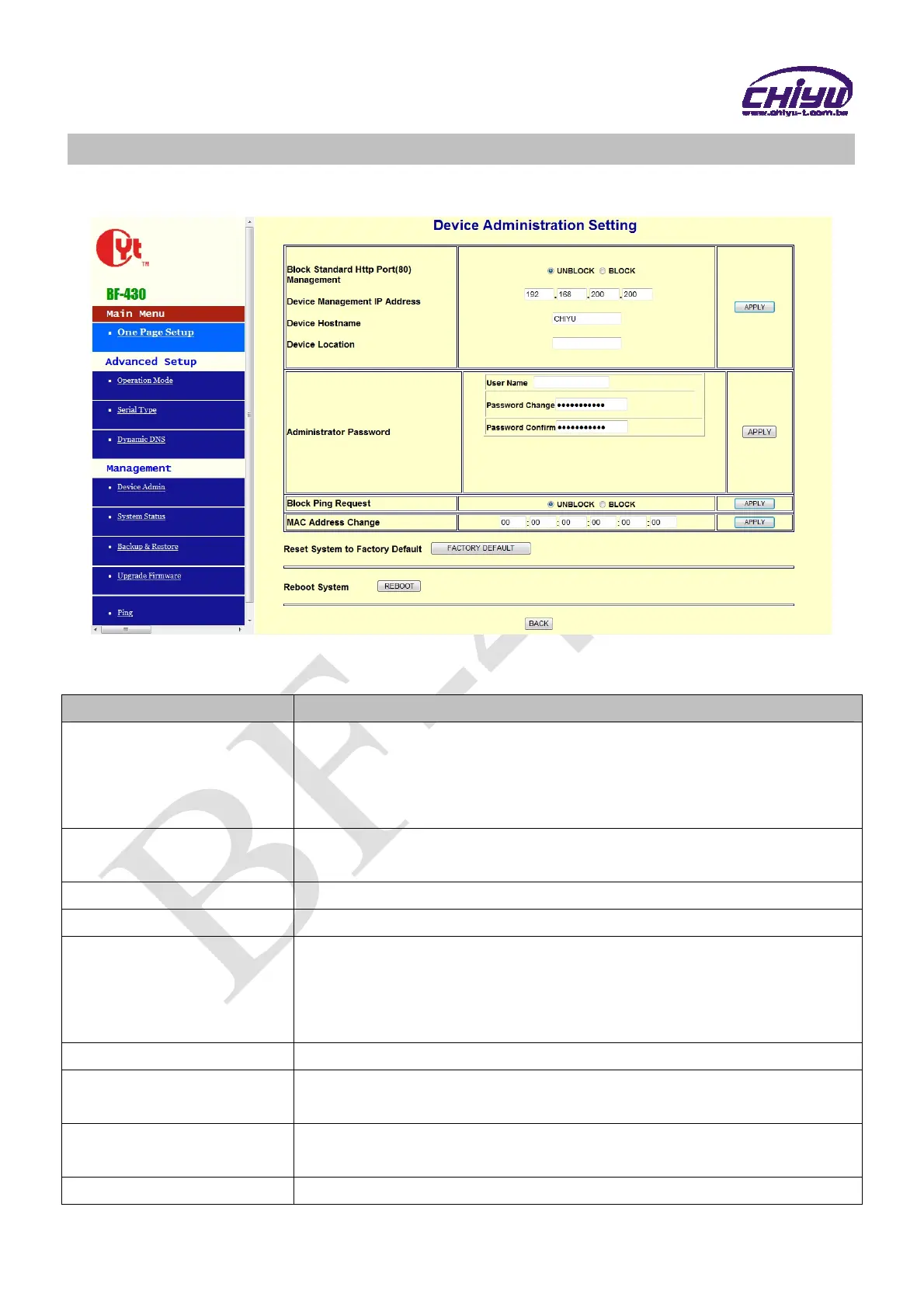
1、Device Administration Setting
Function instruction
Function Description
Block Standard Http
Port(80) Management
Select unblock or block standard http port,default setting is
UNBLOCK(80)
If other port sequence has to be set, select BLOCK, and then fill in the
port sequence.
Device Management IP
Address
Display and set the device management IP address , default setting is
192.168.200.200
Device Hostname Fill in the device hostname, default setting is CHIYU
Device Location Fill in the device location , default setting is blank
Administrator Password
User Name:Fill in the user name
Password Change:
Change the password, for security reasons,
please fill in a new password to replace the default management
Password Confirm:Confirm the new password
Block Ping Request Select unblock or block ping request function , default setting is unblock
MAC Address Change
If you want to change the MAC address, fill in the new MAC
address
Reset System to Factory
Default
Execute this function will reset system to factory default
Reboot System Execute this function will reboot system


 To Next Page