- 21 -
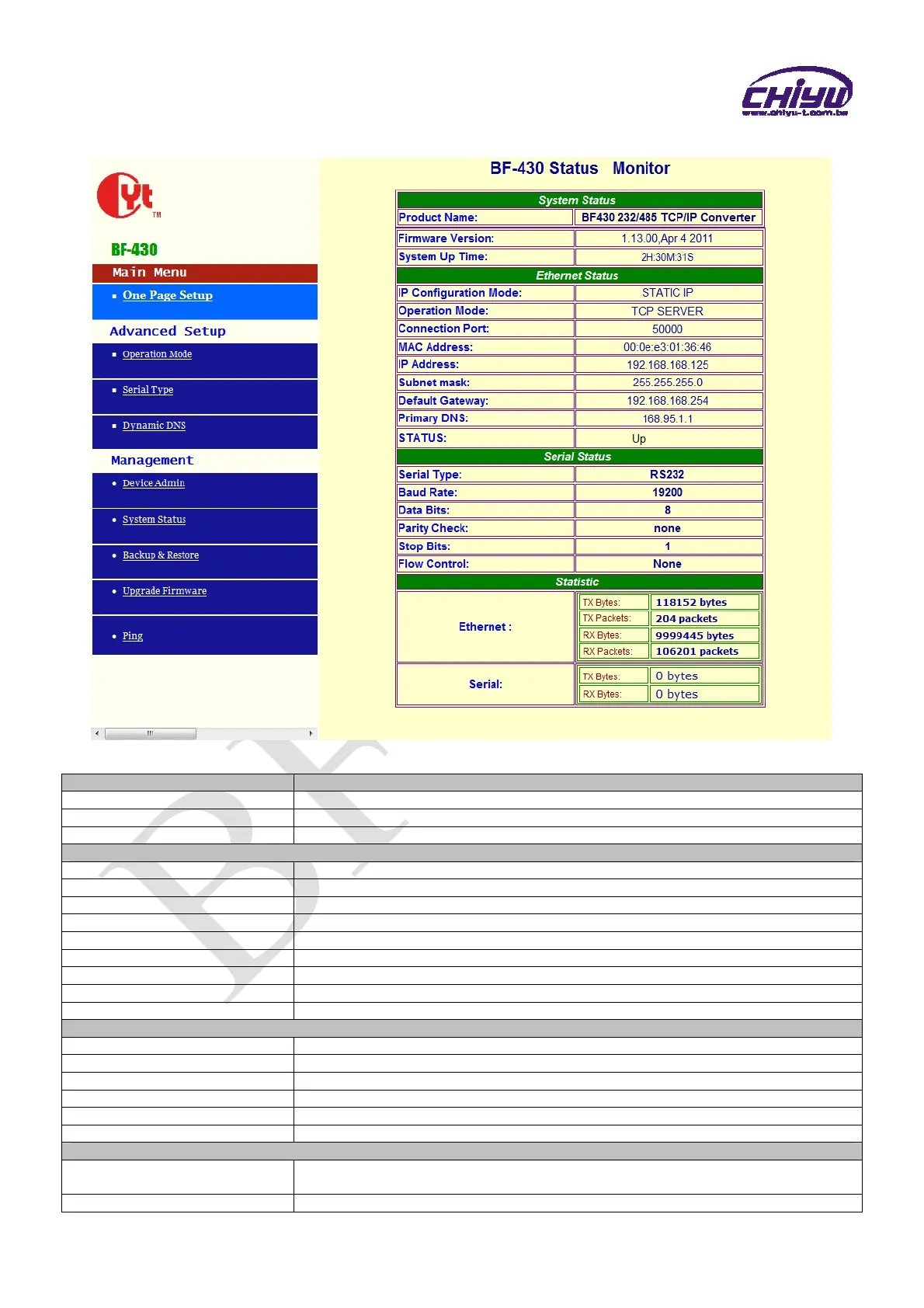
2、System Status Monitor
Function instruction
Function Description
Product Name Display the product name:BF-430 232/485 TCP/IP Converter
Firmware Version Display the firmware version:1.13.00,Apr 4 2011
System Up Time Display system up time,the sequence is hour/minute/second
Ethernet Status
IP Configuration Mode Display the IP configuration,default setting is STATIC IP
Operation Mode Display the operation mode,default setting is TCP SERVER
Connection Port Display the connection port,default setting is 50000
MAC Address Display the MAC address of BF-430
IP Address Display BF-430 address, default setting is 192.168.168.125
Subnet mask Display BF-430 Subnet mask, default setting is 255.255.255.0
Default Gateway Display BF-430 Default Gateway, default setting is 192.168.168.254
Primary DNS Display BF-430 Primary DNS address, default setting is 168.95.1.1
STATUS Display BF-430 internet status
Serial Status
Serial Type Display Serial type, default setting is RS232
Baud Rate Display Baud Rate, default setting is 19200
Data Bits Display Data Bits, default setting is 8
Parity Check Display Parity Check, default setting is None
Stop Bits Display Stop Bits, default setting is 1
Flow Control Display Flow Control, default setting is None
Statistic
Ethernet
RX / TX bytes and RX / TX packets display the total data amount of data receive and
transmission of Ethernet.
Serial RX & TX display the total data amount of data receive and transmission of Serials.


 To Next Page