- 4 -
Ⅲ、WEB Login
BF-430 contains a HTTP server, thus BF-430 can link and connect through Web browser,
and then conduct setting.
Preparation
Before conducting BF-430 setting, please assure the following:
PC has connected to BF-430, and PC and BF-430 are situated in the same WAN with
power supplied.
If the default IP address (192.168.168.125 ) is occupied by else device, then it is a
must to shut down that device first till the setting is over, and then allocate new IP
address to BF-430.
How to search BF-430
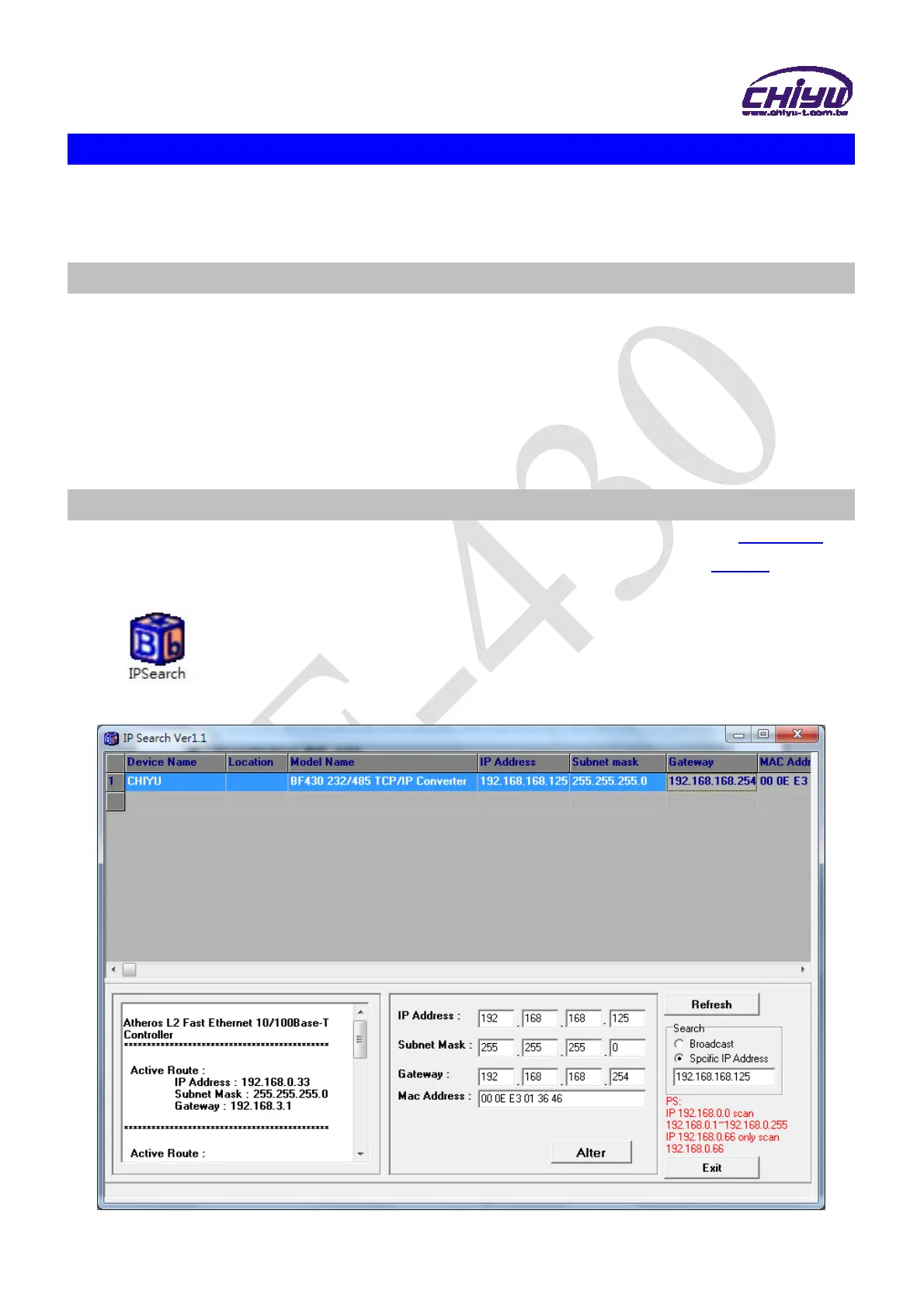
1、After installation of BF-430 and network cable is completed, use BF-430’s IP Search
to search all BF-430 in a certain LAN, or download IP Search tool from CHIYU
homepage. Desktop icon as below:
2、Click IP Search icon, will display a window, as shown:



 To Next Page