Need help?
Do you have a question about the CHIYU BF-430 and is the answer not in the manual?
Shows the physical dimensions and layout of the BF-430 device.
Details the technical specifications of the BF-430 converter.
Details the RS-232 pinout and provides connection diagrams for the device.
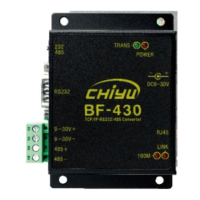
Highlights the key capabilities and functionalities of the BF-430 converter.
Covers prerequisites and initial steps for finding the BF-430 on the network.
Explains how to revise IP Address, Subnet Mask, and Gateway through the IP Search tool.
Details accessing the web interface and network setup for Windows XP.
Details steps for configuring network settings on Windows 7 for connectivity.
Guides on browser login and resolving connection issues.
Covers entering login details and the first setup page.
Explains the configuration settings for the Quick Setup page using a Static IP.
Details each setting on the Static IP Quick Setup page.
Explains the configuration settings for the Quick Setup page using DHCP Client.
Details each setting on the DHCP Client Quick Setup page.
Explains the configuration settings for the Quick Setup page using PPPoE.
Details each setting on the PPPoE Quick Setup page.
Configures the device to operate as a TCP server.
Explains the parameters for TCP Server mode setup.
Configures the device to operate as a TCP client.
Explains the parameters for TCP Client mode setup.
Configures the device to operate as a UDP server.
Explains the parameters for UDP Server mode setup.
Configures the device to operate as a UDP client.
Explains the parameters for UDP Client mode setup.
Details settings for serial port communication like baud rate, data bits, parity.
Explains each function parameter for serial port setup.
Configures Dynamic DNS using the TZO service.
Explains the parameters for TZO DDNS setup.
Configures Dynamic DNS using the Dyndns service.
Explains the parameters for Dyndns DDNS setup.
Allows configuration of device management settings like IP, hostname, and passwords.
Explains each function parameter for device administration.
Displays current system status, including IP configuration and operation mode.
Explains each status item displayed on the monitor page.
Allows saving the current system settings as a backup file.
Allows restoring system settings from a previously saved backup file.
Guides on how to upload new firmware to the device.
Provides tools for network diagnostics using the PING utility.
Explains the parameters and results for the PING diagnostic.
 General
| Model | BF-430 |
|---|---|
| Category | Media Converter |
| Baud Rate | 10/100Mbps |
| Fiber Port | SC |
| RJ45 Port | RJ45 |
| Interface | Ethernet |
| Fiber Type | Single Mode |
| Fiber Mode | Single Mode |
| Wavelength | 1310nm |
| Transmission Distance | 20Km |
| Operating Temperature | 0°C to 50°C |
| Humidity | 5% to 90%RH |

 To Next Page