- 8 -
How to login to BF-430 Web via web browser
1、Start Web browser ( ig: WIN 7 IE ), input BF-430’s IP Address, for example: use the
default BF-430 IP Address: http://192.168.168.125
2、If connection failed, should check:
If BF-430 installed and its power supplied properly
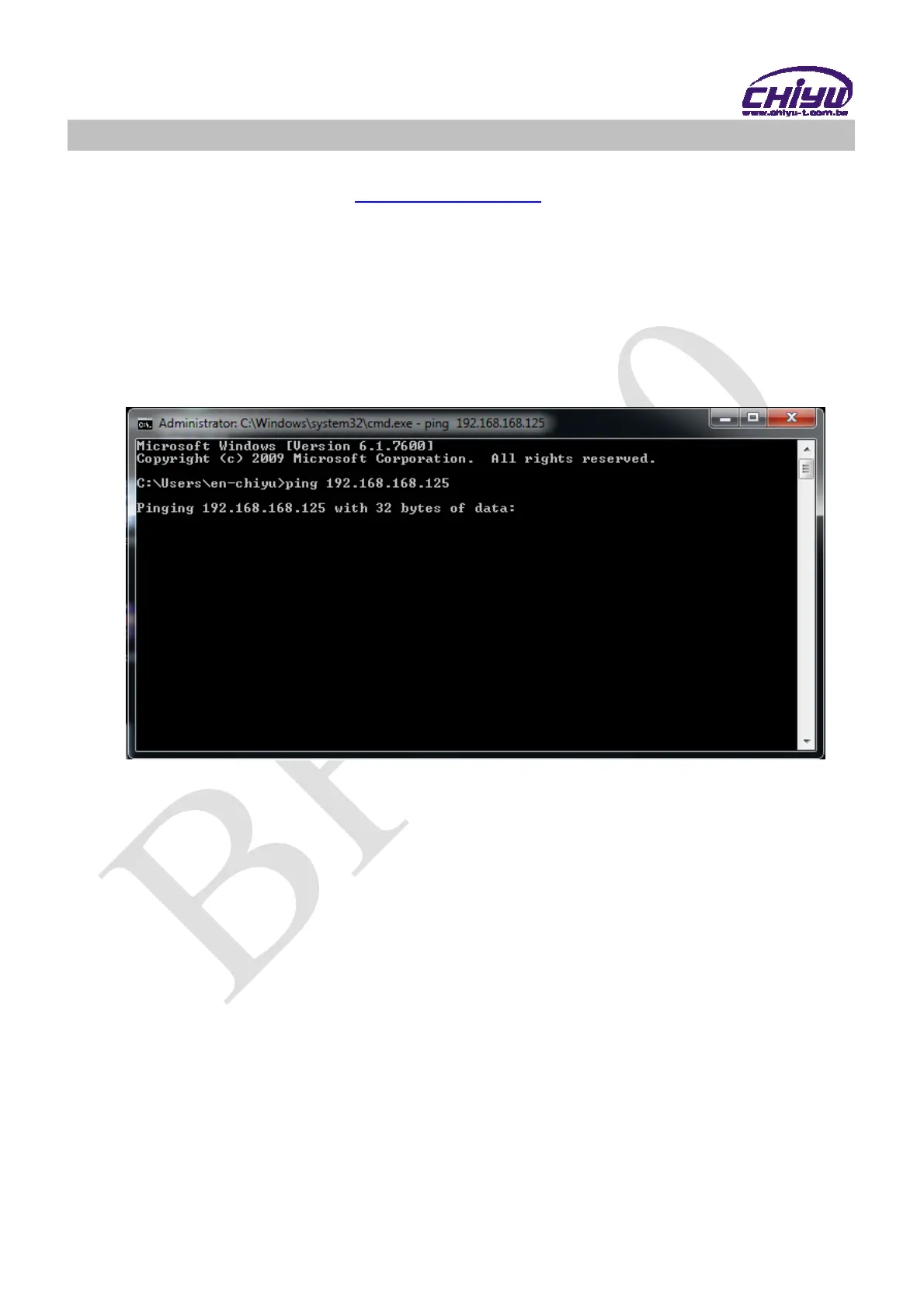
To examine the LAN connection, can use start toolsExecuteInput cmd open
MS-DOS, Input “ ping” to test BF-430 connection, input command: ping
192.168.168.125, as shown below:
If no response received, it explains the link has troubles either the connection is
not proper or the PC’s IP address can not match with BF-430’s IP address
Set the PC’s IP address with BF-430’s IP address with same segment, if the PC
uses fixed IP address, the address must be ranged in: 192.168.168.1 ~
192.168.168.65 or 192.168.168.67 ~ 192.168.168.254 , thus it can be compatible
with BF-430’s default IP address: 192.168.168.125, the Subnet Mask’s setting
must be: 255.255.255.0, please refer to page 6 ~ 7



 To Next Page